24 August 2026
Support knowledge
Maintenance, support, handover, fault finding, service reports and long-term ownership guidance for smart home, CCTV, AV and network systems.
24 August 2026
24 August 2026
24 August 2026
In AV, CCTV, Wi-Fi and smart-home support, the fastest route to the fault is often identifying what changed before the system stopped behaving normally.
Intermittent faults are easier to diagnose when clients record when they happened, what was being used and whether power, internet or heat may have been involved.
Photos help AV and smart-home support, but only if they show the screen, rack, power, labels and cable paths clearly enough to diagnose the problem.
When AV, CCTV, Wi-Fi or automation stops working, knowing which contractors or service providers visited recently can reveal the cause faster.
AV and smart-home support works faster when the person on the phone can see the screen, rack, remote, app or device being discussed.
Labels in racks, cabinets and smart-home systems should help house managers, staff and support teams identify equipment without needing to understand the whole design.
A clean AV rack is important, but tidying, dusting or repacking a cabinet can create faults if technical equipment is moved without understanding the system.
A working smart-home, AV, CCTV or network system can be damaged during renovation if cables, racks, dust and temporary power are not managed.
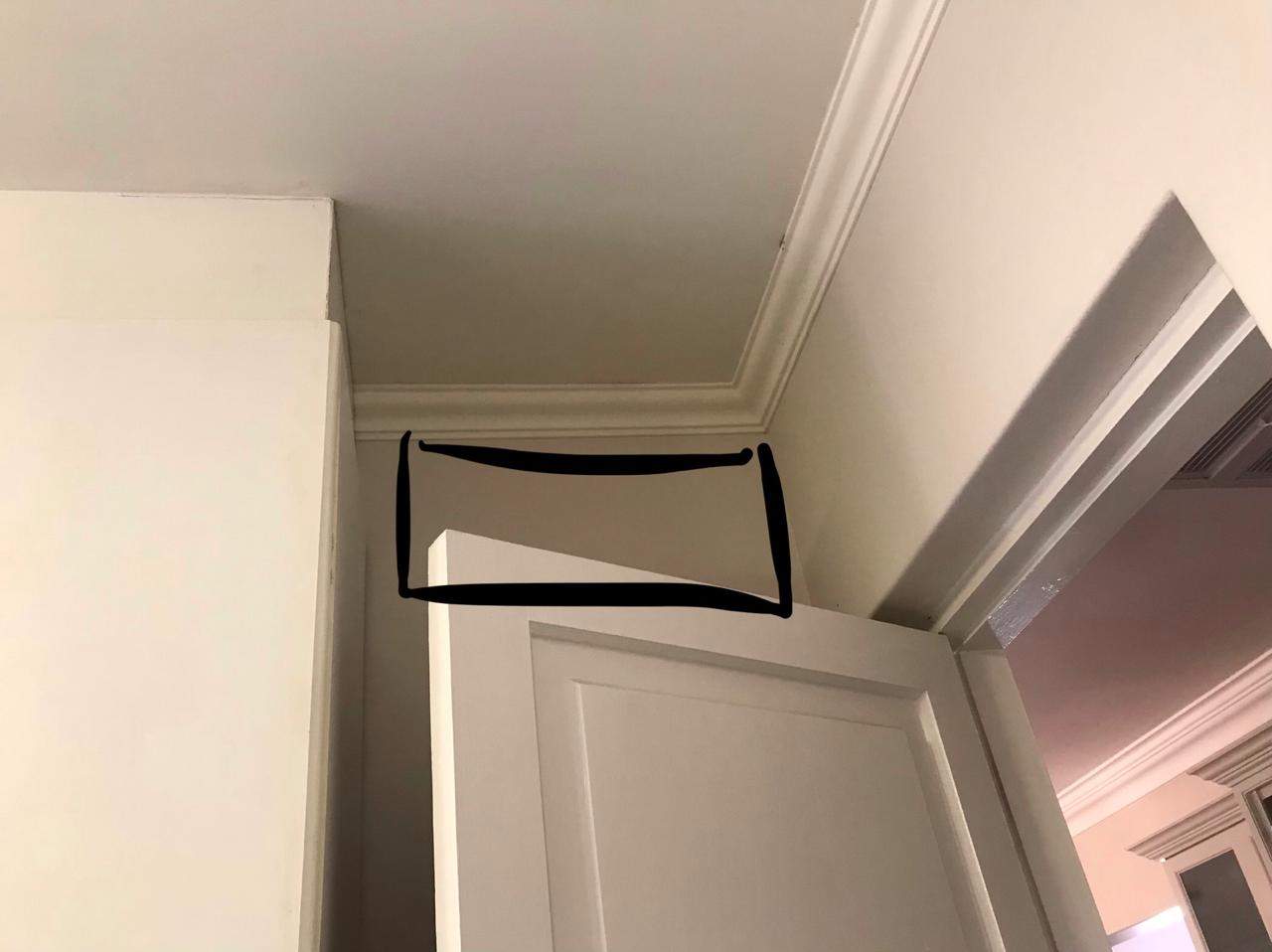
Old AV, CCTV, Wi-Fi, audio and automation devices hidden in ceilings, cupboards and joinery can change renovation scope and pricing.
When a client gets a new phone, smart-home, CCTV, audio and access apps should be added carefully instead of rushed under pressure.
Equipment racks and network cabinets control critical home and business systems. Access should be managed, documented and limited to responsible people.
Smart homes, offices and estates need clear support contacts for fibre, CCTV, automation, electrical, gates, security and AV so faults go to the right person first.
An annual technology review helps premium homes keep AV, CCTV, Wi-Fi, automation, power protection and documentation aligned with how the property has changed.
A smart home, CCTV and AV ownership pack helps a new buyer understand what technology exists, who supports it and what should be checked before transfer.
Old app users, CCTV viewers, Wi-Fi credentials and remote-support accounts should be reviewed before they become an unnecessary security or privacy concern.
A proper smart-home support contract should cover networks, CCTV, AV, automation, firmware, documentation, remote support and scheduled checks.
A premium smart home should be reviewed before small issues become disruptive. A maintenance calendar keeps systems current and supportable.
A properly documented smart home is easier to service, upgrade, repair and understand long after the original installation team has left site.
An offline access point can be caused by a broken cable pair or poor termination. Here is how we separate a cable fault from an AP or PoE fault.
A UPS is only useful if the right cables are present, the load is understood, the batteries are healthy and the system has been tested under real conditions.
Warehouse PA systems affect operations, safety and communication, so ownership, paging rights, support contacts and zone responsibility should be clear.
Remote support can solve problems quickly, but changes to networks, users, cameras, apps or automation should record who approved the action and why.
Removing a TV, decoder, amplifier or cabinet for building work is easy. Reconnecting it cleanly weeks later is where planning, labels and photos matter.
When Denon, HEOS, Sonos or other audio devices disappear from apps, the problem is often not the speaker. It is how the network handles discovery, roaming and device visibility.
An older commercial AV system should be mapped and tested before the client commits to replacing every component.
A later boardroom support visit can expose changes to cables, network paths, sources, furniture and control systems that were invisible at the original handover.
Different rooms place different demands on commercial AV equipment, so faults and upgrade needs may appear in one space before another.
Several meeting rooms can have different equipment while still sharing consistent naming, control logic, cabling records and support procedures.
Commercial public-address systems should be tested zone by zone so amplifier, cabling and speaker faults can be identified before handover.
A commercial AV handover should leave the client with operating instructions, equipment records, labels, test results and a clear support path.
A room-by-room equipment schedule makes a commercial AV project easier to quote, install, test and support.
Replacing a school PA amplifier requires checking the existing speaker cabling and loudspeakers before the new system can be trusted.
A first-person DG Technologies account of how one Zimbali home's audio, internet, Wi-Fi, control and support requirements changed over more than a decade.
Cheap technology decisions can become expensive after move-in when routers, Wi-Fi, CCTV, TV routes, UPS protection, rack space and documentation were not planned properly.
Holiday homes need technology checks before arrival. Wi-Fi, CCTV, audio, TVs, gates and power recovery should be tested before the family walks in.
After handover, small changes to room names, router settings, source devices and temporary repairs should be logged so the system remains understandable.
Electrical work can affect AV, CCTV, networking and automation systems. Testing afterwards catches tripped supplies, damaged cables and changed power conditions.
Photos are not just for marketing. In AV, CCTV, networking and automation support, they become evidence of what changed and why.
A support call moves faster when the fault is described by room, device, time and behaviour instead of only saying the system is not working.
Many CCTV and smart home complaints appear inside the client's phone. Testing the actual phone, app and connection can prevent the wrong system diagnosis.
When a client chooses not to include an option, recording that decision helps future support, upgrades and expectation management.
Before upgrading Wi-Fi, CCTV or smart home systems, the network cabinet should be audited. The cabinet often reveals the real cause of reliability problems.
After AV support, the client should test the system in normal use. Some intermittent faults only reveal themselves after real household routines resume.
Netflix, YouTube and other streaming issues can look like TV or AV faults. A proper diagnosis separates the app, internet, device, display and audio path.
A system can test correctly at the rack but still disappoint in the room. Good AV, Wi-Fi and CCTV support tests from the client's actual position.
Not every Wi-Fi complaint is caused by the access points. Device age, roaming behaviour, settings and usage patterns also need to be tested.
Premium AV and automation faults should not bounce between suppliers. A clear escalation process protects the client and gets the right person involved faster.
Smart home handover on move-in day is useful, but a follow-up training session after real use often reveals what the client actually needs.
Holiday homes often sit unused, then suddenly need everything to work. CCTV, Wi-Fi, AV and automation should be checked before guests arrive.
Garden work, irrigation changes and planting can damage CCTV, gate, audio and network cables if low-voltage routes are not documented.
Remote support is faster when there is a clear authorised person who can approve changes, describe faults and confirm what is happening onsite.
Site decisions made during construction should not live only in WhatsApp messages and memory. They need to reach the final AV documentation.
A rack is not just a neat cabinet. It gives residential AV, Wi-Fi, CCTV and smart home equipment power, airflow, structure and serviceability.
Room names, source names and device names in a smart-home app should match how the family, guests and staff actually refer to the home.
Premium homes often have critical routers, switches, processors and AV equipment in cupboards. Staff should know what must stay powered.
Before handover, important network, AV, CCTV and automation equipment should have a known firmware baseline so future changes can be understood.
A premium cinema may need a simple guest mode so visitors can watch a movie without seeing complex controls or calling the homeowner.
Home cinema systems may sit unused for weeks. A seasonal test before guests arrive prevents remote, source, audio, projector and app issues from becoming embarrassing.
Intercom device names, call groups and app labels should use the language of the household so owners, staff and support teams understand them later.
Pedestrian gates, strikes and access-control readers should have a clear emergency and manual release procedure understood by owners and staff.
Cinema handover should include real source testing. Streaming accounts, apps, remotes and subscriptions need to be ready before the room is demonstrated.
Furniture, rugs, curtains, seating distance and room layout changes can affect surround sound balance in a cinema or media room.
Moving furniture after handover can affect AV cables, Wi-Fi, remotes, speakers, airflow and hidden technology in ways that are easy to miss.
When cabinets, floors or rooms are being refurbished, AV equipment needs a temporary plan so the system can be removed, protected, labelled and restored properly.
A beautiful cabinet can still cause AV problems if doors, shelves and styling block airflow around amplifiers, decoders, HDMI gear and network equipment.
Ceiling-mounted access points can be hidden neatly, but they must still be reachable for firmware recovery, resets, replacement and testing.
When Apple TV, DSTV, receivers and displays behave differently, the problem may be resolution, HDMI switching or an ageing AV receiver board rather than one faulty device.
When outdoor speakers fail, the fault is often corrosion, water exposure or cable damage before it is the amplifier or the speaker brand.
A new fibre router can look like a simple internet upgrade, but in a smart home or CCTV system it can change IP ranges, reservations, remote access and device discovery.
Moving an Apple TV, decoder, streamer or media player can affect HDMI, control, networking, audio routing and user experience in a smart-home system.
Apple TV replacement and setup is not only hardware. Netflix, DStv Stream, Disney+, Prime Video and owner logins need to be ready before the handover can be completed properly.
Before demolition starts, AV, CCTV, Wi-Fi, speaker, fibre and control cables should be marked so useful routes are not destroyed by accident.
In premium homes, changes to CCTV, gates, Wi-Fi, smart-home apps and remote support should be approved by the right person, not handled casually.
Access control in premium homes should use clear names, permissions and expiry dates so old contractor and staff codes do not remain active forever.
After-hours CCTV faults are harder to resolve when no one can access the recorder, cabinet, gatehouse or affected area. Site access should be planned.
House managers often need technology access, but permissions should be limited to the work they actually need to perform.
Remote support is useful, but premium homes need clear approval rules, responsible parties and records before installers connect from off site.
When house staff, managers or security personnel change, smart-home, CCTV, Wi-Fi and gate access should be reviewed.
Private home support should have clear permission boundaries around rooms, equipment access, staff instructions and client decisions.
CCTV footage requests should be handled carefully. Clear procedure protects evidence, privacy, timing, export quality and accountability.
A new fibre router or ISP change can affect IP reservations, remote access, CCTV viewing and automation reliability if nobody controls the network handover.
A CCTV system can look excellent during the day and fail when the client needs it most. Night testing proves exposure, infrared, lighting and evidence quality.
Site photos are not just progress updates. They become evidence of cable routes, device positions, conduit conditions, damage and completed work.
A technically correct interface is not always the best interface. Smart home screens should sometimes be shaped around how the family actually uses the rooms.
A system that works while everything is already on may still fail after a full restart. Cold-start testing exposes power-up order and recovery issues.
The last part of a smart home project is where names, scenes, remotes, app layouts, testing and client behaviour are refined. It should not be rushed.
Inherited systems expose whether an installer understands cabling, power, signal flow, control logic, documentation and client use beyond product knowledge.
A short handover video can capture how a smart-home, AV or CCTV system was intended to be used before details are forgotten.
Access-control faults are not always hardware failures. Logs can reveal user, timing, permission, network or power issues before parts are replaced.
Smart-home app favourites should reflect how the family uses the house, not how the installer thinks the system is organised technically.
Audio calibration can change as rooms are furnished, used, renovated and adjusted. Premium cinema and audio rooms should be rechecked when the room changes.
AV receiver inputs, HDMI routes and control-system labels should match so clients, guests and support teams understand what source is being used.
AV snag lists are more useful when they separate true defects from preference changes, training issues, added scope and design refinements.
A proper Wi-Fi repair should prove the fault, not guess. Before-and-after testing can show whether the problem is a switch, cable, access point or router.
In secure estates, the estate gate, guardhouse, homeowner gate, intercom, cameras and internal access systems may involve different responsibilities.
A photo of the actual TV, projector, CCTV or app message can tell a technician far more than a verbal summary of the fault.
After years of supporting real homes, an installer learns to promise less casually, test more carefully and design systems that can actually be maintained.
In private homes, technical support is also a trust exercise. The way technicians enter, communicate and work matters as much as the repair.
A good maintenance report should help the client understand what was checked, what was fixed, what remains risky and what decisions need approval.
Network updates can affect Wi-Fi, cameras, intercoms, Crestron, streaming and remote access. Premium homes need agreed timing before work begins.
Crestron Home makes residential automation cleaner, but serious homes still need disciplined testing of rooms, scenes, networks, power recovery and user behaviour.
A premium home Wi-Fi system may work well at handover, then need review when neighbouring networks, nearby estates or new equipment change the radio environment.
Network cabinets often look neat once joinery is finished, but routers, switches, PoE equipment and UPS units still need airflow and service access.
Managed networks need clear controller ownership so future support, monitoring, configuration and security decisions do not become confused.
When visible devices have been checked and the fault remains, old hidden HDMI or AV cables can become a remaining weak link in a system.
Outdoor audio faults are not always amplifier faults. Corroded terminals, damaged cable and weather-exposed speaker connections should be checked first.
A small, labelled spares box can prevent simple batteries, patch leads, adapters and remotes from becoming unnecessary emergency callouts.
Remote reboot outlets can be useful in smart homes and CCTV systems, but only when each outlet is labelled, documented and restricted to the right equipment.
After a room is renovated, AV, Wi-Fi, lighting scenes, remotes, speakers, cameras and control interfaces should be recommissioned for the new layout.
In AV, CCTV and automation work, small product differences can change compatibility. Exact model numbers prevent expensive replacement mistakes.
Network updates in integrated homes should have a rollback plan so CCTV, AV, Crestron, Wi-Fi and remote access can be restored if something behaves unexpectedly.
A damaged speaker or amplifier does not always mean the whole system should be replaced. Supplier support and spares can change the right decision.
Subwoofers can reveal loose panels, furniture vibration, cabinet resonance and room rattles. These should be tested during commissioning, not discovered by the client later.
A device can test fine while the client's original problem remains. Good AV and smart-home support retests the exact user workflow that failed.
Premium homes need clear roles for the owner, house manager, IT provider, security company, electrician and smart-home integrator before daily use begins.
Temporary access for contractors, IT providers, security teams or maintenance companies should be removed once the work is complete.
The fibre ONT, router and switches should be treated as one network chain, especially where CCTV, Crestron, Wi-Fi and remote support depend on them.
A TV showing Wi-Fi signal does not prove the problem is solved. Real streaming tests reveal buffering, app issues, wired faults and network instability.
Wi-Fi access-point placement can look correct before move-in, but real roaming should be checked once doors, furniture, glass and daily routes are in place.
Industrial CCTV support should be planned around operating hours, dispatch, receiving, gate movement and production risk instead of treated like a normal callout.
CCTV camera positions should be confirmed with the client before final handover. View sign-off avoids misunderstandings about what the system covers.
Firmware updates and network changes can affect AV, CCTV, Wi-Fi and automation systems. They should be handled during a planned maintenance window.
When a business cannot afford downtime, CCTV, Wi-Fi, network and PA cutovers need staged planning, extra labour, testing and rollback thinking.
Projectors need access for cleaning, filters, alignment, cabling, replacement and troubleshooting. Handover should record how the projector can be serviced.
Router ownership, admin access and IP reservations affect CCTV, Wi-Fi, automation, AV control and remote support in serious home technology systems.
Small scheduled maintenance visits usually cost less than urgent AV, CCTV, network or smart-home failures after the system has already gone down.
CCTV camera names should match the language used by warehouse supervisors, dispatch teams and operations staff, not only installer numbering.
Older CCTV DVRs show why recording health, hard-drive condition, time settings, remote access and export testing matter before footage is needed.
Older router setups show why IP reservations, port rules, Wi-Fi names, DHCP ranges and network ownership matter in modern home automation.
A smart-home or AV fault often makes more sense when the installer understands the timeline of previous upgrades, router changes, source changes and repairs.
A long-term support record helps identify recurring faults, changes by other trades, power issues and equipment patterns that a once-off callout may miss.
CCTV recorders depend on hard drives. Storage health, recording days and drive age should be checked before footage is needed.
Commercial CCTV names should reflect the way staff, supervisors and managers use the site, not only the order in which cameras were installed.
A private home's technology improves when the installer remembers past decisions, past faults, client preferences and the reasons behind previous upgrades.
Early private-home AV work teaches that the client’s frustration, habits and expectations often explain the system better than the equipment list does.
Private-home support improves when the installer remembers how the client likes to use rooms, remotes, music, cameras, apps and staff access.
Industrial sites that rely on CCTV, Wi-Fi, PA systems and access control should include basic technology status in shift handover.
UPS units protect racks, networks, CCTV and automation systems only if their batteries are healthy. Battery replacement should be planned, not guessed.
Outdoor CCTV reliability depends on proper cable entry, junction boxes and sealing. Silicone after the fact is not a professional waterproofing plan.
Outdoor CCTV cameras collect dust, insects, salt, moisture and spider webs. Cleaning should be part of maintenance before footage becomes unusable.
A rack room or equipment cupboard needs light, space and access. Maintenance becomes harder when the technology area is treated as leftover space.
A good AV and smart home handover should explain what the client can restart safely and what should be left to the support team.
Large homes and commercial sites change constantly during construction. A low-voltage change log keeps AV, CCTV, network and automation decisions traceable.
Photographing cable routes, conduits, speaker positions and access points before ceilings close can make future maintenance and upgrades much easier.
CCTV footage is only useful if the time and date can be trusted. Here is why professional installations need proper recorder time settings and checks.
Construction dust can damage AV, network and smart home equipment. Timing, protection and commissioning discipline matter on active building sites.
Premium AV, CCTV and smart home systems should be handed over with equipment records, serial numbers and warranty information that can be used later.
Existing cables can save money, but only if they are traced, tested, labelled and confirmed before being trusted in a new smart-home or AV design.
A paging system can sound fine in an empty building and fail during real operations. PA systems should be tested under realistic site conditions.
PoE switches power cameras, access points and control devices. Clear port labelling helps avoid slow fault finding and accidental outages.
Leaving correct service length at the head end makes patching, rack dressing, future repairs and equipment replacement easier.
Good Wi-Fi support becomes easier when access points are named according to real rooms, floors and building areas rather than vague technical labels.
A practical maintenance checklist for Crestron, AV, Wi-Fi, CCTV and lighting systems in occupied luxury homes.
Buying a home with existing smart home technology? Check the network, CCTV, audio, lighting, passwords, documentation and support before you inherit the system.
Crestron lighting faults should be diagnosed from the load, keypad, module, power supply, wiring, programming and network before parts are replaced.
Crestron touchscreens, apps and audio controls can feel slow when the underlying network, router, switching or IP addressing has not been managed properly.
Owners who travel or manage properties remotely should check CCTV recording, remote access and backup power before leaving the site unattended.
A neat rack is not only about appearance. Door clearance, brush panels and service loops affect reliability, airflow and future fault-finding.
When a Cat cable or control cable fails, the fastest repair often depends on knowing the conduit route, access points and whether the cable can actually be replaced.
When several CCTV faults exist at once, the repair order should be based on security value rather than convenience.
Repeated CCTV camera offline faults are often caused by topology, PoE, uplinks or routing rather than failed cameras.
A router change can break a good CCTV system if camera IP ranges, reservations and gateways were never documented properly.
A CCTV system is not complete because cameras appear on screen. NVR hard drives, recording schedules, remote access and footage playback must be tested before an incident.
Crestron source files, drawings, labels and system documentation protect the homeowner from lock-in, guesswork and expensive support years later.
Crestron and AV support in occupied luxury homes is not only technical. It needs access planning, discretion, house-manager handover and low-disruption work.
A small RJ45 fault can make good IP CCTV cameras drop offline, especially where PoE, uplinks and outdoor conditions are involved.
Why adding extra lights, iPad controls, relays or Crestron functions is not always only programming; the physical panel and spare capacity matter.
Crestron, audio, TV and lighting systems should use room names and source labels the client actually understands before handover, not installer shorthand.
High-mounted CCTV cameras need proper access planning before service work starts, otherwise the real repair may not be possible safely.
A cinema handover should prove that the room works for the family, guests and normal viewing habits, not only a polished installation demo.
Older Crestron homes often depend on iPads, Apple TVs, decoders, amplifiers and source devices that changed over time. Support must diagnose the full chain.
Smart-home handover should not collide with guests arriving, incomplete rooms and last-minute snags. Move-in week needs a technical readiness buffer.
TV mounting is only part of the job. Decoder location, IR control, source naming and remote handover should be planned before brackets and cabinetry are final.
Smart home handover should include account ownership, passwords, app access, router credentials, CCTV users, remote support and secure removal of old users.
A practical smart-home and networking article on why spare cables disappear, why future routes must be labelled, and why documentation protects upgrades.
Moving or swapping CCTV cameras can restore urgent coverage, but temporary repairs must be documented and followed up properly.
Temporary smart home fixes can be useful during renovations, fibre changes or phased upgrades, but they need documentation and a permanent plan.
A field-based explanation of how a single faulty relay, power supply or control device can create wider symptoms in a Crestron or smart-home system.
A neat rack is not only about labels. Separating cameras, Wi-Fi access points, touch panels and control devices makes large home networks easier to support.
CCTV camera views can be blocked by trees, gardens, new walls, pergolas and outdoor changes. Coverage should be reviewed as the property evolves.
No signal does not automatically mean the TV, HDMI extender or decoder is faulty. A good AV technician isolates each part of the path before replacing equipment.
Guest TV problems are often caused by shared decoders, IR bugs, relay settings and remote modes, not by the TV itself.
HDMI faults can come from the source, amplifier, extender, cable, display or projector input. Guessing wastes time; methodical fault isolation finds the real issue.
CCTV handover should include the people who use the system daily, including house managers, guards, reception staff and operations teams.
A practical look at why gate and internal intercom systems can buzz, hum or crackle, and why cable routing matters as much as the device itself.
A recorder can look fine until playback is needed. NVR health checks should confirm drives, recording schedules, time, camera status and remote access.
CCTV recording time depends on camera count, resolution, frame rate, compression, motion and risk. Retention should be designed around how the footage will be used.
Shared DSTV systems can become confusing when decoders, UHF channels, TV links and remote modes are not planned as one system.
A CCTV system is only useful after an incident if the right person can find, export and preserve the correct footage without panic.
A CCTV system is only useful if footage can be found and exported quickly. Playback and retrieval should be tested before something happens.
Many CCTV installations work on day one, then fail later because of poor cabling, weak networks, bad handover, recorder issues or power problems.
CCTV support becomes difficult when nobody knows who owns the app account, recorder login, passwords or remote access permissions.
Boardroom AV failures usually come from weak design: poor audio, missing cables, unreliable networks, confusing controls and no support documentation.
After power outages, routers, switches, NVRs and cameras may not recover in the right order. A restart plan improves CCTV reliability.
CCTV reliability depends on cable routes, labels, containment, cabinets and documentation long after the cameras are installed.
A CCTV camera can be the right model in the right location and still fail if the mounting surface moves, vibrates or cannot be serviced.
Camera names, room labels and site naming conventions make CCTV easier to use, support and search when footage is urgently needed.
CCTV faults are often caused by power, cabling, network, recorder, app and handover problems rather than the camera alone.
AV equipment hidden in cabinets still needs airflow. Heat can cause HDMI dropouts, amplifier shutdowns, intermittent video and premature equipment failure.
When a premium home suddenly has no sound, no TV signal or no music during a busy weekend, the fastest diagnosis often starts by finding what changed.
Outdoor audio needs careful speaker direction, amplifier loading, volume limits, source control, neighbour awareness and weather-aware commissioning.
Short photos and videos can help a support team understand AV, CCTV, Wi-Fi and smart-home faults before sending a technician, saving time and reducing guesswork.
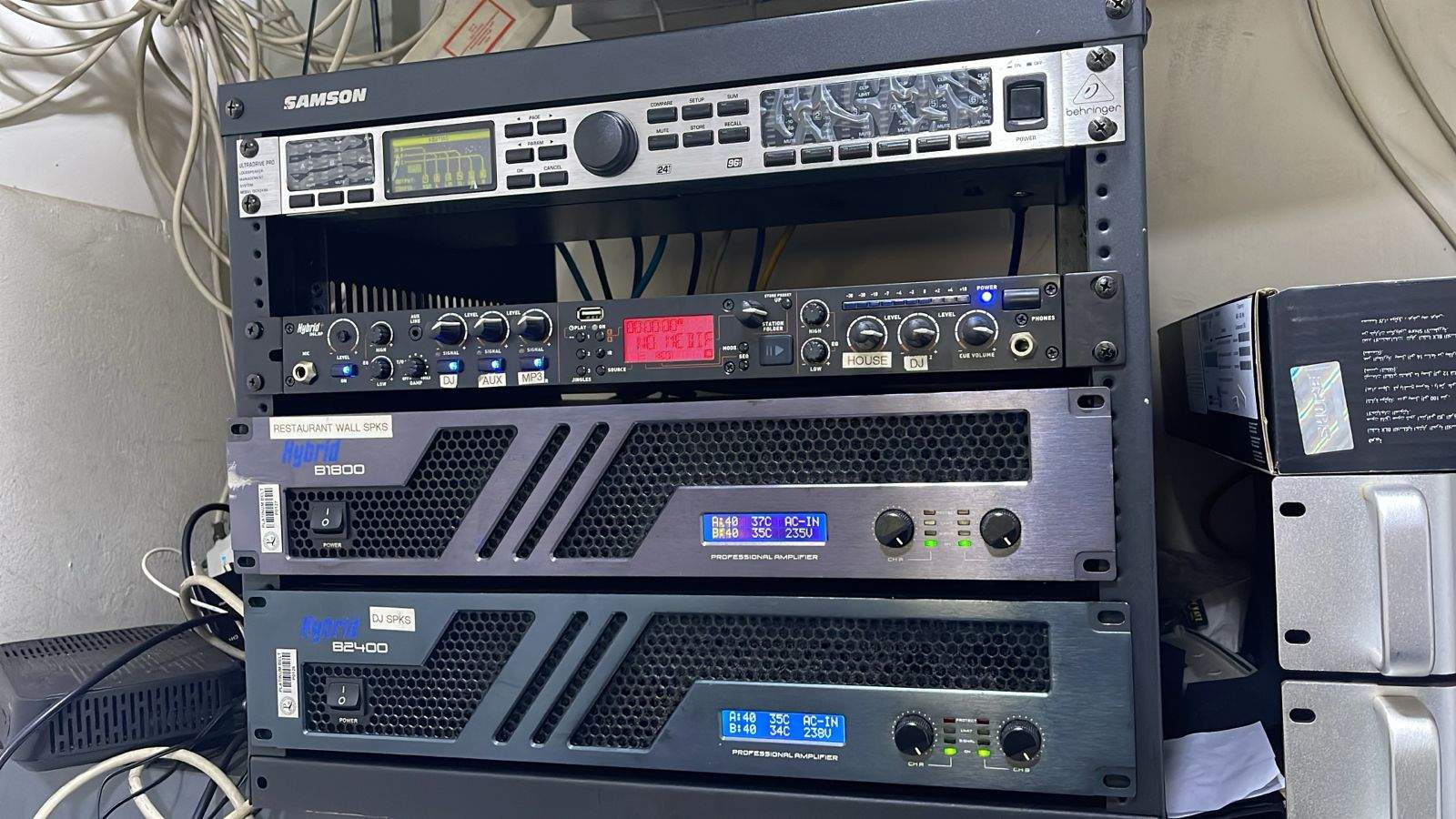
Rack photos, labels and handover records help future support teams understand AV, networking, CCTV and automation systems without guesswork.
Smart-home app room names, source labels and scenes should use the language of the household, not installer shorthand or equipment names.
Remote batteries, UPS batteries, IR emitters, patch leads, power supplies and small accessories can stop expensive AV systems if they are ignored.
Firmware updates can improve systems, but unmanaged updates can also break AV, Wi-Fi, CCTV and automation. Premium homes need a controlled update process.
Premium AV and smart-home systems should be designed around how the home is cleaned, handled and used every day, not only how it works during handover.
A support runbook helps homeowners, house managers and technicians understand what to check first when Wi-Fi, CCTV, AV or automation behaves strangely.
KZN holiday homes should be checked before owners or guests arrive, especially when Wi-Fi, CCTV, audio, DSTV, automation and power systems sit unused for weeks.
Infrared control may feel old-fashioned, but DSTV decoders, TVs, amplifiers and guest rooms still often need reliable IR planning.
Long HDMI routes can cause blank screens, handshake issues and audio problems. Large homes need proper cabling, extenders, fibre and service access.
Large private homes need a simple operational checklist for Wi-Fi, CCTV, gates, AV, lighting scenes, remotes, rack power and support reporting.
Why professional smart home and Crestron installations need proper router management, IP reservations, network control and secure remote access.
A smart-home rack is not just a cupboard for equipment. Heat, airflow and access can decide whether the system remains reliable.
In South Africa, a premium smart home must recover cleanly after outages, inverter changeovers and network restarts. That needs deliberate planning.
Many AV support calls come from unclear source names, missing remotes, powered-off decoders and handovers that did not match how the home is used.
A smart home is not only the equipment installed on day one. It should be designed so it can be maintained, repaired and understood years later.
Remote support and remote viewing are valuable, but they must be planned with security, ownership and long-term support in mind.
Remote and cross-border smart home projects need clearer drawings, schedules and handover notes because every unclear decision becomes expensive later.
Many smart-home faults look like app, camera, audio or automation problems, but the first place to check is often the network underneath.
Many premium AV faults are caused by HDMI paths, eARC settings, extenders, sources or cables. A methodical process prevents guesswork.
In private homes, the owner is not always the only person using the system. Staff and house managers need simple, controlled handover.
Many AV and smart home systems fail because years of TV, decoder, network, app and equipment changes create hidden technical debt.
Smart-home and AV drawings are not only for the AV company. They need to help builders, electricians, designers and future technicians understand the project.
The best cable route is not only hidden. It should be traceable, serviceable and sensible years after the build is finished.
Coastal homes in KZN can be beautiful, but humidity, salt air, heat and power conditions make equipment choice and placement more important.
Premium homes need a simple pre-event AV checklist so music, TV, Wi-Fi, remotes and cinema rooms work before guests walk in.
The practical drawings, schedules and decisions a Crestron and smart-home installer should provide before electrical first fix on a premium KZN home.
What homeowners should expect from a professional smart-home, Crestron, AV, CCTV, Wi-Fi or lighting-control rescue report before repairs begin.
A practical decision guide for KZN homeowners with unreliable legacy Crestron systems: when to repair, recommission, upgrade or replace.
A premium smart home should not depend on scattered project information and one person's memory. It needs a clear technical record.
A practical guide to the drawings, schedules and documentation builders need before smart home, AV, Wi-Fi, CCTV, lighting control and low-voltage first fix begins.
Older amplifiers, controllers, keypads and audio systems can still have value, but the decision to repair or replace should be based on reliability, support and parts availability.
Large private homes need smart-home systems designed for more than the owner, including house managers, staff, guests and support teams.
Why a staged smart-home upgrade can protect budget, reduce waste and improve reliability when an existing system still has useful equipment.
A premium smart home should be maintained after handover. DG Technologies explains why networks, CCTV, lighting, audio and automation need ongoing support.
Smart-home platforms, apps and devices change quickly, but good cabling, documentation, supportability and design judgement remain valuable for years.
A practical guide for Gauteng owners, estate homeowners and managing agents on planning remote support for KZN coastal holiday homes from the start.
The real test of a smart home is not how many features it has. It is whether the homeowner can use it confidently when the installer leaves.
A practical guide to why smart homes can become unreliable over time, from networks and lighting loads to undocumented racks and ageing equipment.
A practical look at how DG Technologies assesses unreliable Crestron, lighting, audio, Wi-Fi, CCTV and AV systems before recommending repairs or upgrades.
A smart home is not finished when the equipment is installed. Proper support starts with documentation, reliable design and someone who understands the system later.
From infrastructure recovery to complex automation, we solve the deep technical problems.