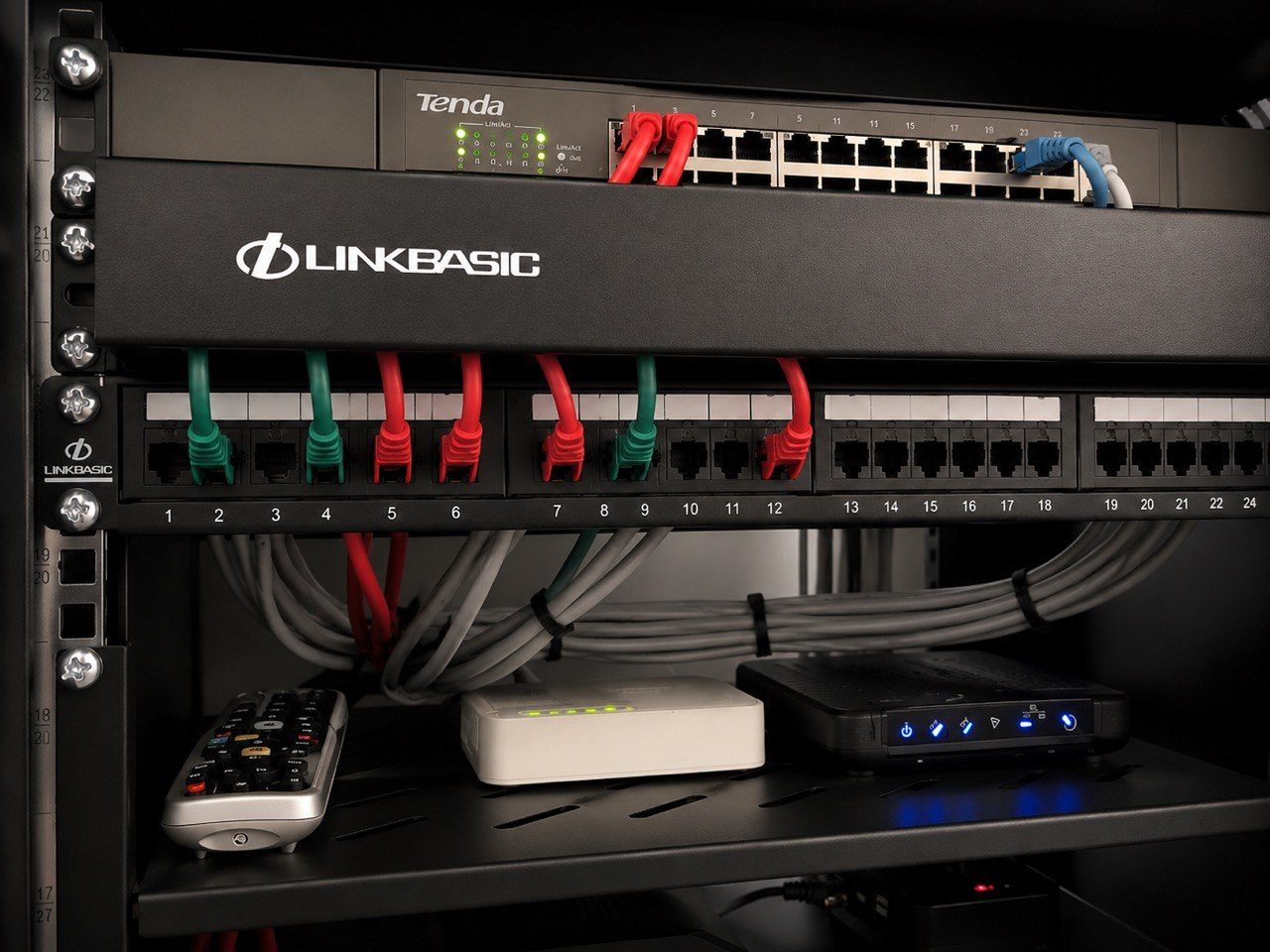
A clean equipment rack matters.
Dust, heat, blocked ventilation and loose cabling are all real problems.
But there is a difference between keeping a rack area clean and moving technical equipment because it looks untidy to someone who does not understand the system.
That small difference can create a support call.
The rack is not normal storage
To a homeowner, staff member or cleaner, a rack may look like a cupboard with electronic boxes inside it.
To an integrator, it is the centre of the property technology system.
It may contain the router, fibre equipment, switches, CCTV recorder, Crestron processor, amplifiers, source devices, HDMI equipment, power protection, patch panels and cooling.
One cable moved into the wrong port can affect several rooms.
One power supply unplugged can take down a camera, access point, amplifier or control interface.
One device pushed against the back of the cabinet can block airflow.
Tidying can change the system
Housekeeping problems often happen with good intentions.
A shelf looks messy, so devices are stacked neatly.
Cables are bundled tightly to make the cabinet look cleaner.
A power supply is moved so the floor can be vacuumed.
A source device is pushed deeper into the rack.
A cabinet door is closed after being left open for airflow.
None of that sounds dramatic.
But AV equipment often depends on ventilation, cable bend radius, infrared emitter placement, power order and stable connections.
Changing those details can change the behaviour of the system.
Heat is a common hidden consequence
Many AV faults are heat-related.
An amplifier may work for an hour and then shut down. A decoder may freeze. An HDMI extender may become unstable. A network switch may behave strangely. A UPS may run hotter than it should.
The cause may not be a failed product.
It may be that the equipment was pushed into a tighter space, a vent was blocked, or a cabinet door was closed after a tidy-up.
In a serious installation, airflow is part of the design.
It should not be changed casually.
Cable position also matters
Neatness is not only about appearance.
Good cable dressing should protect signal, service access and fault finding.
If someone pulls cables tight, bends HDMI leads sharply, ties power and data together, removes labels or pushes connectors under strain, the rack may look cleaner while becoming less reliable.
This matters in systems that carry CCTV, Wi-Fi, automation, distributed video and multiroom audio.
The cable behind the box is often as important as the box itself.
What house managers and staff should know
A luxury home may have staff, house managers, cleaners, maintenance teams and outside service providers moving through the property.
They do not all need to understand the technology.
But they should know the boundaries.
Useful rules are simple:
- do not unplug rack equipment without approval,
- do not move boxes between shelves,
- do not change network ports,
- do not remove labels,
- do not block ventilation,
- do not close a cabinet that is normally ventilated,
- and do not repack cables to make them look neater.
If cleaning is needed, it should be done around the equipment, or with the integrator involved where necessary.
Good rack photos help prove what changed
This is one reason DG Technologies likes practical rack photographs as part of handover and support.
If the rack looked one way at handover and looks different when a fault appears, that tells a story.
The point is not to blame anyone.
The point is to understand what changed.
Rack housekeeping should support reliability, not disturb it.
A premium system should be clean, accessible and serviceable.
But it should also be left exactly as the technical design intended.