15 July 2026
Audio visual systems
Home cinema, boardroom AV, multiroom audio, projection, control and upgrade-planning articles for residential and commercial systems.
15 July 2026
27 May 2026
27 May 2026
A proper home cinema is a room designed as a system: picture, sound, acoustics, lighting, control, ventilation, seating and support all have to work together.
A practical guide to using Sonos, Crestron Home and properly designed matrix audio for South African multiroom audio projects.
What makes a good boardroom AV system: display size, sound, video conferencing, network reliability and one-touch control.
Boardroom audio should be tested with presentations, calls and normal speech so microphones, speakers, source levels and room control work together in practice.
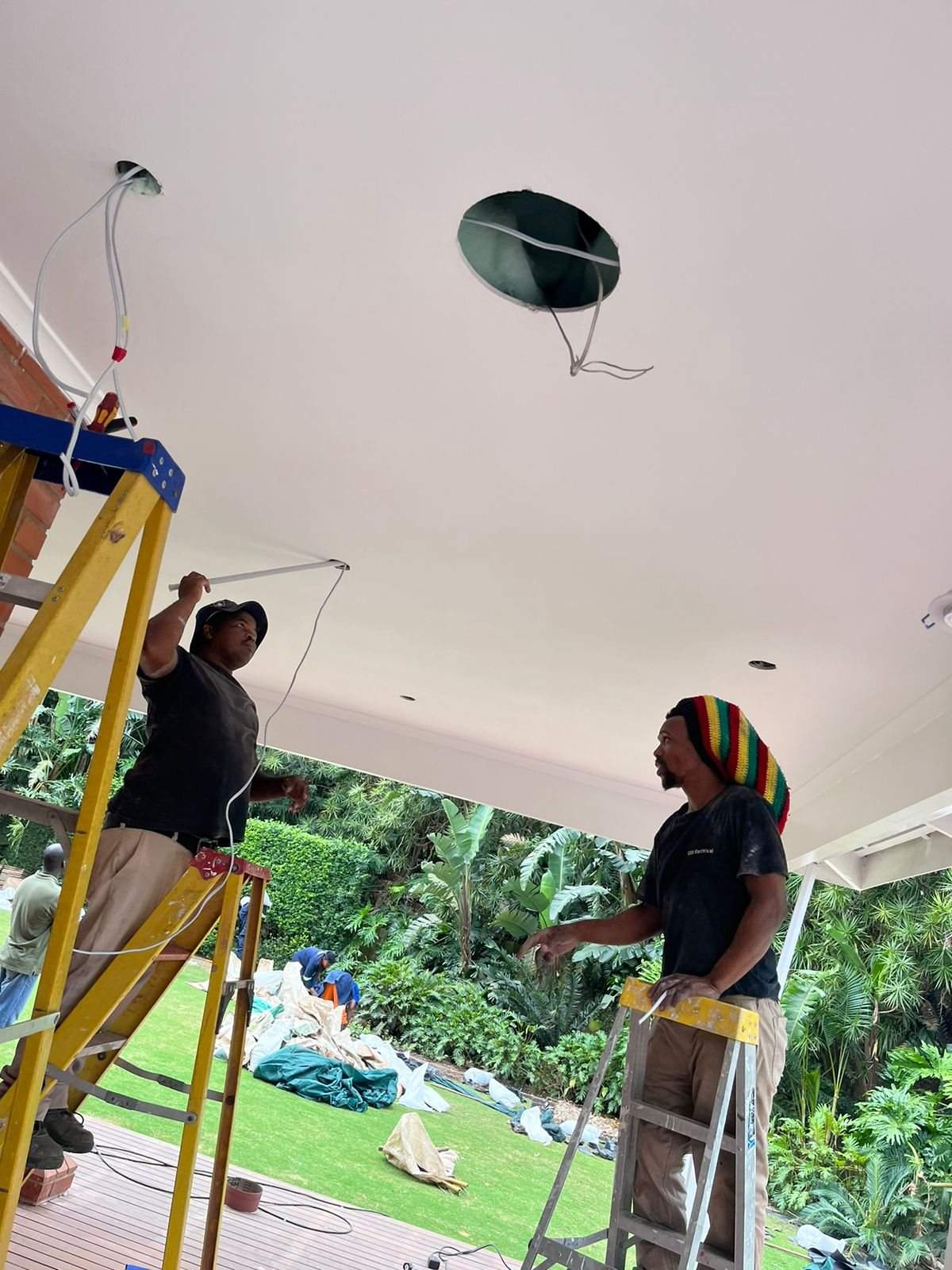
Speaker placement is not only an acoustic decision. Hidden pipe routes, cables and services can decide what is actually possible once walls and ceilings are built.
A UPS is only useful if the right cables are present, the load is understood, the batteries are healthy and the system has been tested under real conditions.
A school hall AV system should be designed around viewing distance, speech coverage, presentation content, lighting and the people operating it.
Infrared control may be old technology, but it teaches an important smart-home lesson: the client expects one button to do the obvious thing.
AV-over-IP can provide flexible routing for larger rooms and connected spaces, while simpler rooms may need a more direct signal path.
A reliable boardroom should have a clear everyday meeting path and a practical fallback for visitors, platform changes or presentation problems.
When Denon, HEOS, Sonos or other audio devices disappear from apps, the problem is often not the speaker. It is how the network handles discovery, roaming and device visibility.
A later boardroom support visit can expose changes to cables, network paths, sources, furniture and control systems that were invisible at the original handover.
Room scheduling panels give staff immediate information about availability and help businesses manage several meeting spaces more clearly.
Different rooms place different demands on commercial AV equipment, so faults and upgrade needs may appear in one space before another.
Several meeting rooms can have different equipment while still sharing consistent naming, control logic, cabling records and support procedures.
Camera position, display size, participant sightlines and presenter location all affect the quality of a boardroom video meeting.
Boardroom AV drawings become useful when they reflect furniture, floor boxes, source routes, equipment positions and changes discovered during installation.
Large institutional AV deployments benefit from backup equipment, programming records and a recovery process that protects rooms when a component fails.
Training rooms and boardrooms may share technology, but their presenter position, viewing pattern, audio and content requirements are different.
A useful commercial AV site survey records the room, users, infrastructure, access, power, network and installation constraints before equipment is selected.
A multi-room workplace AV installation needs room-specific design, shared standards, coordinated cabling, testing and a clear handover.
Late furniture changes, missing network access, untested cables, unclear source names and unavailable users can delay commercial AV commissioning.
Hospitality boardrooms need polished guest operation, reliable presentation, clear audio, discreet equipment and support that works around the venue.
A room-by-room equipment schedule makes a commercial AV project easier to quote, install, test and support.
A first-person DG Technologies account of how one Zimbali home's audio, internet, Wi-Fi, control and support requirements changed over more than a decade.
Cinema room planning should happen before construction locks in ceiling heights, seating, projector throw, speaker positions, screen size, lighting control, conduits and service access.
Holiday homes need technology checks before arrival. Wi-Fi, CCTV, audio, TVs, gates and power recovery should be tested before the family walks in.
Premium AV projects depend on supplier stock, shipping and substitutions. Lead-time communication protects client expectations and project sequencing.
Electrical work can affect AV, CCTV, networking and automation systems. Testing afterwards catches tripped supplies, damaged cables and changed power conditions.
Netflix, YouTube and other streaming issues can look like TV or AV faults. A proper diagnosis separates the app, internet, device, display and audio path.
A system can test correctly at the rack but still disappoint in the room. Good AV, Wi-Fi and CCTV support tests from the client's actual position.
Multiroom audio should be enjoyable without becoming chaotic. Zone volume limits help protect speakers, neighbours, guests and the client's daily comfort.
Boardroom AV works better when table power, HDMI, USB-C, network and cable access are planned before the furniture is manufactured.
Client-supplied TVs, speakers, projectors, routers and media devices can work well, but they need compatibility checks before installation day.
Large AV, CCTV and smart home quotations often evolve. Recording what changed and why protects the client, the project and the final system.
Smart homes and AV systems need future access. Service panels should be planned with the architect and interior designer before finishes close.
KZN coastal homes are harder on AV, Wi-Fi, CCTV and cabling than many clients realise. Corrosion, humidity and access affect the design.
Moving a TV or AV cabinet later is only simple when the original conduit route, size and spare capacity were planned properly.
Why physical keypads still matter in premium smart homes, especially when Wi-Fi, phones, guests or daily routines make app-only control frustrating.
A rack is not just a neat cabinet. It gives residential AV, Wi-Fi, CCTV and smart home equipment power, airflow, structure and serviceability.
A premium cinema may need a simple guest mode so visitors can watch a movie without seeing complex controls or calling the homeowner.
Home cinema systems may sit unused for weeks. A seasonal test before guests arrive prevents remote, source, audio, projector and app issues from becoming embarrassing.
Cinema handover should include real source testing. Streaming accounts, apps, remotes and subscriptions need to be ready before the room is demonstrated.
Furniture, rugs, curtains, seating distance and room layout changes can affect surround sound balance in a cinema or media room.
Moving furniture after handover can affect AV cables, Wi-Fi, remotes, speakers, airflow and hidden technology in ways that are easy to miss.
A beautiful cabinet can still cause AV problems if doors, shelves and styling block airflow around amplifiers, decoders, HDMI gear and network equipment.
When Apple TV, DSTV, receivers and displays behave differently, the problem may be resolution, HDMI switching or an ageing AV receiver board rather than one faulty device.
Intermittent faults are easier to diagnose when clients record when they happened, what was being used and whether power, internet or heat may have been involved.
A projector screen should not be chosen by guessing what looks impressive. Seating distance, room layout and viewing comfort should decide the size.
A clean AV rack is important, but tidying, dusting or repacking a cabinet can create faults if technical equipment is moved without understanding the system.
Photos help AV and smart-home support, but only if they show the screen, rack, power, labels and cable paths clearly enough to diagnose the problem.
Moving an Apple TV, decoder, streamer or media player can affect HDMI, control, networking, audio routing and user experience in a smart-home system.
Apple TV replacement and setup is not only hardware. Netflix, DStv Stream, Disney+, Prime Video and owner logins need to be ready before the handover can be completed properly.
AV and smart-home support works faster when the person on the phone can see the screen, rack, remote, app or device being discussed.
In AV, CCTV, Wi-Fi and smart-home support, the fastest route to the fault is often identifying what changed before the system stopped behaving normally.
Builder delays can affect AV, CCTV, Wi-Fi and smart-home pricing because installation work depends on access, sequencing, protection and repeat visits.
Before ceilings close, low-voltage cables should be checked for continuity, route confidence and obvious damage so hidden faults do not become expensive later.
Before demolition starts, AV, CCTV, Wi-Fi, speaker, fibre and control cables should be marked so useful routes are not destroyed by accident.
Builders, electricians, ceiling teams, cabinetmakers and AV installers should coordinate around low-voltage routes so cable paths are not blocked or damaged.
When power, circuits, sockets, containment and responsibility are unclear, AV and smart-home work can inherit electrical gaps that should have been resolved earlier.
Old AV, CCTV, Wi-Fi, audio and automation devices hidden in ceilings, cupboards and joinery can change renovation scope and pricing.
Cabinet, TV wall, bar, study and cinema joinery changes can affect ventilation, cable bend radius, rack access, speakers, Wi-Fi and source equipment.
When walls, ceilings, joinery, routes, equipment rooms or room usage changes, the AV and smart-home quotation should be reviewed before installation continues.
A working smart-home, AV, CCTV or network system can be damaged during renovation if cables, racks, dust and temporary power are not managed.
Site photos are not just progress updates. They become evidence of cable routes, device positions, conduit conditions, damage and completed work.
Inherited systems expose whether an installer understands cabling, power, signal flow, control logic, documentation and client use beyond product knowledge.
A short handover video can capture how a smart-home, AV or CCTV system was intended to be used before details are forgotten.
Audio calibration can change as rooms are furnished, used, renovated and adjusted. Premium cinema and audio rooms should be rechecked when the room changes.
AV receiver inputs, HDMI routes and control-system labels should match so clients, guests and support teams understand what source is being used.
AV snag lists are more useful when they separate true defects from preference changes, training issues, added scope and design refinements.
A cheaper product line may hide missing labour, support, cabling, testing, documentation or design work that another quote includes properly.
A photo of the actual TV, projector, CCTV or app message can tell a technician far more than a verbal summary of the fault.
After years of supporting real homes, an installer learns to promise less casually, test more carefully and design systems that can actually be maintained.
When visible devices have been checked and the fault remains, old hidden HDMI or AV cables can become a remaining weak link in a system.
A small, labelled spares box can prevent simple batteries, patch leads, adapters and remotes from becoming unnecessary emergency callouts.
Some AV and smart-home costs can only be confirmed after site conditions, final finishes, product selection or third-party work are known.
Large AV and smart-home projects involve owners, architects, builders, staff and managers. The quote process should make clear who can approve scope, changes and trade-offs.
Clear exclusions protect the client and installer by defining what is not included: electrical work, access equipment, builder work, third-party fees, apps or future changes.
After a room is renovated, AV, Wi-Fi, lighting scenes, remotes, speakers, cameras and control interfaces should be recommissioned for the new layout.
Old AV, CCTV, Wi-Fi and automation systems often reveal surprises during renovation, so budgets should allow for inspection, tracing and sensible decisions.
In AV, CCTV and automation work, small product differences can change compatibility. Exact model numbers prevent expensive replacement mistakes.
A damaged speaker or amplifier does not always mean the whole system should be replaced. Supplier support and spares can change the right decision.
Subwoofers can reveal loose panels, furniture vibration, cabinet resonance and room rattles. These should be tested during commissioning, not discovered by the client later.
A device can test fine while the client's original problem remains. Good AV and smart-home support retests the exact user workflow that failed.
A TV showing Wi-Fi signal does not prove the problem is solved. Real streaming tests reveal buffering, app issues, wired faults and network instability.
School hall projector installations need brightness, screen size, audio, cable routes, mounting height, source control and service access planned properly.
A projector quote should explain the full AV system: screen, sound, HDMI or fibre, source points, control, mounting, power protection and future service access.
Projectors need access for cleaning, filters, alignment, cabling, replacement and troubleshooting. Handover should record how the projector can be serviced.
Small scheduled maintenance visits usually cost less than urgent AV, CCTV, network or smart-home failures after the system has already gone down.
A practical DG Technologies update on recent Crestron boardroom AV videos covering 1 Beyond i12D, Automate VX, Videobar 70 and DM NAX Intelligent Audio.
How to choose between a native Teams or Zoom room, wireless presentation, BYOD conferencing and a hybrid boardroom workflow.
How Crestron Automate VX, 1 Beyond i12D and intelligent video change the way remote participants experience a boardroom meeting.
A practical first-fix guide for boardroom AV: camera positions, microphones, speakers, display walls, table boxes, cabling, rack space and power.
Why larger boardrooms, multiple displays, flexible sources and hybrid meeting rooms often need proper AV-over-IP planning instead of another HDMI extender.
Why microphone placement, echo cancellation, room acoustics and speaker design matter more than most screen-first boardroom AV quotes admit.
Older multiroom audio systems reveal why every room does not always need to be independent, and why grouping should follow how the home is actually used.
Years of AV, CCTV, networking and automation work help an installer recognise risk earlier: cable access, power, heat, client habits, contractors and missing documentation.
Experience with older receivers, IR control, analogue sources, early Crestron systems and legacy cabling helps modern integrators design better systems today.
Early private-home AV work teaches that the client’s frustration, habits and expectations often explain the system better than the equipment list does.
Stone, timber, wallpaper, custom ceilings and detailed joinery raise the stakes for AV, Wi-Fi, CCTV and smart-home planning because mistakes become costly to repair.
A missing conduit is not a small oversight on a finished home. It can change the installation method, labour cost, finish risk and final result.
A rack room or equipment cupboard needs light, space and access. Maintenance becomes harder when the technology area is treated as leftover space.
A good AV and smart home handover should explain what the client can restart safely and what should be left to the support team.
A CCTV monitor is not just a screen on a wall. Viewing position, HDMI routing, recorder access and daily use should be designed properly.
Construction dust can damage AV, network and smart home equipment. Timing, protection and commissioning discipline matter on active building sites.
Premium AV, CCTV and smart home systems should be handed over with equipment records, serial numbers and warranty information that can be used later.
Existing cables can save money, but only if they are traced, tested, labelled and confirmed before being trusted in a new smart-home or AV design.
Leaving correct service length at the head end makes patching, rack dressing, future repairs and equipment replacement easier.
Before renovating a smart home, inspect the existing AV, Wi-Fi, CCTV, audio, lighting and cable routes so useful infrastructure is not destroyed or duplicated.
Acoustic treatment works best when it is coordinated with finishes, fabric panels, joinery and lighting instead of added after a room sounds wrong.
An AV receiver should be chosen around the actual speaker layout, seating, wiring and future upgrade path, not only the biggest number on the box.
A neat rack is not only about appearance. Door clearance, brush panels and service loops affect reliability, airflow and future fault-finding.
Star-light ceilings can look beautiful in cinema rooms, but they need coordination with speakers, projector position, lighting control and service access.
When TVs, DStv decoders, Apple TVs, brackets or amplifiers are supplied by others, the AV quote and installation plan may need to change.
Atmos and height-speaker wiring is far easier to plan during first fix than after ceilings, lighting and air-conditioning are complete.
TVs, speakers, Wi-Fi access points, subwoofers and cabinets cannot be planned separately from furniture and joinery in premium homes.
A cinema handover should prove that the room works for the family, guests and normal viewing habits, not only a polished installation demo.
Older Crestron homes often depend on iPads, Apple TVs, decoders, amplifiers and source devices that changed over time. Support must diagnose the full chain.
Projector position is not only about image alignment. Fan noise, heat, ventilation, ceiling structure and service access affect the finished room.
Cinema drawings are useful, but projector screens, ceiling plugs, projector brackets and viewing positions still need practical onsite set-out before final installation.
Moving decoders, amplifiers, routers or source devices into a new cabinet only works if power, ventilation and cabling are ready first.
TV mounting is only part of the job. Decoder location, IR control, source naming and remote handover should be planned before brackets and cabinetry are final.
Wet and hot areas are not normal audio zones. Sauna speakers, bathroom speakers and pool-adjacent audio need temperature, moisture and serviceability planning.
A projector image is affected by wall colour, reflected light, glossy finishes and room surfaces, not only projector brightness.
Large Sonos and multiroom audio systems behave differently from a single speaker in one room. In premium homes, the network has to be designed and managed properly.
A room designed for music and a room designed for cinema can use very different speaker decisions, even when both are premium AV spaces.
Surround speakers only work properly when height, seating distance, ceiling details and room use are coordinated before the room is finished.
A TV can be technically mounted and still feel wrong. Screen height, cabinet space, decoders, amplifiers, remotes and cable access must be planned as one detail.
Ceiling speakers are excellent for background audio, but serious listening areas need stereo image, speaker position, amplification and room behaviour to be considered.
Projector brightness depends on screen size, screen material, room lighting, wall colour, viewing habits and support. Lumens alone do not tell the full story.
Motorised TV brackets can be impressive, but they need structure, cable movement, control logic, safety and service access to be reliable.
No signal does not automatically mean the TV, HDMI extender or decoder is faulty. A good AV technician isolates each part of the path before replacing equipment.
A note from DG Technologies on the people behind reliable projects, from specialist suppliers to trusted businesses doing serious work in their own fields.
Guest TV problems are often caused by shared decoders, IR bugs, relay settings and remote modes, not by the TV itself.
HDMI faults can come from the source, amplifier, extender, cable, display or projector input. Guessing wastes time; methodical fault isolation finds the real issue.
Subwoofers can be hidden beautifully, but they still need acoustic space, airflow, vibration control and future access.
A cinema room is not only a screen and speakers. Seating height, viewing angles, risers, walkways and step lighting affect how the room feels every night.
Some imported amplifiers, AV receivers and source devices are not built for South African power. One wrong plug-in can destroy good equipment.
Invisible speakers can protect interior design beautifully, but they need correct surfaces, installation depth, finishing discipline and honest performance expectations.
The centre speaker carries most movie dialogue. Its height, position, cabinet opening and relationship to the screen can make or break a cinema or TV lounge.
Shared DSTV systems can become confusing when decoders, UHF channels, TV links and remote modes are not planned as one system.
Boardroom AV failures usually come from weak design: poor audio, missing cables, unreliable networks, confusing controls and no support documentation.
A practical look at why home cinema and AV systems should be designed around control, cabling, sources and future upgrades from the start.
Meeting room AV installation should make presentations and video calls simple for staff, guests and managers. Here is what Durban businesses should plan.
Equipment delays do not have to stop a premium AV project. A good team can use that time to prepare racks, cable routes, labels, drawings and site readiness.
AV equipment hidden in cabinets still needs airflow. Heat can cause HDMI dropouts, amplifier shutdowns, intermittent video and premature equipment failure.
When a premium home suddenly has no sound, no TV signal or no music during a busy weekend, the fastest diagnosis often starts by finding what changed.
A practical guide to boardroom AV for Teams and Zoom rooms, covering audio, microphones, camera framing, displays, network and one-touch control.
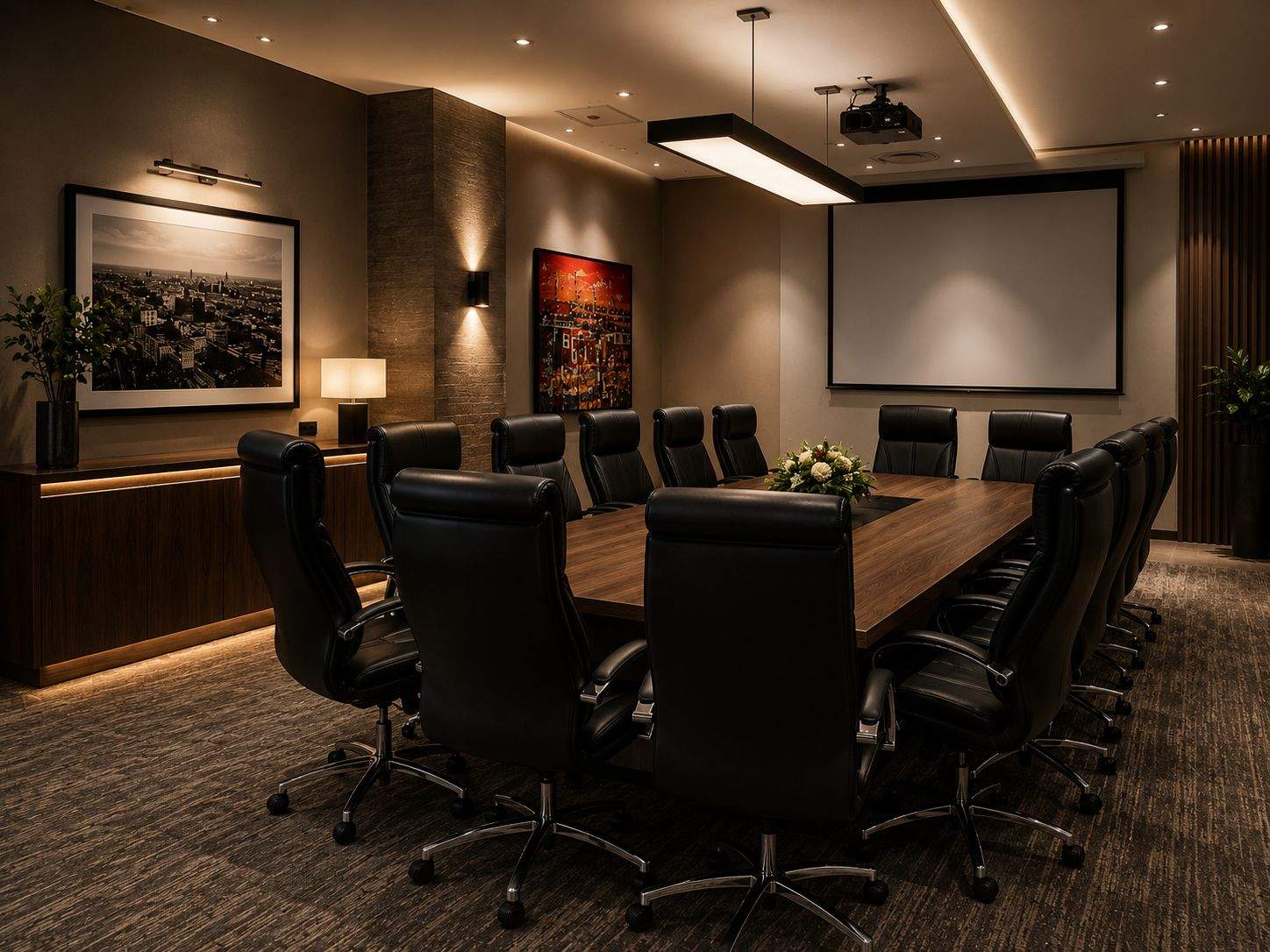
A boardroom AV installation should start with meetings, room layout, sound, camera position, control, cabling and network reliability, not only screen size.
Outdoor audio needs careful speaker direction, amplifier loading, volume limits, source control, neighbour awareness and weather-aware commissioning.
Short photos and videos can help a support team understand AV, CCTV, Wi-Fi and smart-home faults before sending a technician, saving time and reducing guesswork.
Remote batteries, UPS batteries, IR emitters, patch leads, power supplies and small accessories can stop expensive AV systems if they are ignored.
Premium AV and automation projects depend on the right equipment arriving at the right stage. Stock planning protects timelines, budgets and finish quality.
A premium TV wall is not only a screen on a bracket. It needs cable routes, power, ventilation, access, speaker planning and future service thinking.
Premium AV and smart-home systems should be designed around how the home is cleaned, handled and used every day, not only how it works during handover.
KZN holiday homes should be checked before owners or guests arrive, especially when Wi-Fi, CCTV, audio, DSTV, automation and power systems sit unused for weeks.
Infrared control may feel old-fashioned, but DSTV decoders, TVs, amplifiers and guest rooms still often need reliable IR planning.
Long HDMI routes can cause blank screens, handshake issues and audio problems. Large homes need proper cabling, extenders, fibre and service access.
Outdoor TVs in Durban and the KZN coast need more than a bracket. Weather, glare, salt air, audio, Wi-Fi, power and control all matter.
Cinema lighting scenes affect picture quality, safety, mood, cleaning, pause behaviour and the way a home cinema feels in everyday use.
A smart-home rack is not just a cupboard for equipment. Heat, airflow and access can decide whether the system remains reliable.
Sonos can work beautifully in large homes, but only when the network is designed properly with stable Wi-Fi, switching and clear zone planning.
A reliable AV system depends on planning sources, HDMI paths, audio routing, control, rack layout and future devices before equipment is installed.
Many AV support calls come from unclear source names, missing remotes, powered-off decoders and handovers that did not match how the home is used.
Premium cinema rooms need more than good brands. They need reliable South African supplier support, warranty routes and sensible product selection.
Outdoor audio for premium homes needs proper speaker direction, amplifier loading, weather planning and subtle bass control, not just more speakers.
Many premium AV faults are caused by HDMI paths, eARC settings, extenders, sources or cables. A methodical process prevents guesswork.
How interior designers can help protect premium finishes by coordinating TVs, speakers, keypads, touch panels, cameras, access points, racks and joinery before AV installation.
Many AV and smart home systems fail because years of TV, decoder, network, app and equipment changes create hidden technical debt.
Why premium residential projects should separate specialist AV, networking, CCTV, lighting control and smart home scope from general electrical work.
Smart-home and AV drawings are not only for the AV company. They need to help builders, electricians, designers and future technicians understand the project.
Coastal homes in KZN can be beautiful, but humidity, salt air, heat and power conditions make equipment choice and placement more important.
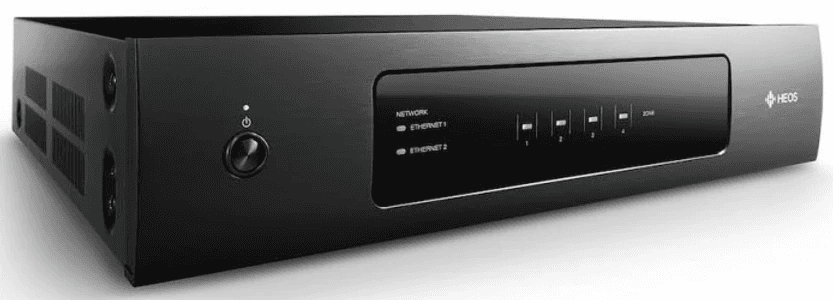
Crestron DM NAX streaming amplifiers reduce external streamers, simplify source routing and make modern Crestron Home multiroom audio more reliable.
Premium homes need a simple pre-event AV checklist so music, TV, Wi-Fi, remotes and cinema rooms work before guests walk in.
How homeowners and project teams in Mount Edgecombe, Zimbali, Simbithi, Umhlanga and KZN secure estates should plan automation, CCTV, Wi-Fi, AV and contractor coordination.
A practical guide for architects planning rack rooms, AV cupboards and equipment spaces for premium smart homes in Durban and KZN.
Premium audio is not only about sound quality. Speaker finish, soundbar placement, subwoofer balance and visible cabling all affect the final room.
Practical planning notes for interior designers coordinating speakers, TV points, Wi-Fi access points and ceiling layouts in premium smart homes.
A practical smart-home, AV, lighting, CCTV and networking brief template for architects, homeowners and project managers planning premium KZN homes.
Why projector screen size, material, frame type and lighting conditions matter as much as the projector in a premium cinema room.
Why projector placement is not just about where the image lands, but also throw distance, cabling, ventilation, ceiling access and future upgrades.
A practical South African guide to choosing between a projector and a large TV for cinema rooms, media rooms and entertainment spaces.
Older amplifiers, controllers, keypads and audio systems can still have value, but the decision to repair or replace should be based on reliability, support and parts availability.
A properly designed smart-home rack should be easy to service, document, cool, expand and understand long after the original installation team has left site.
The equipment rack is often hidden from view, but it says a lot about how a smart home was designed, installed, documented and prepared for support.
Why premium KZN homes need a written technology brief before an AV, home automation, lighting, security, Wi-Fi or multiroom audio quote can be designed properly.
Why multiroom audio design should be based on lifestyle, room flow, entertainment habits and supportability, not simply on creating as many zones as possible.
A practical Durban and KZN guide to why a smart home quote should explain the engineering decisions behind the equipment list, including what to keep, replace, simplify or leave out.
A practical look at how DG Technologies assesses existing smart-home, AV, CCTV, Wi-Fi and Crestron systems before recommending what should stay, what should go and why.
Why a good amplifier does not always need to be replaced during a smart-home, cinema or multiroom audio upgrade.
A practical look at Sony, Barco and JVC projectors, what they cost, who they suit and what matters in a South African installation.
Why the best meeting-room systems are not the most complex ones, but the ones people can start without calling for help.
A practical look at source selection, zone planning, speaker placement and support requirements for multiroom audio systems.
From infrastructure recovery to complex automation, we solve the deep technical problems.