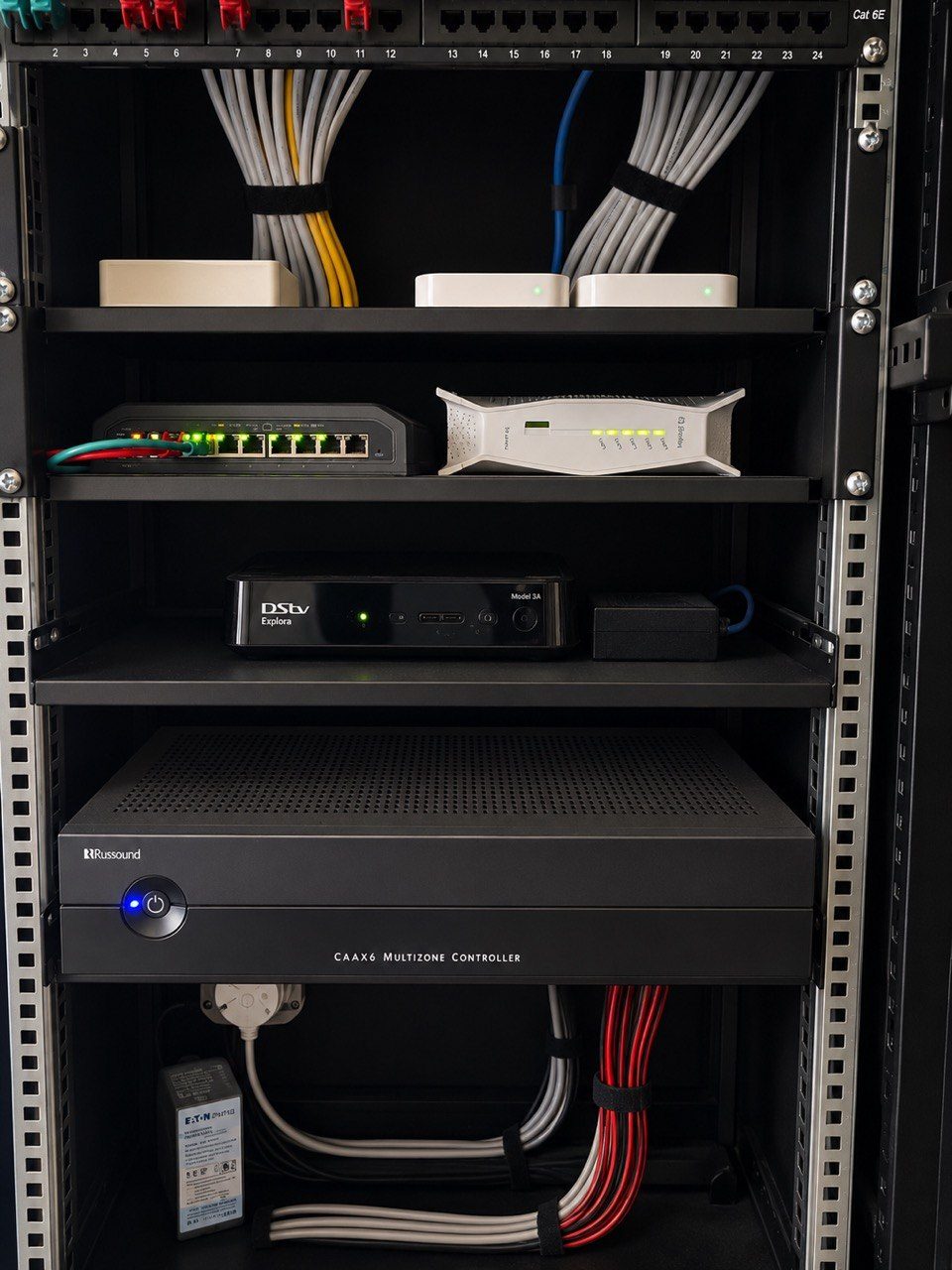
One of the easiest ways to make a home technology quote look cheaper is to remove the rack.
Put the router on a shelf.
Place the decoder in the cupboard.
Hide the switch behind the TV.
Leave the power supplies loose.
It may work on day one, but it is not the same as a professional system.
In a proper residential AV, Wi-Fi, CCTV or automation installation, the rack is not cosmetic. It is part of the engineering.
The rack gives the system a home
Technology needs a defined place to live.
That place should hold the router, switches, patch panels, CCTV recorder, control processor, AV sources, amplifiers, power distribution, UPS equipment and any other core hardware that belongs to the system.
When those items are spread through cupboards and rooms, nobody has a clear view of the system.
Fault finding becomes slower.
Upgrades become messier.
Support becomes guesswork.
Shelves are not structure
A shelf can hold equipment.
A rack organises equipment.
That is the difference.
A rack allows equipment to be mounted, spaced, ventilated, powered, labelled and patched properly. It gives the next technician a system they can understand instead of a pile of boxes and cables.
This matters years later, when a router changes, a switch fails, a camera goes offline, a decoder is replaced or an amplifier needs service.
Ventilation is part of reliability
AV and network equipment produces heat.
Amplifiers, receivers, HDMI gear, recorders, switches and power supplies do not enjoy being packed tightly into closed joinery with no airflow.
Heat faults are frustrating because they often appear intermittently.
The system works when cold, then fails after hours of use.
A rack or proper cabinet design gives us a chance to manage airflow, spacing and access before the heat becomes a support problem.
Power needs to be deliberate
Loose multiplugs inside a cupboard are not a power strategy.
A proper rack should consider:
- what is on UPS,
- what is surge protected,
- what can be restarted,
- what should not be unplugged,
- how many power outlets are needed,
- and how cables are separated.
This is especially important in South Africa, where power interruptions and recovery behaviour can expose weak installations.
If the network, CCTV and automation processor are critical, their power path must be thought through.
Patch panels and labels save future hours
The value of a labelled rack is not only visual neatness.
It saves time.
When a camera fails, a Wi-Fi access point drops, a room loses network or an app cannot see a device, labelled patching helps isolate the fault quickly.
Without labels, every support visit starts with tracing.
Tracing costs time, and time costs money.
The rack should be sized for tomorrow
A rack that is full on day one is already a problem.
Premium homes change. Rooms are added. CCTV expands. Wi-Fi access points are upgraded. Streaming devices change. Control systems grow. More PoE ports are needed.
If there is no spare space, every change becomes a rearrangement.
That is why I would rather design a rack with some breathing room than create a perfect-looking cabinet that cannot accept one future device.
Residential does not mean casual
A large home can be more technically demanding than a small office.
It may have more rooms, more Wi-Fi clients, more streaming devices, more cameras, more audio zones, more lighting control and more users with different expectations.
The fact that it is a home does not make the infrastructure less important.
It makes the interface simpler.
The backend still needs discipline.
A rack protects the owner
A professional rack is not there to impress the installer.
It protects the owner from years of hidden confusion.
It makes the system easier to maintain, easier to upgrade, easier to explain and easier to support when the original installer is not standing in front of it.
That is why a rack belongs in residential AV systems.
Not because it looks technical.
Because the home deserves a system that can be understood after handover.
Related reading: network infrastructure and why smart home racks should be designed for the next technician.