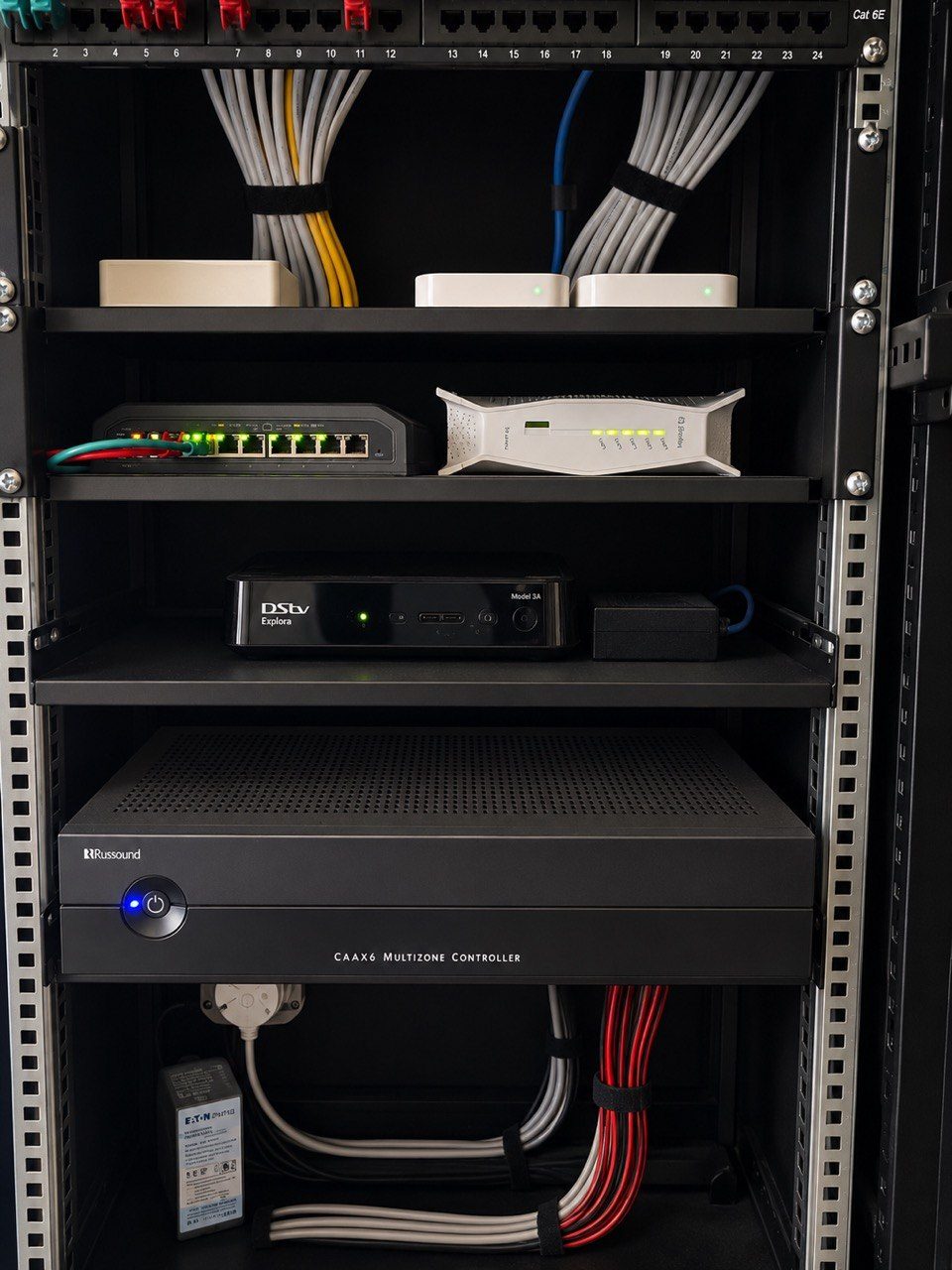
A smart-home handover should not only prove that the system works today.
It should help someone understand the system later.
That is where rack photos become valuable.
Not glamour photos. Not social media photos. Practical, clear, useful photos of the actual installation: rack front, rack rear, network switches, patch panels, power distribution, automation processors, CCTV recorder, amplifiers, source devices, labels and any unusual wiring decisions that future support teams need to understand.
In many homes, the rack is hidden in a cupboard, garage, utility room or plant space. Once the door closes, the homeowner stops thinking about it.
But the rack is where the system lives.
If the rack is not documented, future support becomes slower and more dependent on memory.
Photos preserve context
Drawings are important. Cable schedules are important. Labels are important.
But photos preserve something those documents sometimes miss: the real physical context.
They show where the router sits. They show which switch is full. They show how power is arranged. They show which amplifier channels are used. They show whether there is room for expansion. They show if ventilation is likely to be a problem. They show how neatly cables are dressed and whether service loops exist.
If a client calls months later and says the outside audio is not working, a support technician can look at the rack photos before driving to site.
That may reveal the likely amplifier, switch port, source device or power supply involved.
This does not replace testing. It reduces guesswork.
Photos help when people change
Homes outlast project teams.
The electrician may change. The builder may move on. The client may sell the property. A house manager may leave. A new technician may be called in. A product may need replacing years later.
When that happens, good handover records protect the home.
A clear rack photo taken at handover creates a baseline. If the rack looks different later, that tells a story. Maybe a fibre provider moved something. Maybe a decoder was replaced. Maybe a power supply was unplugged. Maybe an extra switch was added without documentation. Maybe a cabinet was repacked and airflow was blocked.
Without photos, everyone is relying on memory.
With photos, there is evidence.
This is one of the reasons DG Technologies treats smart home documentation as part of the product, not admin after the real work is done.
Rack photos improve remote support
Remote support is only as good as the information available.
If the support team can see the original rack layout, labels and equipment, they can ask better questions.
Instead of saying “please check the black box in the cupboard”, they can say:
- Is the network switch labelled CCTV powered on?
- Are the amplifier channel lights showing signal?
- Is the UPS display active?
- Is the patch lead still connected to the port labelled Pool AP?
- Has anything changed since the handover photo?
That kind of support is faster, calmer and more professional.
It also helps the client send useful photos back. A current photo compared with the handover photo can show what moved, what changed or what failed.
We have written separately about why photos and videos help diagnose AV faults faster, and rack photography is one of the best examples.
Photos reveal workmanship standards
Rack photos are also an accountability tool.
A neat rack is not neat only because it looks good.
It is neat because cables can be traced, airflow is possible, equipment can be replaced, labels can be read and the next technician can understand what was done.
If an installer is proud of the rack, they should be willing to document it.
If the rack is a pile of hidden compromises, the homeowner may not discover the problem until support is needed.
This is why the equipment rack reveals the quality of a smart home. It shows whether the project was designed for long-term ownership or only for a quick demonstration.
What should be photographed?
A useful handover photo set does not need to be complicated.
It should include:
- The full rack from the front.
- The rear of the rack where accessible.
- Patch panels and network switches.
- Power distribution and UPS equipment.
- Automation processors and control hardware.
- CCTV recorder and camera network equipment.
- Amplifiers and speaker cable termination.
- Source devices such as decoders and streamers.
- Any labels that connect back to drawings or schedules.
- Any unusual installation notes that future support should know.
The photos should be stored with the project records, not left on one installer’s phone.
The best handover leaves a trail
A premium smart home should not be trapped inside one person’s memory.
The homeowner should not have to remember which cable feeds which room. The house manager should not have to guess what can be switched off. The next technician should not have to reverse-engineer the rack from scratch.
Good handover leaves a trail.
Drawings. Labels. Notes. Credentials where appropriate. Maintenance guidance. Photos.
Together, they make the system supportable.
That supportability is part of what the client is paying for when they choose a professional home automation, networking or AV installation.
The rack may be hidden, but the thinking behind it should never be invisible.