A luxury smart home should not wait for something to fail before anyone looks at it.
Crestron systems, AV racks, Wi-Fi networks, CCTV systems, lighting modules, touchscreens and streaming sources all live in the real world. They deal with heat, dust, load shedding, firmware updates, power dips, router changes, staff turnover, forgotten passwords, new phones, new TVs and rooms that change over time.
That is why smart-home support should include preventative maintenance, not only emergency callouts.
The goal is simple: find the small issues before they become the phone call on a Saturday night.
1. Check the network first
Crestron Home, CCTV, streaming audio, app control and remote support all depend on the network.
A maintenance visit should check:
- router health
- WAN uptime
- IP reservations
- managed switch status
- failed or flapping switch ports
- PoE load
- access point status
- Wi-Fi coverage changes
- guest and staff network separation
- remote access configuration
If the fibre provider has replaced the router, or an IT person has changed settings, the automation system may still appear to work while important support paths have quietly broken.
The network should be treated as part of the home automation system, not as a separate mystery box.
2. Confirm Crestron processor and device health
The Crestron processor should be checked for communication stability and obvious errors. Touchscreens, keypads, gateways and related devices should be online and behaving as expected.
The technician should not only ask whether the system is “working”.
They should test common real-life actions:
- key lighting scenes
- room on/off behaviour
- music zone selection
- TV source selection
- app connection
- touch panel response
- scheduled or sensor-driven events
- remote support access
If the client says “it sometimes does this”, that comment matters. Intermittent issues often reveal themselves through patterns: after power failures, after fibre changes, in one area of the home, or when guests use the system differently from the owner.
3. Inspect lighting behaviour, not only modules
Lighting-control maintenance should include more than looking at a DB.
Check whether the scenes still match the home. Have lamps changed to LED? Are any circuits flickering? Do exterior lights come on at the right time? Are motion sensors too aggressive? Are manual overrides clear? Do keypads still use room names that make sense?
A lighting system can be technically functional and still frustrating.
DG Technologies often finds that small programming or load changes can improve daily use more than expensive hardware changes.
4. Test power recovery
South African homes need power recovery planning.
After an outage or inverter changeover, the rack should recover cleanly. The router, switches, Crestron processor, CCTV recorder, access points, audio equipment and source devices should come back in a sensible order.
A maintenance visit should check:
- UPS status
- battery age
- rack power distribution
- devices that do not restart cleanly
- equipment that stays off after a power event
- ventilation around power equipment
- surge protection concerns
For critical systems, online double-conversion UPS protection should be considered. It is not about adding another box for fun. It is about protecting sensitive AV, HDMI and control equipment from poor power quality.
5. Confirm CCTV recording before footage is needed
CCTV systems often appear fine because the live view works.
That is not enough.
Maintenance should confirm:
- cameras are recording
- retention days match the client’s expectation
- date and time are correct
- remote viewing works
- important cameras are clean and aimed correctly
- night views are usable
- user accounts are controlled
- footage export is understood
- the NVR has no obvious disk warnings
The worst time to discover a recording problem is after an incident.
This is why CCTV maintenance should be treated as evidence protection, not only camera cleaning.
6. Check audio zones and source labels
Music systems change with the household.
Streaming accounts change. Rooms are renamed. A speaker is moved. A TV is replaced. A remote disappears. A staff member learns one routine while the owner uses another.
A maintenance visit should test the common audio zones and confirm that labels make sense. If the family says “pool”, the app should not say “zone 6”. If guests use a room, the control method should be obvious. If two rooms are always used together, the system may need to reflect that.
Good handover language reduces support calls.
7. Inspect the rack physically
The rack is where small problems become visible.
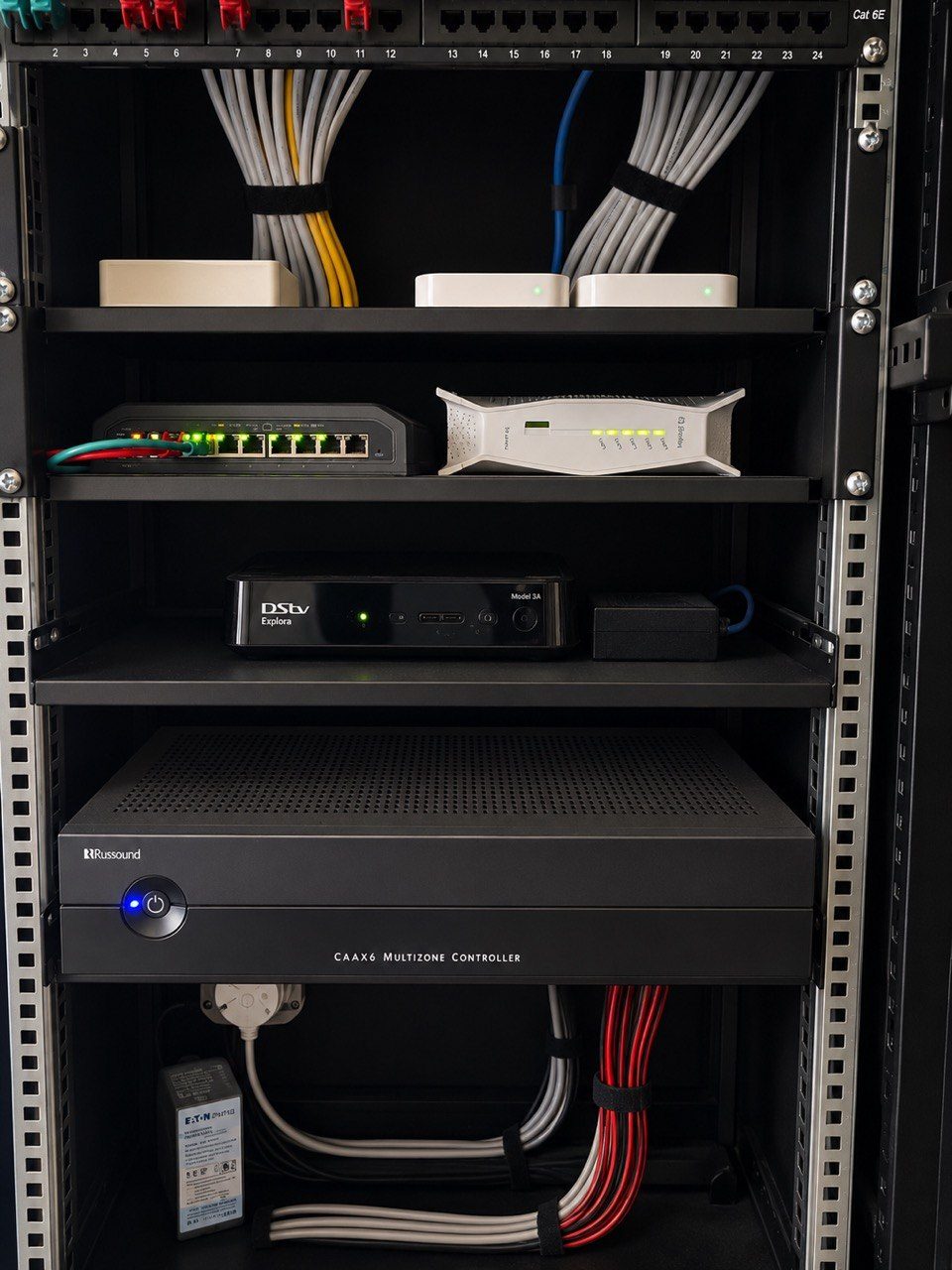
Look for heat, dust, loose patch leads, unsupported cables, blocked ventilation, unlabelled devices, overloaded multiplugs, dead equipment, temporary fixes that became permanent, and missing documentation.
A neat rack is not about showing off.
It makes future support faster and safer.
8. Update documentation
Documentation is part of the product.
If a router changes, the documentation should change. If an access point is moved, the drawings should change. If a source is removed, the rack schedule should change. If a password or support path changes, the secure record should be updated.
Without documentation, every future visit starts from memory.
That is not good enough for a premium home.
9. Ask the people who use the house
A maintenance visit should include technical checks, but it should also include conversation.
Ask the homeowner. Ask the house manager. Ask the person who struggles with the TV. Ask the person who uses the music every morning. Ask whether anything has become annoying.
Many issues do not appear in a rack. They appear in daily behaviour.
The best Crestron maintenance is not only about keeping equipment alive. It is about keeping the home easy to live with.
Maintenance protects the experience
A good Crestron system should feel calm, reliable and predictable.
That does not happen by accident. It comes from good design, clean installation, responsible remote access, proper power protection, managed networking and regular maintenance.
For luxury homes in Durban, Umhlanga, Mount Edgecombe, Zimbali, Simbithi and the wider KZN market, the technology is often supporting busy families, guests, staff and entertainment areas.
It needs to work when people need it.
That is what maintenance is really protecting.