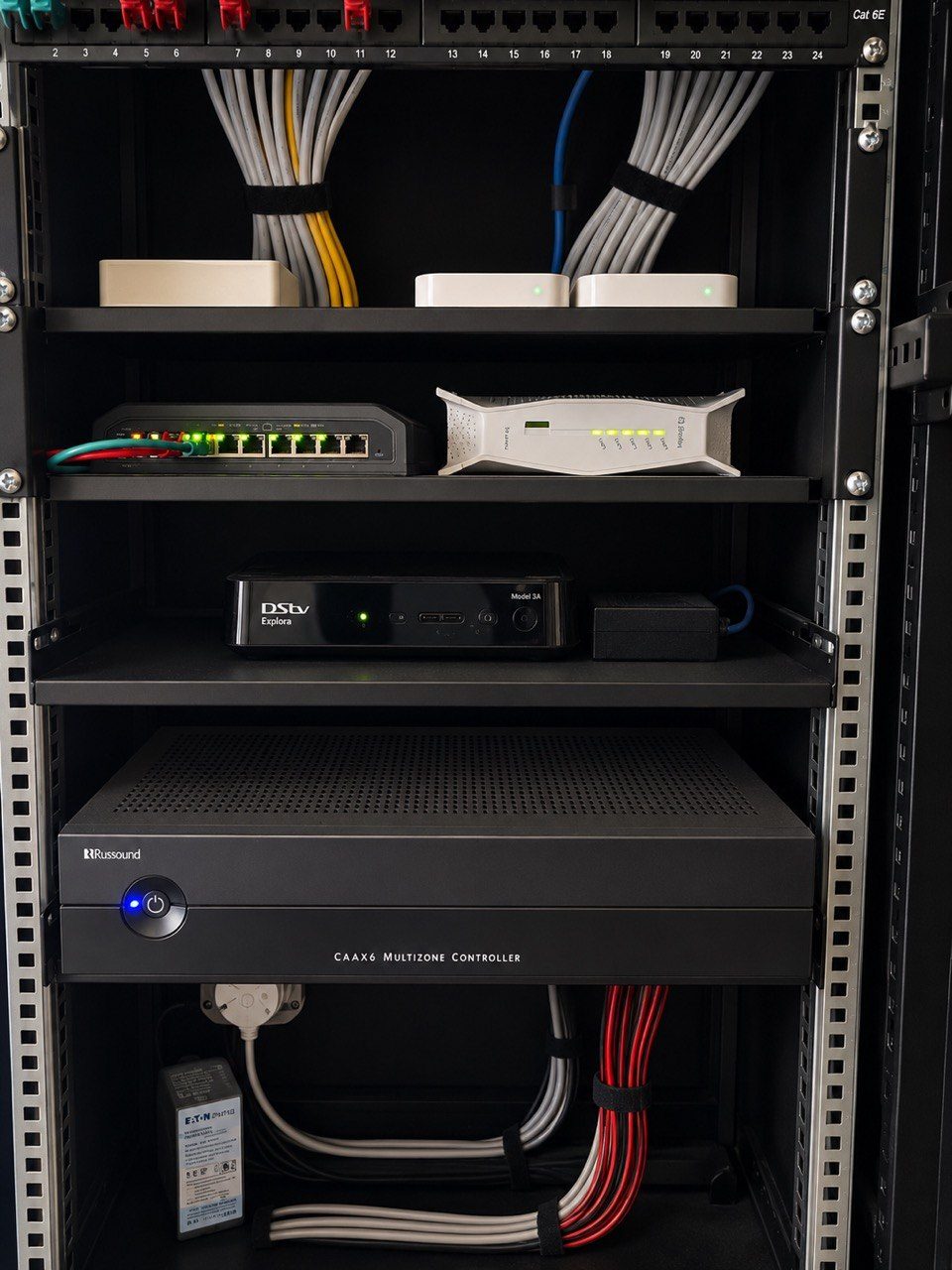
When a homeowner says a Crestron system is slow, the first instinct is often to blame the touch panel, the app or the processor.
Sometimes that is correct.
But very often, the Crestron equipment is only showing the symptom. The actual problem sits underneath it, in the home network.
Modern Crestron Home automation is not a collection of isolated buttons. It depends on IP communication between processors, touchscreens, mobile devices, media players, audio equipment, network switches, routers and sometimes remote support services. If that network is unstable, the whole home can feel unstable.
The client does not experience it as “a network issue”.
They experience it as:
- the app taking too long to connect
- music not appearing in the right room
- a touchscreen feeling delayed
- cameras loading slowly
- rooms disappearing from an audio app
- remote access working one day and not the next
- a system that feels fine after a restart, then slowly becomes unreliable again
That is why DG Technologies often starts Crestron fault finding with the network.
The router matters more than most people realise
In many homes, the router is treated as internet equipment. The fibre provider supplies it, the IT person changes it, or someone replaces it because the Wi-Fi package changed.
In a normal house that may be inconvenient.
In a fully automated home, it can break the logic of the system.
If IP reservations disappear, devices can move address. If port forwarding or VPN settings are changed, remote support may stop working. If the DHCP range is altered without checking the automation devices, a processor, touch panel, NVR, amplifier or control gateway can become hard to find.
That is why network infrastructure is not a side item on a home automation quote. It is part of the control system.
A multi-million rand smart home should not depend on a router that nobody on the automation side is allowed to manage.
A Crestron system needs predictable addressing
Good automation depends on predictability.
When a button is pressed, the system needs to know exactly where the device is. The processor should know where the amplifier is. The app should know where the processor is. Remote support should know how to reach the network securely.
That requires disciplined IP addressing.
It does not mean every device needs to be complicated. It means the network should be documented, reserved and controlled. If a device is important to the home, it should not be floating around randomly waiting for the router to hand it a different address.
This is especially important in large KZN homes with:
- multiple access points
- CCTV cameras
- networked audio devices
- Crestron processors and gateways
- smart TVs and Apple TVs
- managed switches
- inverter monitoring
- remote support paths
The bigger the home, the less room there is for guesswork.
Streaming audio exposes weak networks quickly
Music systems are often the first thing clients complain about because they are used every day.
If audio zones disappear, music skips, a room cannot be found, or a streaming app behaves inconsistently, the amplifier may not be the cause. The issue may be switching, Wi-Fi roaming, STP behaviour, loop prevention, router throughput or a weak access point.
Large audio systems can create complex network behaviour. Devices may connect by cable, Wi-Fi or mesh-style discovery. If switching is unmanaged, loops are not controlled, or Wi-Fi is weak in the wrong place, the symptom can feel random.
This is why DG Technologies prefers controlled network equipment for premium homes. Products like Ubiquiti UniFi give us visibility, switch management, access point control and remote diagnostics. That does not make the network glamorous, but it makes the home easier to support.
Touchscreens are only as good as the path behind them
A Crestron touchscreen can be beautifully designed and still feel poor if the communication path behind it is unstable.
Before replacing a touchscreen, it is worth asking:
- Is it wired or wireless?
- Is the switch port healthy?
- Is the device getting stable power?
- Is the processor online?
- Has the router changed?
- Are there duplicate IP addresses?
- Has the network been split by another supplier?
- Is the touch panel being blamed for a source device that is offline?
Replacing the visible device without checking the invisible path can waste money.
Power recovery also affects the network
In South Africa, load shedding, inverter changeovers and power dips create another layer of problems.
If the router, switches, processor, Wi-Fi and source devices restart in the wrong order, the home may not recover cleanly. Some devices may come online quickly. Others may need longer. A streaming device may appear before the network is ready. A switch may reboot after the processor has already tried to reconnect.
This is why power protection and restart planning matter. A good smart home should not need a technician every time the power behaves badly.
For critical racks, DG Technologies prefers proper UPS planning, and in many cases online double-conversion UPS protection is worth discussing.
Good diagnosis avoids unnecessary replacement
The wrong response to a slow Crestron system is to immediately replace equipment.
The right response is to prove where the weakness is.
That may mean checking the router, switch logs, cabling, IP reservations, device health, Wi-Fi coverage, power recovery and remote access. It may also mean checking the Crestron processor and program. But the investigation should be methodical.
DG Technologies has seen too many systems where good equipment was blamed for poor infrastructure.
Crestron is a serious platform. It deserves a serious network underneath it.
If your Crestron system feels slow, unreliable or inconsistent, the question is not only “which box is faulty?”
The better question is:
What is the system depending on, and is that foundation still healthy?