Many South African homes now have inverters, batteries or solar systems.
That is a good thing.
But it can create one dangerous assumption: that because the house has backup power, the smart home equipment is automatically protected.
Those are two different problems.
An inverter or solar system is mainly there to keep power available. An online double-conversion UPS is there to give sensitive equipment a clean, stable and continuous power environment at the rack. In a premium home, especially one with Crestron Home, CCTV, access control, Wi-Fi and networking, that difference matters.
Backup power is not the same as clean power
A house inverter can carry lights, plugs, fridges, gate motors, pumps and general circuits. It may be designed very well. It may also be working alongside grid power, battery power, solar input and sometimes generator input.
The automation rack sees the result of all of that.
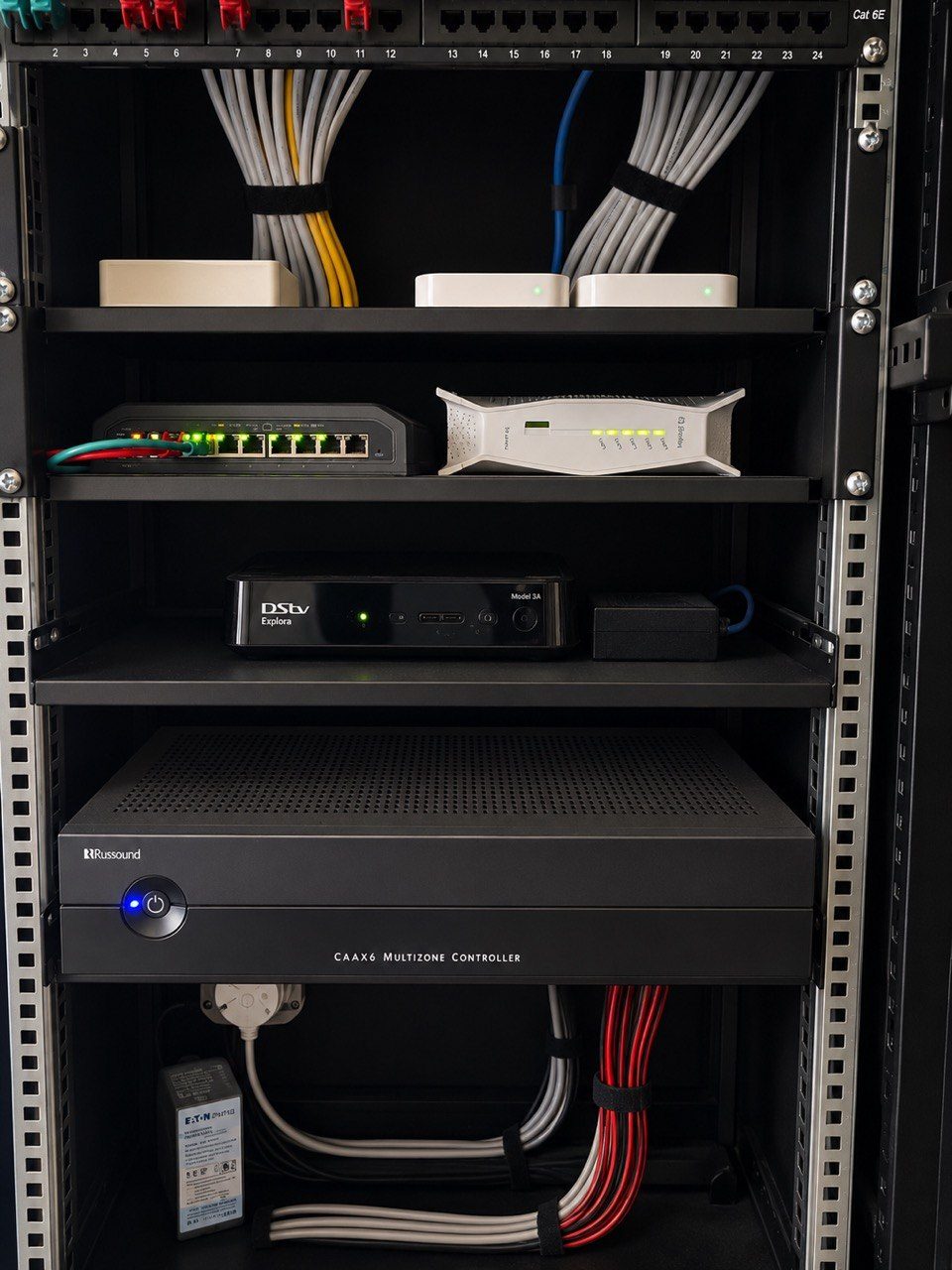
Inside that rack you may have:
- Fibre ONT or modem.
- Router and firewall.
- Managed network switches.
- PoE switches for Wi-Fi and cameras.
- CCTV NVR.
- Crestron processor.
- Audio matrix or streaming equipment.
- Gate, intercom or access-control interfaces.
- Remote support hardware.
These devices do not like repeated dips, transfer events, poor neutral conditions, frequency instability, brownouts, spikes, electrical noise or sudden shutdowns. A single reboot of a switch or router can make the whole home feel unreliable, even if the actual automation programming is correct.
That is why power design is part of the system design.
What an online double-conversion UPS does
An online double-conversion UPS continuously converts incoming AC power to DC and then back to AC for the connected load. In practical terms, the equipment in the rack is fed by the UPS output stage rather than being directly exposed to every movement on the incoming supply.
That gives the rack a more controlled power environment.
It helps with:
- Short dips that would reboot a router or switch.
- Inverter or generator changeover events.
- Voltage irregularities.
- Frequency variation.
- Brief brownouts.
- Cleaner shutdown behaviour during extended outages.
- Keeping remote access alive long enough to diagnose a problem.
Why a normal UPS is not the same thing
This is where many installations take a shortcut.
A basic standby UPS, and many line-interactive UPS units, only step in when the incoming power moves outside acceptable limits. That means there is a transfer event. It may be very quick, and for a desktop computer or a single small device it may be perfectly acceptable.
But a premium automation rack is not one simple device.
It may have a fibre ONT, router, managed switches, PoE switches, a Crestron processor, CCTV recorder, HDMI matrix, HDMI extenders, streaming devices, control interfaces and power supplies all depending on each other. Some of those devices tolerate a small disturbance. Others do not. The problem is not always a dramatic shutdown. Sometimes it is a small glitch that leaves one part of the system confused while the rest of the rack appears to be working.
That is why DG Technologies prefers online double-conversion UPS protection for critical racks. The load is already being powered through the UPS output stage, so the connected equipment is not waiting for a transfer to happen when the incoming supply dips, fluctuates or changes source.
In South African homes, this matters because the power environment is rarely perfect. We deal with load shedding, inverter changeovers, generator behaviour, voltage fluctuation, brownouts, neutral issues and noisy electrical conditions. Spending a little more on the correct UPS topology is often a better decision than saving money on the one component protecting the whole rack.
HDMI distribution is often the first place weak power shows up
When power quality is marginal, HDMI distribution is often one of the first parts of the system to complain.
The client may experience:
- A blank screen after a power event.
- HDMI extenders that need to be rebooted.
- A matrix that loses handshake with one display.
- Audio that drops out while video remains.
- A source that works in one room but not another.
- A projector or TV that needs a full power cycle before it behaves.
These faults can look like a programming problem, a cable problem, a decoder problem or a TV problem. Sometimes those things are involved. But very often the underlying issue is that sensitive AV equipment has been exposed to poor power or has restarted in the wrong order.
For a serious home cinema or distributed video system, power protection is part of AV design. It is not an optional extra added at the end because there is space left in the rack.
This does not mean a UPS replaces proper surge protection, earthing, electrical compliance or a correctly designed inverter system. It also does not mean every device in the house should be placed on a UPS.
The point is narrower and more important: the core communication and control equipment should not be the weakest link in the home.
Why it still matters when the house has solar
Solar and battery backup are excellent for runtime.
But the rack still needs stability.
During a normal day, a modern South African home can move between grid supply, solar production, battery discharge and possibly generator support. Loads may switch on and off. Batteries may charge and discharge. Heavy appliances may create dips. The inverter may handle all of this well, but sensitive AV and network equipment still benefits from a final clean-power layer at the rack.
This is especially important after load shedding events.
We have seen many systems where the home technically has power, but the network comes back in the wrong order. The fibre ONT starts first, then the router, then the switch, then the processor, or sometimes the opposite. One device boots before the device it depends on, and the client is left with cameras offline, Wi-Fi behaving strangely or app control not responding.
That is why our broader power planning article focuses on recovery sequence and supportability. The UPS is one part of that conversation.
What should be protected
The most important equipment to protect is usually the equipment that keeps the home connected and manageable.
For a premium installation, that normally means:
- Fibre ONT or modem.
- Router or firewall.
- Core network switch.
- PoE switch feeding access points.
- PoE switch feeding CCTV cameras.
- CCTV recorder.
- Crestron processor.
- Critical access control or intercom equipment.
- Any device needed for remote support.
If these stay alive cleanly, the house is easier to support. Cameras keep recording. Wi-Fi does not drop unnecessarily. The automation processor does not reboot during every disturbance. Remote diagnostics remain possible.
That is valuable even if the home already has a battery system.
What should not automatically go on the UPS
This is where judgement matters.
Not every device belongs on the rack UPS.
Large power amplifiers, subwoofers, big TVs, projectors and heavy AV loads can drain a UPS quickly and may require a separate design conversation. The goal is not to run the entire entertainment system during a long outage. The goal is to protect the intelligence of the home.
In many cases, the correct design is:
- Inverter or solar system for house-level backup.
- Surge and electrical protection at the correct distribution points.
- Online double-conversion UPS for the automation, CCTV and network rack.
- Correct startup sequence for critical equipment.
- Clear labelling and documentation.
- A maintenance plan for UPS batteries.
That is a much better approach than simply plugging everything into whatever backup socket is available.
Runtime must be designed, not guessed
A UPS is not magic. It must be sized.
The load has to be calculated. Runtime must be discussed honestly. Ventilation must be considered. Battery age matters. A bypass or service plan may be needed. The rack should be labelled so that nobody accidentally removes the wrong power feed later.
For example, a rack with several PoE switches, many cameras and multiple Wi-Fi access points can draw more power than expected. If the UPS is undersized, it may protect the rack for a few minutes but still fail during the exact event it was meant to handle.
This is why network infrastructure and power planning should be discussed together. The number of cameras, access points and control devices directly affects the UPS design.
CCTV and security depend on power quality
CCTV is often sold as if the camera count is the main decision.
It is not.
A camera system is only useful if it stays online, records reliably and can be accessed when needed. If the PoE switch reboots every time the power changes state, the cameras may drop at exactly the wrong moment. If the NVR shuts down incorrectly, recordings can be lost or storage can become unreliable.
That is why CCTV design should include power protection for the recorder, switches and network path, not only camera selection.
The rack is the heart of the smart home
A modern smart home can look calm and simple on the surface. The client sees an app, a touchscreen, Wi-Fi, music, cameras and lighting scenes.
Behind that simplicity is a rack.
If the rack is unstable, the whole home feels unstable.
This is why we care about rack ventilation, cable management, labelling, network design, support access and power quality. They are not separate topics. They are all part of whether the home still works properly after the installer leaves.
An online double-conversion UPS is not the most glamorous part of a premium home.
But it is one of the parts that prevents unnecessary frustration.
The homeowner should not have to know why the system works after a power event. They should simply experience a home that recovers properly, stays connected and remains supportable.
That is the point.