When Wi-Fi does not work properly in a large home, most people describe the problem in simple terms.
“The internet is slow.”
“The cameras take too long to load.”
“The music keeps dropping.”
“The Crestron app works in one room but not another.”
“The fibre line is fast, but the house still feels unreliable.”
Those symptoms are real, but the cause is often misunderstood. In premium homes across Durban, Umhlanga, Mount Edgecombe Estate, Zimbali and Simbithi, the problem is rarely just the fibre package. It is usually the internal network.
A large home does not need “more Wi-Fi” in the casual sense. It needs a properly designed network backbone.
That backbone is the layer that connects the fibre router, switches, wireless access points, CCTV cameras, smart TVs, audio streamers, touch panels, gate systems, intercoms and home automation equipment. If that layer is weak, everything built on top of it feels weak too.
That is why DG Technologies treats networking infrastructure and wireless distribution as core parts of a smart home, not as accessories added at the end.
Why a fibre router is not a home network
Fibre providers usually supply a router that is perfectly adequate for a small apartment or simple home. It brings the internet into the property and provides a basic Wi-Fi signal.
That does not make it a full-property network.
A large KZN residence may have:
- thick concrete slabs
- multiple floors
- garages and staff areas
- outdoor entertainment spaces
- garden cottages or guest suites
- CCTV cameras around the boundary
- smart TVs in several rooms
- streaming audio zones
- Crestron or other control processors
- mobile devices moving between bedrooms, lounges and patios
- home offices that need stable video calls
One router sitting in a cupboard cannot serve that environment properly. Even a very fast fibre line can feel poor if the network inside the house is badly planned.
This is where many cheap solutions fall over. They focus on signal strength in one spot, instead of the whole property as a system.
The backbone matters more than the booster
The common quick fix is a Wi-Fi extender. Sometimes that helps in a small area, but it is not the same as proper design.
An extender usually repeats an existing signal. If the signal it receives is weak, congested or badly positioned, the extender repeats the same problem further down the house. It may show more bars, but that does not always mean better performance.
For a large home, the better approach is usually wired access points. Each access point gets a clean wired connection back to the network switch, then broadcasts Wi-Fi from the correct location.
That changes the behaviour completely:
- devices roam more cleanly through the home
- outdoor areas can be covered intentionally
- access points are not fighting each other
- CCTV and automation traffic can be planned
- troubleshooting becomes easier later
- the system can be expanded without starting again
This is why DG Technologies often recommends a proper wired network backbone before discussing access point quantities. The access point is only as good as the cable, switch, power and configuration behind it.
Smart homes depend on stable networks
Modern smart homes are no longer a few isolated devices. A proper system may connect lighting control, multiroom audio, video distribution, CCTV, access control, mobile apps, touch panels and remote support.
That means the network is not only for browsing the internet. It becomes part of the control system.
If a mobile app cannot reliably reach the processor, the client blames the app.
If music drops from AirPlay or a streaming service, the client blames the amplifier.
If cameras buffer during playback, the client blames the camera brand.
Sometimes the device is the issue. Very often, the network is the issue.
A well-designed network gives the rest of the smart home a stable foundation. For Crestron Home and integrated automation, that matters. The control system should feel immediate and predictable. Lights, music, gates, cameras and scenes should not depend on whether a phone happens to be clinging to a weak Wi-Fi signal at the far end of the house.
CCTV needs network planning too
CCTV is one of the clearest examples of why network design matters.
A camera system is not just cameras on walls. It includes cabling, PoE power, switching, recording, remote viewing, internet upload, app access, storage and sometimes analytics. If any part of that chain is weak, the client experiences the system as unreliable.
Poor network planning can cause:
- delayed live viewing
- playback that takes too long to load
- cameras dropping offline
- bandwidth congestion
- weak remote access
- messy equipment placement
- difficult fault finding later
For a basic domestic system, a simple design may be enough. For larger homes, estates, commercial properties and hospitality environments, CCTV should be planned as part of the wider network.
That is why our CCTV installation work is not only about camera choice. We also look at the network path, recording location, access requirements, PoE load, remote viewing expectations and how the system will be supported.
Large homes should be designed in zones
A big property is easier to understand when it is broken into zones.
For example:
- main house
- bedrooms
- entertainment areas
- cinema or media room
- patio and pool
- garage
- staff area
- gate and driveway
- garden or outbuildings
- guest suite
Each zone may need different coverage, different devices and different service priorities. The home office may need stable video conferencing. The patio may need roaming and streaming. The gate may need camera and intercom reliability. The cinema room may need wired streaming devices and control. The CCTV system may need dedicated switching and clean recording paths.
Treating the whole property as one flat Wi-Fi problem leads to compromises. Treating it as a designed network gives each area what it needs.
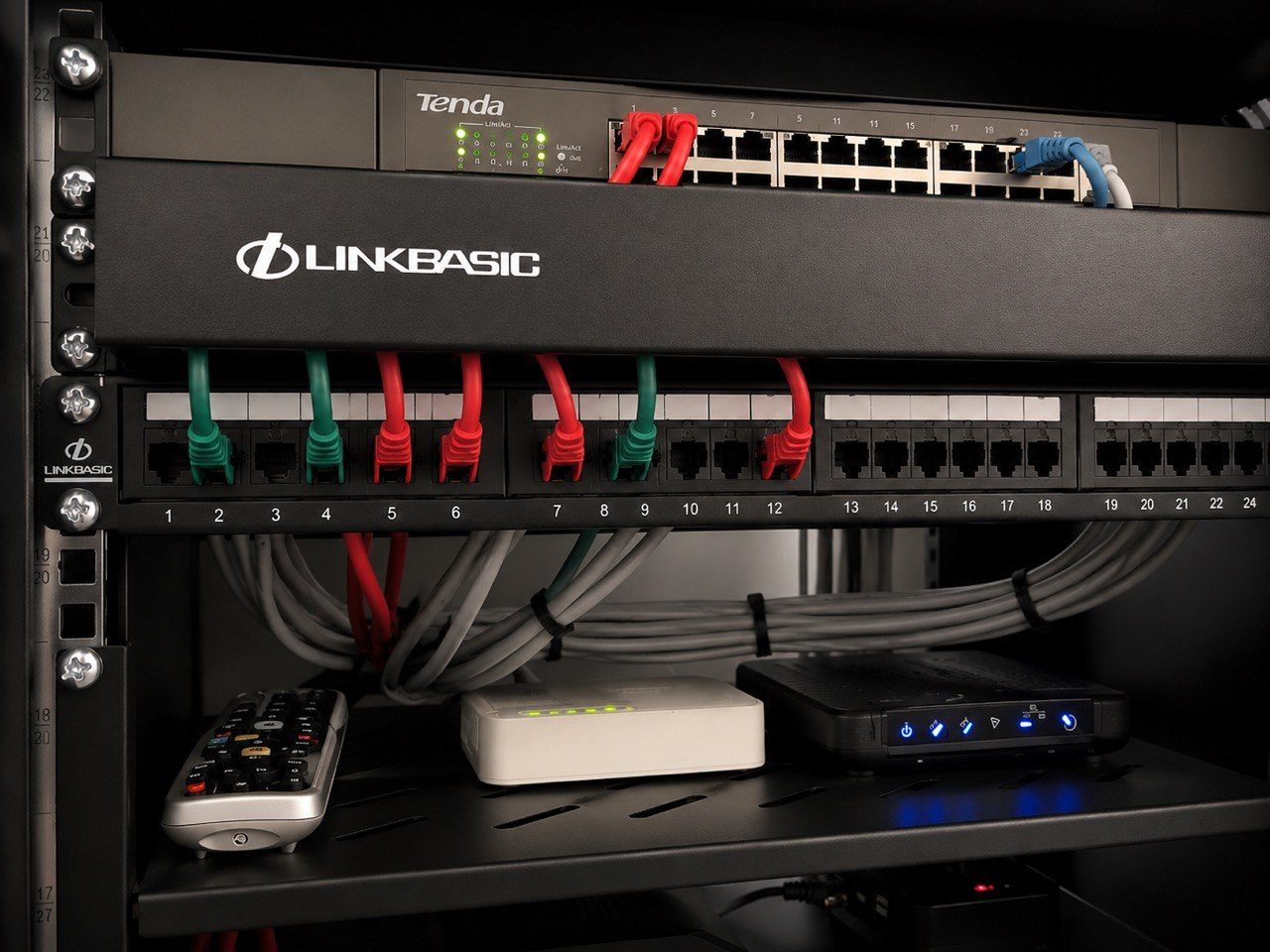
The rack is part of the product
Clients often see the visible parts of a technology system: the TV, keypad, touch panel, speaker, camera or app.
The rack is less glamorous, but it is where the reliability is usually won or lost.
A good rack or equipment cabinet gives the system:
- labelled network terminations
- clean patching
- proper power distribution
- surge protection where appropriate
- ventilation
- service access
- space for future expansion
- a logical layout for the next technician
This matters years later. When a system needs maintenance, upgrades or fault finding, a well-documented rack saves time and reduces guesswork. A messy cupboard can turn a simple issue into a long investigation.
DG Technologies has always cared about the next person who has to support the system. That might be us, another technician, a builder during renovations, or the client trying to understand what was installed. Good network design should leave knowledge behind.
A reliable network is not always the most expensive one
Good design does not mean throwing equipment at the problem.
Sometimes the right answer is more access points. Sometimes it is moving one access point. Sometimes it is replacing an unmanaged switch. Sometimes it is pulling a proper cable instead of adding another wireless repeater. Sometimes it is separating guest, CCTV and smart-home traffic so the system behaves more predictably.
The best network is not the one with the longest equipment list. It is the one that suits the home, supports the systems, and can still be understood years later.
That is the same philosophy we apply across our home automation work in Durban and KZN. We do not believe more hardware automatically means a better result. The value is in the decisions:
- what should be wired
- where access points should go
- what equipment should be centralised
- what can be reused
- what should be replaced
- how the system will be supported
- how future changes will be handled
Those decisions are what make the difference between a home that works on handover day and a home that still makes sense years later.
What homeowners should ask before accepting a network quote
Before accepting a Wi-Fi or home network quote, ask practical questions.
Does the quote explain where the access points will go?
Are the access points wired back to a central switch?
Is the rack or equipment location clearly defined?
Has the installer considered CCTV, smart-home control, audio and TV distribution?
Is there a plan for outdoor coverage?
Will the network support guest access without exposing everything else?
Is the cabling labelled?
Can the system be supported remotely where appropriate?
Is there room for expansion?
If the answers are vague, the quote may be solving only the visible symptom.
The DG Technologies approach
For large homes, estate properties and premium installations, DG Technologies designs the network as infrastructure. It is not an afterthought and it is not a cheap extender exercise.
We look at the building, the way the family uses the home, the systems that depend on the network, and the support path after installation. That includes Wi-Fi, wired data, racks, switching, CCTV, access control, multiroom audio and smart-home control.
The goal is simple: the technology should feel stable enough that the client stops thinking about it.
If you are building, renovating or trying to fix an unreliable system, start with the backbone. The Wi-Fi, cameras, audio and automation will only ever be as reliable as the network underneath them.
For a professionally designed network, speak to DG Technologies about network infrastructure, wireless distribution, or request a project review through the quote page.