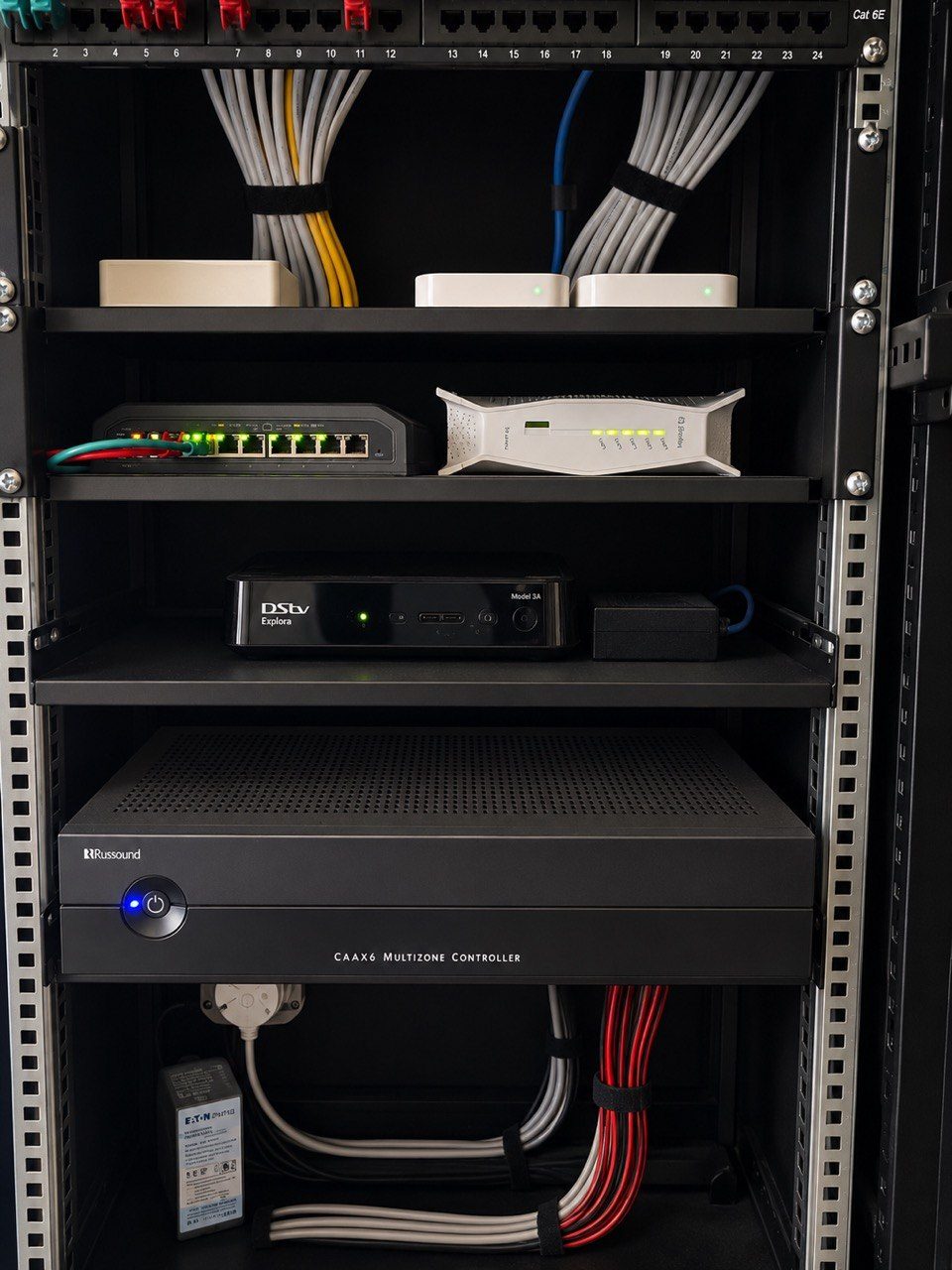
A smart home is not only the hardware installed on day one.
It is also the knowledge left behind.
That knowledge may be a Crestron program file, a lighting schedule, a rack drawing, a network IP list, a cable label, a keypad map, a secure password record, a CCTV camera list or a support note explaining why a room was configured in a certain way.
When that information is missing, future support becomes slower, riskier and more expensive.
This is especially true for Crestron.
The source file is not a small detail
In traditional custom Crestron programming, the source file is the editable project that explains how the system was built.
It is not the same as saying “the system works”.
A system can be running perfectly and still be difficult to modify if the source files are missing. The client may only discover the problem years later when something small needs to change.
Examples:
- a keypad needs to be replaced
- a room name changes
- a new TV is installed
- an old Apple TV is replaced
- an amplifier is changed
- a lighting circuit is repurposed
- a touch panel fails
- a source button no longer matches the equipment
- a house manager needs simpler control
Without the source files, those changes may become more complicated than they should be.
That is why program ownership should be discussed clearly. A homeowner should not be trapped in a house they own because the control system was never handed over responsibly.
Documentation reduces guesswork
Even with source files, a technician still needs to understand the physical installation.
Where does each cable go? Which lighting circuit is on which module? Which switch port feeds which access point? Which decoder feeds which TV? Which rack device has a fixed IP address? Which camera covers the gate? Which amplifier channel feeds the verandah?
If the answer is “we need to trace it”, the client pays for time that could have been avoided.
Good documentation does not make a system more complicated.
It makes future support simpler.
DG Technologies treats documentation as part of the product because years later, it may be the difference between a quick fix and a long investigation.
Labels are not decoration
Cable labels, rack labels and room names are sometimes treated as finishing details.
They are not.
A label tells the next technician what they are touching before they disconnect it. It reduces accidental damage. It shortens fault finding. It helps a support technician talk a house manager through a basic check. It prevents a temporary cable from becoming a permanent mystery.
Labels also protect the homeowner when the original installer is not available.
A clean rack without labels may look impressive in a photograph. A labelled rack with a proper schedule is more useful.
Network records matter as much as AV drawings
Modern home automation depends on IP communication.
Crestron processors, touchscreens, audio devices, CCTV recorders, access points, switches, routers, Apple TVs, smart TVs and remote support paths all touch the network.
That means the network record should include:
- router details
- LAN subnet
- DHCP range
- reserved IP addresses
- switch names
- access point locations
- VLANs where applicable
- remote support method
- important device passwords stored securely
If a fibre provider replaces the router and nobody knows what needs to be reserved, the home can break in strange ways.
The client experiences that as “the automation is unreliable”.
The root cause may be missing network documentation.
Documentation prevents unnecessary replacement
When a system is undocumented, it is easier for a supplier to say, “replace everything.”
Sometimes replacement is the right answer. But sometimes good equipment is being blamed because nobody understands how it is connected.
Documentation helps separate:
- equipment that is faulty
- equipment that is old but still useful
- wiring that is damaged
- programming that needs adjustment
- labels that are wrong
- network settings that changed
- user expectations that were never captured
This is where the client saves money.
Not by buying cheaper products, but by making better decisions.
The best documentation explains decisions
A drawing that only shows boxes is useful, but not complete.
The best documentation also explains why certain decisions were made.
For example:
- two rooms may share an audio zone because they are always used together
- a passage light may be on relay control because dimming adds no value
- an access point may be hidden near a speaker because the speaker cutout gives future access
- a touchscreen may be omitted because the mobile app gives the same control in that area
- an old amplifier may be kept because it is still reliable
Those decisions matter years later.
If another technician sees the system without context, they may undo a good decision because it looks unusual.
Documentation preserves the thinking.
Crestron Home still needs records
Crestron Home has made residential configuration cleaner and more manageable for many projects. It can reduce some of the source-file problems associated with older custom systems.
But it does not remove the need for documentation.
The home still has lighting circuits, network devices, audio zones, racks, passwords, cable routes, access points, CCTV cameras, remotes and power equipment.
The software may be modern, but the house is still physical.
Future support still depends on knowing what is installed and why.
Documentation is respect for the client
Good documentation is not paperwork for paperwork’s sake.
It is respect.
It respects the homeowner’s investment. It respects the next technician. It respects the house manager. It respects the fact that technology changes and people move on.
A premium smart home should not depend on one person’s memory.
It should leave behind enough knowledge that the system can be understood, supported and improved years later.
That is one of the quiet differences between an installation and an engineered system.