For many Johannesburg and Gauteng owners, a KZN coastal holiday home is not a normal residence. It may sit empty for weeks, then suddenly host family, friends, guests, staff, contractors or rental visitors. The owner is often several hundred kilometres away when something stops working.
That changes the way the technology should be designed.
A holiday home cannot rely on the owner being on site to restart the Wi-Fi, check a camera, reset a decoder, let in a contractor, test a gate intercom or explain the automation system to a guest. In estates such as Zimbali and Simbithi, the technology also has to work within estate access rules, contractor procedures, security expectations and coastal environmental conditions.
This is why remote support should be part of the design from day one, not something added after the first December breakdown.
DG Technologies works with KZN holiday homes, coastal estate homes and managing agents where the owner is often based in Gauteng. The practical goal is simple: when the owner is away, the home should still be visible, manageable, secure and recoverable.
Remote access is not just convenience
Remote access is often described as a convenience feature, but for a holiday home it is closer to operational infrastructure.
If a family arrives late on a Friday night and the Wi-Fi is down, it is not enough to say the installer can visit next week. If the CCTV app has stopped showing cameras, the owner needs to know whether the issue is a power problem, internet problem, recorder problem or camera problem. If a guest cannot use the lights or audio system, the managing agent should not have to become a Crestron technician over WhatsApp.
Proper remote access allows a support team to log in securely, inspect the network, check device status, restart approved equipment, confirm internet uptime, diagnose offline cameras and see whether the automation processor is reachable. It does not remove the need for site visits, but it reduces unnecessary call-outs and makes urgent call-outs more informed.
The important word is “properly”. Remote access should be set up with secure methods, documented credentials, controlled permissions and a clear support process. It should not depend on one installer remembering a password from two years ago.
CCTV needs to be designed for absent owners
Coastal holiday homes need CCTV and security that are useful when the owner is not there.
That means camera positions should be planned around the questions an absent owner actually asks: Is the driveway clear? Has a contractor arrived? Is the pool gate closed? Did a delivery come through? Is there movement at a vulnerable side path? Are exterior lights working at night? Can the managing agent confirm the condition of an access point before guests arrive?
It is not just about adding more cameras. A well-designed CCTV system needs reliable cabling, the right camera views, suitable recording retention, clean app access, a protected recorder location and a network that can handle the traffic. It also needs a support plan for firmware updates, app changes, password management and fault reporting.
For rental or guest use, privacy matters as much as security. Camera coverage should be discussed clearly so private areas are respected while the perimeter, driveway, entrance points and service areas remain visible. Managing agents should know which views they are allowed to access and which requests must go back to the owner.
For owners planning a broader system, our guide to holiday home security and automation in KZN covers how CCTV, access, lighting, automation and support work together.
Home automation must be simple to recover
Crestron, Crestron Home and other professional automation systems can make a holiday home easier to use, but only when they are designed for real-world support.
In a primary residence, the owner learns the system through daily use. In a holiday home, guests may arrive with no context. Staff may need only a few functions. A managing agent may need to check one scene, one gate, one TV zone or one alarm-related integration without touching anything else.
That changes the interface design.
Lighting scenes should be named plainly. Guest controls should be limited to what guests need. Staff access should avoid exposing private rooms or sensitive settings. Critical functions should still be usable if a phone app is unavailable. Labels, touch panels and keypads should make sense to someone who has not been part of the build.
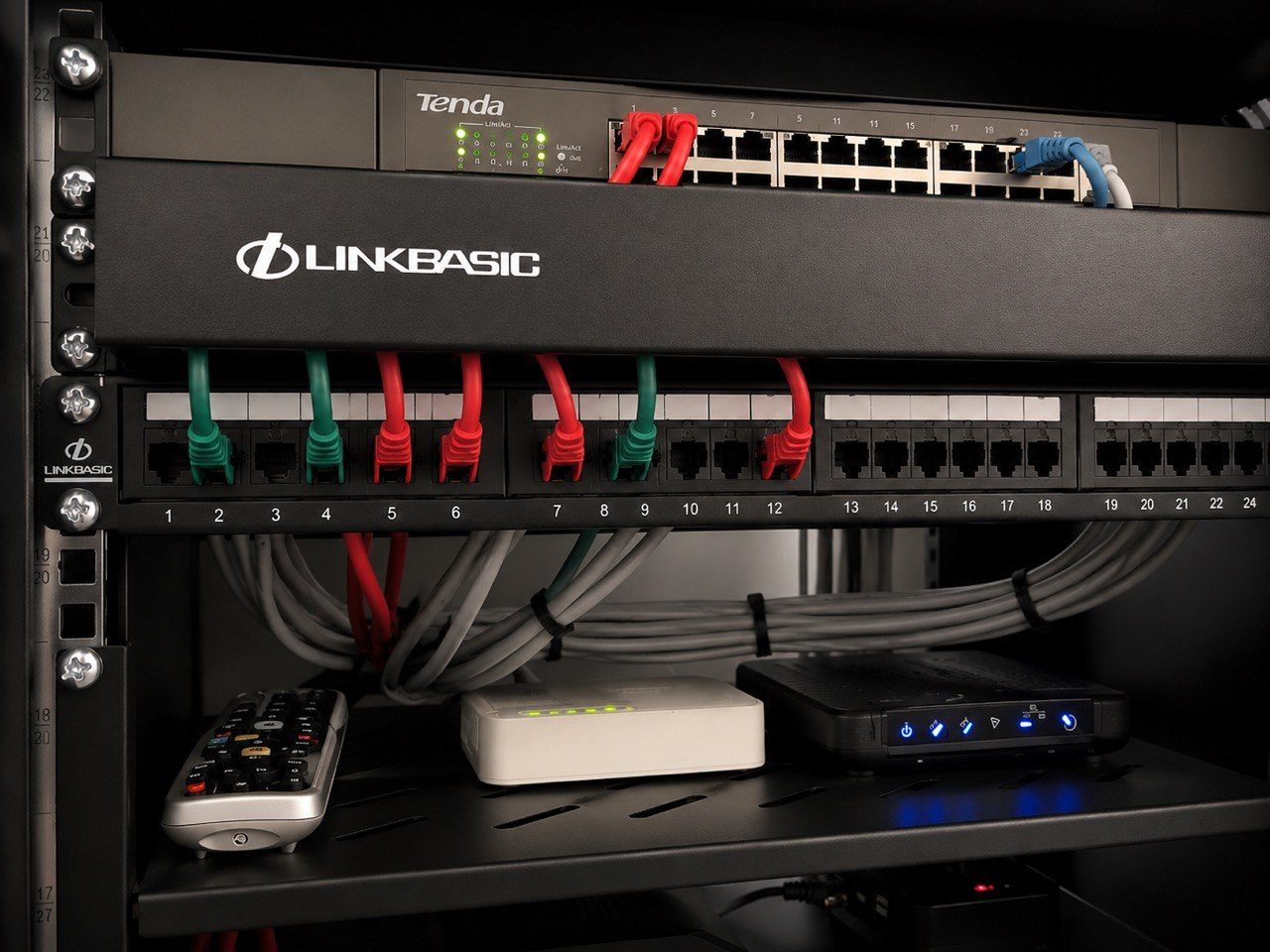
Most importantly, the system should have a simple recovery path. If a processor, switch, access point, decoder, NVR or fibre router needs to be restarted, the support team should know what can be power-cycled remotely and what requires a person on site. The rack should be labelled. The network should be documented. UPS-backed equipment should be separated from non-critical loads.
Automation is strongest when it is designed as part of a supportable home, not as a collection of impressive features that only one person understands.
Reliable Wi-Fi starts with the wired network
Holiday homes put unusual pressure on Wi-Fi. They may be quiet for weeks and then full of phones, tablets, laptops, streaming devices, CCTV, audio zones and smart-home controls.
The answer is rarely a single stronger router.
Reliable networking starts with cabling, switch capacity, access point placement, VLAN or guest network planning where appropriate, clean rack layout and monitoring. Large homes, concrete construction, multiple floors, outdoor entertainment areas and coastal estate layouts all make Wi-Fi planning more important.
For guests, the Wi-Fi experience should be predictable. A clear guest network avoids handing out private network details. Staff devices, owner devices, CCTV, automation and guest traffic can be treated differently where the system warrants it. This is especially useful when a holiday home is used for short stays or managed by an agent.
The owner should not have to guess whether the house internet is down, an access point is offline, or a guest has unplugged something. With sensible monitoring, support can see enough to identify the fault path before anyone starts moving furniture or switching off random plugs.
Load shedding and UPS planning matter more when you are away
Load shedding is inconvenient in any home. In a remote holiday home, it can become a support problem.
If the fibre equipment, router, network switch, cameras, recorder, automation processor and access control are not backed up sensibly, the owner may lose visibility exactly when they need it most. If everything is placed on one overloaded UPS, the system may shut down unpredictably or fail to recover cleanly when power returns.
Good UPS planning separates critical equipment from comfort loads. It considers runtime, restart behaviour, surge protection, ventilation, battery replacement and how the system comes back online after an outage. The point is not to keep every luxury function alive through a long outage. The point is to keep the home reachable, secure and recoverable.
For a managing agent, this also reduces operational noise. Instead of repeated messages about Wi-Fi, cameras and gates after every outage, there is a clearer support process and a better chance that the core systems recover on their own.
Access for guests, staff and contractors needs rules
Holiday homes often involve more people than the owner realises: cleaners, garden services, pool teams, maintenance contractors, estate security, family members, friends, rental guests and managing agents.
Each group needs access, but not the same access.
Technology planning should define who can enter, when they can enter, what they can control and what records are kept. Guest Wi-Fi should not expose the home network. Staff control should be practical but limited. Contractor access should be temporary where possible. CCTV access should be controlled. Automation app access should not be shared casually across multiple phones without a plan.
This is not about making the home difficult to use. It is about making ownership easier from a distance. When access is designed properly, the owner is not constantly asked to solve basic operational issues from Johannesburg.
Support contracts turn remote capability into a service
Remote access and monitoring are only useful if somebody is responsible for responding.
That is where a support contract matters. A good support arrangement defines what is monitored, what can be handled remotely, what requires a call-out, how urgent issues are prioritised, who may request support and how system information is documented.
For Gauteng owners, this gives structure. For managing agents, it creates a clear escalation path. For guests, it reduces frustration. For the home itself, it means the technology is maintained instead of slowly becoming a collection of unknown passwords, offline devices and workarounds.
The best time to plan this is before installation, while the cabling, rack layout, network design, automation scope, CCTV positions and UPS strategy can still be shaped properly.
A KZN holiday home should feel easy when the owner arrives. It should also be manageable when the owner is not there. That only happens when remote support is treated as part of the system from day one.