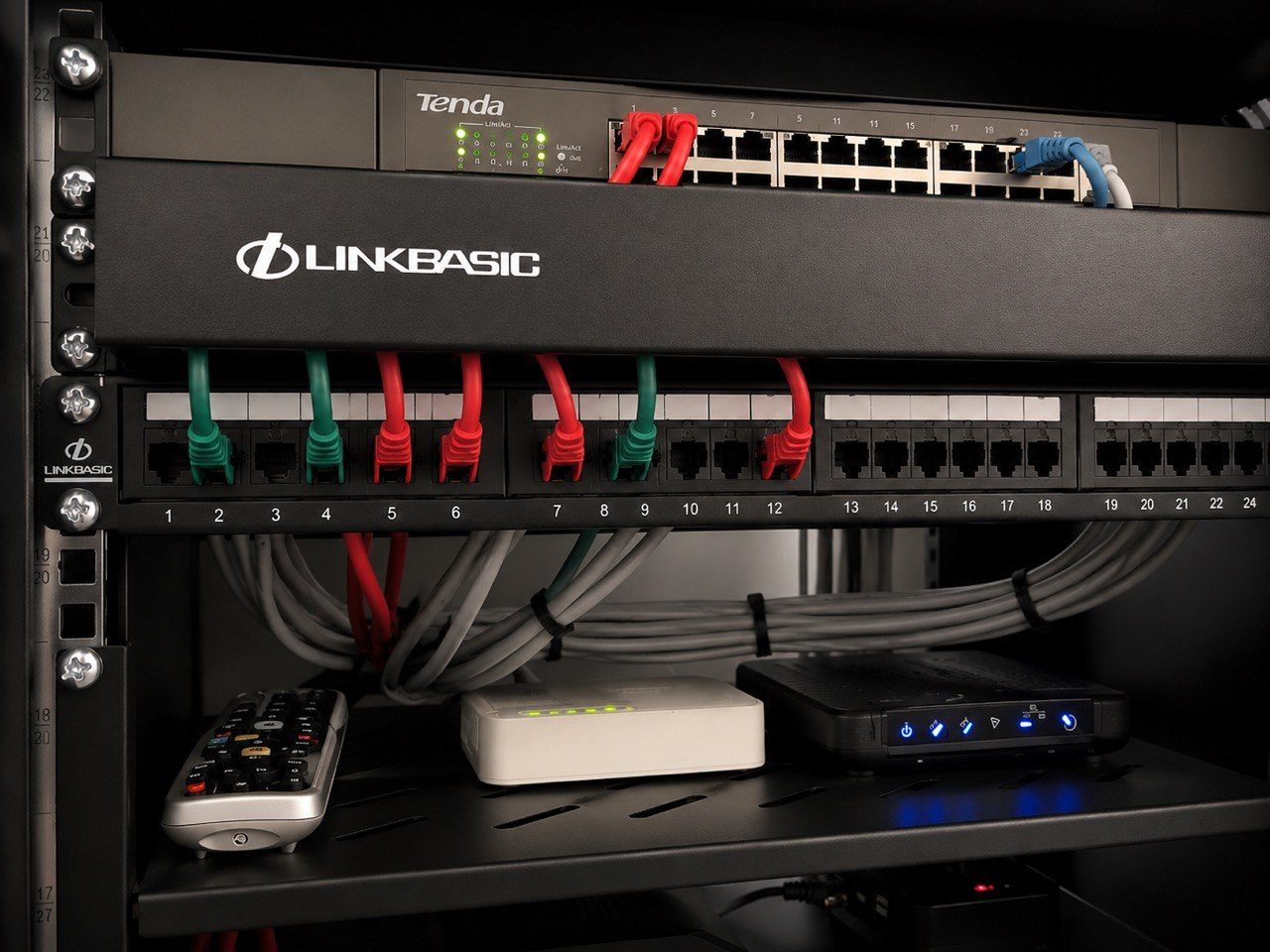
A smart home can work beautifully on handover and still become frustrating a few years later.
Lights become intermittent. Audio zones stop responding. Cameras disappear from the app. Wi-Fi feels unstable. The gate control works sometimes. A touch panel is slow. A rack that once made sense now looks confusing because equipment has been added, removed or bypassed over time.
When this happens, homeowners often assume the control system has failed.
Sometimes it has.
But in many homes, reliability problems come from the layers underneath the app: networking, cabling, power, lighting loads, ageing equipment, undocumented changes, heat, poor rack access and systems that were never designed for long-term support.
That is why proper fault-finding starts with understanding the whole system, not blaming the most visible device.
The network becomes the weak point
Modern home automation depends heavily on the network.
Crestron Home, CCTV, Wi-Fi access points, streaming audio, smart TVs, mobile apps, remote access, network video and intercom systems all rely on stable switching, routing, cabling and IP addressing.
If the network is weak, the smart home feels weak.
Common problems include:
- consumer routers being used in homes that need proper infrastructure
- unmanaged switches added over time without documentation
- overloaded Wi-Fi with too many devices
- access points placed for convenience rather than coverage
- poor roaming between indoor and outdoor areas
- network equipment hidden in hot cupboards
- no clear labelling of what cable feeds what room
- IP conflicts or unclear device addressing
The homeowner sees a room not responding. The actual issue may be the network.
This is why DG Technologies treats networking as a foundation, not an extra. A reliable smart home needs a reliable backbone first.
Lighting loads change over time
Lighting is another common source of reliability issues.
Many older homes were designed around incandescent or halogen lighting. Over time, those lamps are replaced with LED fittings, LED drivers, decorative fixtures or low-load circuits. That can change how the lighting control equipment behaves.
Not every lighting circuit should be dimmed. Some LED loads are better switched through relays. Some circuits need compatible drivers. Some existing dimmers may have worked well years ago but are no longer the right engineering choice for the lights now installed.
Symptoms can include:
- flickering lights
- lights not dimming smoothly
- lamps glowing faintly when off
- unreliable switching
- premature lamp or driver failure
- nuisance faults that appear random
The solution is not always to replace the whole lighting system.
Sometimes the correct answer is to identify which circuits should remain dimmed, which should become relay controlled, and which fittings or drivers are causing the issue.
That decision needs testing and judgement.
Equipment gets added without a plan
Smart homes evolve.
A new TV is installed. A decoder is moved. A streaming device is added. Cameras are expanded. A Wi-Fi mesh product is plugged in. Someone adds a small switch behind a cabinet. A service provider changes the fibre router. A guest network is added. A room is renovated.
Each change may seem small.
Over time, those changes can weaken the original design.
The system may still work, but nobody has a clear picture of what is connected, what has been bypassed, what was temporary, and what is now critical.
This is where documentation matters.
A smart home without documentation becomes dependent on memory. If the original installer is unavailable, every future technician has to rediscover the system from scratch. That costs time and increases the chance of mistakes.
Heat and poor access cause problems
Equipment rooms, racks and cupboards are often hidden because homeowners do not want to see the technology.
That is understandable.
But hidden must not mean trapped.
Amplifiers, network switches, processors, NVRs and power supplies all produce heat. If they are installed in a sealed cupboard with poor ventilation, reliability can suffer. If the rack is too tight to access, small support tasks become difficult. If cables are packed tightly with no labelling, fault-finding becomes slower and riskier.
The equipment area does not need to be visible.
It does need to be serviceable.
Ageing equipment is not always the enemy
Older equipment is not automatically bad.
Some older amplifiers, speakers, keypads, processors or cabling may still have value. Other items may be at the end of their useful life. The important part is to assess the system honestly.
Replacing everything can be wasteful.
Keeping everything can be irresponsible.
The right answer depends on what is still reliable, what is supportable, what has become incompatible, and what the homeowner actually needs from the system now.
This is why DG Technologies often starts with assessment. Before recommending replacement, we want to know what is really causing the problem.
The app is not the whole system
Homeowners naturally judge a smart home through the app or touch panel.
If the app is slow, the system feels bad. If a room does not respond, the app gets blamed. If cameras do not load, the CCTV brand gets blamed.
But the app is only the front end.
Behind it sits:
- network infrastructure
- processors and controllers
- lighting modules
- audio amplifiers
- camera recorders
- power supplies
- cable routes
- room naming
- programming logic
- user permissions
- remote access settings
Reliability comes from all of those layers working together.
That is why a proper support visit should not only press buttons on the screen. It should inspect the system underneath.
How to reduce future reliability problems
A smart home is more likely to remain reliable when:
- the network is professionally designed
- rack equipment is labelled and accessible
- lighting circuits are matched to the right control hardware
- cable routes are documented
- passwords and admin access are handed over responsibly
- future expansion is planned before ceilings close
- equipment is kept cool and powered properly
- changes are recorded instead of improvised
- the system is maintained after handover
None of this is glamorous.
It is the difference between a smart home that impresses on day one and a smart home that still makes sense years later.
The DG Technologies approach
DG Technologies provides smart home and AV support across Durban, Umhlanga, Mount Edgecombe, Zimbali, Simbithi and the wider KZN coast.
When a system becomes unreliable, we look past the symptom. We assess the network, rack, cabling, lighting, control platform, documentation and user experience before deciding what should be repaired, replaced or simplified.
The goal is not only to get the system working today.
The goal is to make it easier to understand, easier to support and more reliable tomorrow.