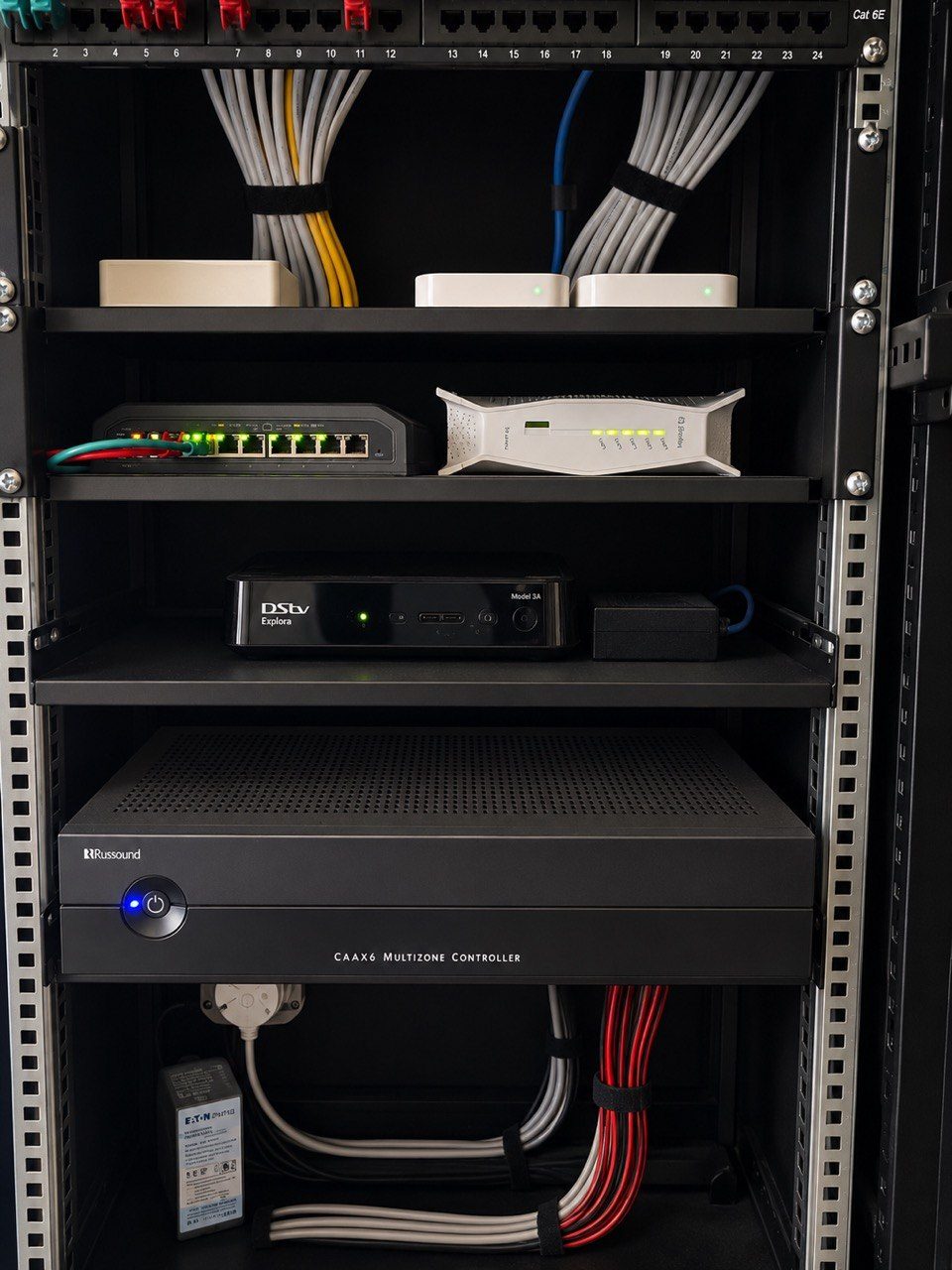
A premium smart home should not depend on memory.
Not the homeowner’s memory.
Not the installer’s memory.
Not the house manager’s memory.
Not the technician who happened to be on site three years ago.
Large homes change. Staff change. Internet providers change. Phones change. Decoders are replaced. Cameras are added. Access points move. Firmware updates happen. Power events expose weak links. A room that worked perfectly on handover day may behave differently after years of normal use.
That is why every serious smart home needs a support runbook.
A runbook is not a sales brochure
A support runbook is a practical document.
It explains what the system is, where important equipment sits, what to check first, what not to touch, who to contact, and what information helps support diagnose a fault.
It does not need to be complicated.
Useful runbook sections may include:
- Rack location and photos
- Main network equipment
- Wi-Fi network names and purpose
- CCTV recorder location
- UPS and power notes
- Gate and intercom notes
- Audio and TV source notes
- Crestron processor and touchscreen notes
- Restart procedure
- Remote support process
- Known limitations
- Support contact details
The point is not to overwhelm the client. The point is to reduce panic and guesswork when something changes.
It helps the house manager know what to check
Many premium homes have house managers, staff, security teams or trusted people who assist when the owner is away.
Those people often become the first line of support.
If the Wi-Fi drops, they may be asked to check the rack. If a camera is offline, they may need to know where the recorder is. If a TV has no picture, they may need to identify the room, source and screen message. If the gate intercom fails, they may need to check power and network before a technician drives out.
A runbook gives them a safe checklist.
It can make clear what they may restart and what they should leave alone. That distinction matters. A well-intentioned restart of the wrong device can create more confusion.
This connects directly to house-manager and staff handover.
It helps remote support work faster
Remote support is only useful when the support team has context.
If the client says “the cameras are down,” the team needs to know whether the cameras are local only, cloud-connected, PoE powered, on a dedicated switch, connected through fibre, backed up by UPS, or dependent on the internet router.
If the client says “music is not working,” the team needs to know which room, which source, which amplifier, which streamer and whether the network is healthy.
A runbook gives structure to those first questions.
It also helps the client send the right photos or videos, which can shorten diagnosis considerably. See why photos and videos help diagnose AV faults faster.
It protects future technicians
Good installers think about the next person who will open the rack.
That person may be from DG Technologies. They may be a future technician. They may be helping after a storm, renovation, equipment failure or service-provider change.
Without documentation, the technician has to reverse-engineer the home.
With a runbook, they start with a map.
That map may not solve the fault immediately, but it prevents wasted time. It shows which devices matter, which cables are important, what the room names mean, which network serves what, and which assumptions were made during commissioning.
This is part of supportability as a product, not an optional extra.
It should evolve with the house
A runbook is not finished forever.
It should be updated when meaningful changes happen:
- A router is replaced
- A switch is upgraded
- A camera is added
- A decoder is changed
- A room name changes
- A Crestron processor is replaced
- A new gate or intercom is installed
- Remote support details change
- A UPS battery is replaced
- A new subsystem is added
Small updates prevent big confusion later.
For homes that are upgraded in phases, this is especially important. The documentation should move with the system.
The best support runbook is calm
The tone matters.
A support runbook should not make the home feel fragile. It should make the home feel cared for.
It should give the homeowner confidence that if something strange happens, there is a logical path. Check this first. Send this photo. Do not switch this off. Restart this only if asked. Contact this person. Record this symptom.
That is not bureaucracy.
It is good engineering after handover.
The most impressive smart homes are not the ones with the longest feature list. They are the ones that can be understood, supported and kept stable long after the installation team has left.