Buying a house with home automation already installed can feel like a bonus.
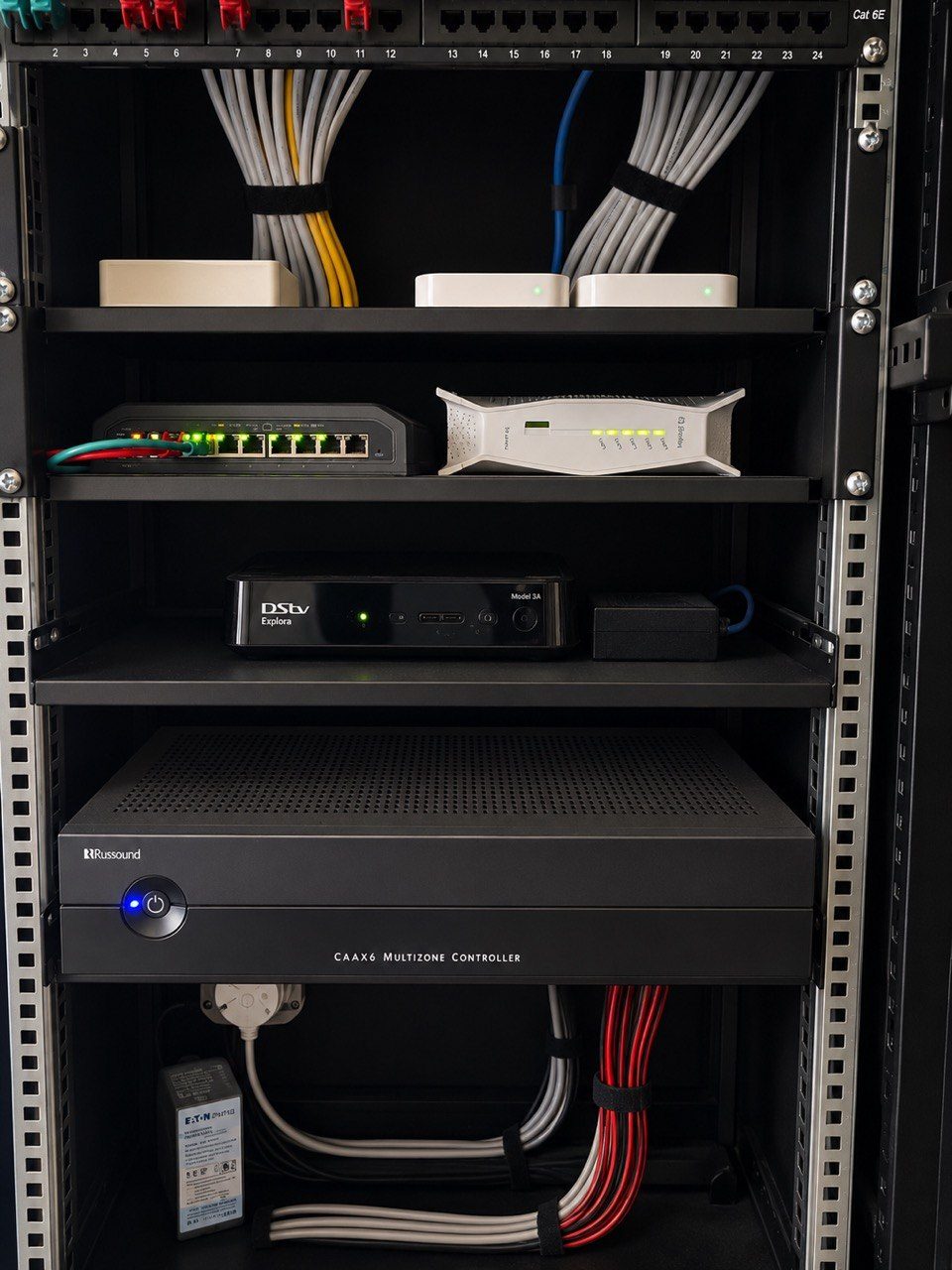
The home may already have built-in speakers, CCTV cameras, Wi-Fi access points, lighting scenes, an equipment rack, app control, gate integration, television points and a proper network backbone. If the system was designed well, that infrastructure can add real value to the property.
But an inherited smart home can also hide problems.
During a property viewing, the visible parts may look impressive. A touchscreen wakes up. A few lights switch on. Music plays in one entertainment area. The estate agent says, “The house is automated.”
That is useful information, but it is not enough.
Before buying a home with existing automation, the buyer should know what they are inheriting, who can support it, what still works, and what has quietly stopped making sense.
Ask what the system actually controls
“Smart home” can mean many things.
In one house, it may mean a few Wi-Fi light bulbs and a consumer camera app. In another, it may mean a professionally designed home automation system controlling lighting, audio, CCTV, access control, networking, gate interfaces, cinema rooms and climate.
The first step is to ask for a clear list.
Which rooms have audio? Which rooms have TVs connected to a central rack? Which lights are automated? Are exterior lights on scenes or timers? Are cameras recording? Is the gate linked to the system? Are there app controls? Are there wall keypads? Is there a central head-end cabinet?
A buyer should not assume that every visible device is still active. Old wall plates, blank covers, speakers, remotes and touchscreens may belong to earlier versions of the system. Some may still be useful. Some may be disconnected. Some may be covering important cable routes that should not be plastered over during renovations.
Ask who owns the accounts
This is one of the most common hidden problems in inherited smart homes.
Modern systems often depend on app accounts, admin logins, installer access, cloud permissions, Wi-Fi credentials, camera logins, Sonos accounts, streaming accounts, remote support accounts and router credentials.
If the previous owner, installer, house manager or IT provider controls those accounts, the new owner may not fully control the home.
Before transfer, ask:
- Who owns the main automation account?
- Who has admin access to the router?
- Who controls the CCTV app?
- Are there separate family and staff users?
- Are old users removed?
- Are passwords available through a secure handover?
- Is remote access set up responsibly?
- Can the system be supported without relying on the previous owner?
This matters for convenience, but also for privacy and security. A home with cameras, gates, network equipment and remote access should not be handed over casually.
Ask about the router and network
Many smart-home problems are actually network problems.
The owner says the radio stopped working. The family says the cameras disappeared from the app. A room loses music. A processor cannot be reached remotely. The CCTV system works locally but not from outside the house.
Then someone discovers that the fibre provider replaced the router, an IT company changed IP ranges, Wi-Fi names were altered, reservations disappeared, or a switch was moved without understanding what depended on it.
For a serious smart home, the network infrastructure is not just internet access. It is the communication layer for the house.
Before buying, ask whether the router, switches, access points and IP addresses are documented. Ask whether the Wi-Fi was professionally planned or patched together over time. Ask whether the equipment rack is labelled. Ask whether the system recovers properly after power failures.
If the house has Sonos, CCTV, Crestron, smart lighting, gate integration, touch panels, IP intercoms or remote access, the network should be treated as part of the automation system, not as an unrelated fibre accessory.
Ask whether the CCTV is useful, not only visible
Visible cameras do not automatically mean useful CCTV.
The buyer should know whether the cameras record, how long footage is stored, whether the recorder is healthy, whether remote viewing works, whether the admin account is known, whether the hard drives are suitable, and whether important areas are actually covered.
Camera positions should be checked against real risk areas: driveway, gate, pedestrian entrance, garage, entertainment areas, staff entrance, boundary lines, blind corners and high-value storage areas.
If the cameras are old, poorly aimed, password-locked, offline, underpowered or not recording, they may need CCTV support or redesign.
The question is not “Does the house have cameras?”
The question is, “If something happens tonight, will the footage help?”
Ask what happens during load shedding
South African homes need power-recovery planning.
A smart home may work perfectly while Eskom is stable and behave badly when power fails repeatedly. Routers, switches, access points, NVRs, processors, amplifiers, decoders, gates and fibre ONTs all respond differently to power dips, inverter changeovers and weak UPS systems.
Before buying, ask:
- Is the rack on proper power protection?
- Does the network stay online during load shedding?
- Does CCTV keep recording?
- Does the system recover automatically?
- Are there online double-conversion UPS units where needed?
- Are heavy loads separated from sensitive electronics?
If a large home already has solar or inverter backup, that does not automatically mean the AV and automation equipment is properly protected. Sensitive electronics still need clean, stable power.
Ask for documentation
Documentation is not paperwork for the sake of paperwork.
It is the memory of the house.
A useful handover should include room names, rack photos, network notes, IP information, user access, equipment lists, support contact details, camera positions, lighting circuit notes, audio zone notes and any known issues.
Without documentation, every future support call becomes slower. A technician has to rediscover what the previous team already knew. The homeowner pays for investigation instead of progress.
This is why DG Technologies treats smart-home support as part of the product. A system should not only work on the day the property changes hands. It should remain understandable after the move.
Ask for an independent assessment before transfer
For a small house with basic devices, a simple handover may be enough.
For a high-value home with proper automation, distributed audio, CCTV, Wi-Fi, lighting control and a rack, an independent assessment can save money and frustration.
The assessment does not need to be dramatic. It should answer practical questions:
- What works?
- What does not work?
- What is undocumented?
- What is unsafe or unreliable?
- What can be reused?
- What should be replaced?
- What will cost money soon?
- What should be negotiated before transfer?
The best result is not always a full replacement. Sometimes the best result is knowing which parts of the system are still valuable and which parts need careful attention.
Buying a smart home should give you confidence, not uncertainty.
The technology should add to the home. It should not become the first problem you inherit.