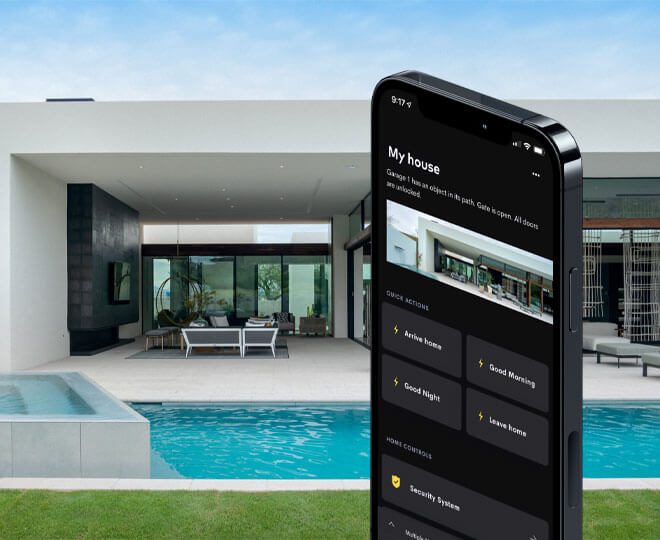
A smart home is usually sold to the owner.
That makes sense. The owner approves the budget, chooses the finishes and signs off the system. But once the home is occupied, the owner is not always the only person using it.
There may be children, parents, visiting family, weekend guests, domestic staff, gardeners, security guards, estate maintenance teams, house managers, tenants, holiday guests and contractors who need to use parts of the property without phoning the owner every time something basic needs to happen.
This is where many smart homes become frustrating.
The system works beautifully for the person whose phone is configured properly. Everyone else is left guessing. Guests cannot find the Wi-Fi. Staff cannot turn on the correct lights. The gate intercom rings on the wrong phone. The cleaner accidentally switches off exterior lighting. The house sitter cannot arm the right alarm mode. Someone presses a keypad button and the entire entertainment area changes because the label was never thought through.
That is not a technology failure only. It is a design failure.
At DG Technologies, we believe a proper smart home should be designed around the real people who interact with the property. We wrote about that broader principle in why a smart home should be designed around the people who live in it. This article looks at the next layer: the people who do not live there permanently, but still need the home to make sense.
For larger homes, holiday homes and estate properties across Durban, Umhlanga, Ballito, Zimbali, Simbithi, Mount Edgecombe and the KZN North Coast, that matters more than many owners realise.
Guests should not need a lesson in home automation
A guest should be able to do the simple things without being trained.
They should be able to turn on bedroom lights, find the bathroom at night, connect to Wi-Fi, open the gate if they have been given permission, adjust a fan or aircon where applicable, and use the TV or audio in the area allocated to them.
That does not mean guests need full control of the home.
It means the parts they are expected to use should be obvious.
In a well-designed system, a guest bedroom should not need a complicated app tour. The bedside lighting should be simple. A keypad or switch should have natural labels. A welcome scene should bring on the right lamps or downlights without waking up the rest of the house. If there is a guest cottage, flatlet or holiday wing, it should be treated almost like its own small home inside the larger property.
This is especially important for families who host often. KZN homes are social homes. People arrive for weekends, school holidays, family events, golf days, beach days and December breaks. A smart home that only works when the owner is standing next to the guest is not really making life easier.
The owner should not become the help desk for their own house.
User profiles are not just an app feature
Many systems allow different users to have different app permissions. That is useful, but the thinking must start before the app is configured.
The first step is deciding who the users actually are.
An owner profile may need full control: lighting, security views, gate access, entertainment, climate, schedules, remote access and system notifications.
A spouse or adult family member may need almost the same access, but with fewer technical settings exposed.
Children may need control of their own rooms and entertainment areas, but not gate schedules, security settings, cameras or network administration.
Domestic staff may need access to certain doors, staff areas, laundry spaces, cleaning lighting scenes and service zones, but not private bedrooms, camera playback, owner study controls or the main automation settings.
A house manager may need more operational access, especially at a holiday home or estate property, but still within clear boundaries.
Guests may need Wi-Fi, bedroom lighting, limited entertainment control and temporary gate or door access.
Contractors may need access only for a certain day, a certain gate or a certain service entrance.
These profiles are practical decisions, not just software permissions. They affect keypad locations, labels, network design, gate logic, door access, alarm zones, CCTV visibility and how the system is handed over.
If this thinking is left until the end, the home often ends up with one powerful owner account and a list of compromises for everyone else.
Keypads still matter more than apps
Apps are important. They are useful for remote control, deeper settings, cameras, multiroom audio and whole-home scenes.
But inside the home, the most important controls are often still physical.
Keypads, switches and touch panels are what people use when their phone is charging, when Wi-Fi is down, when hands are full, when a guest does not have the app, or when staff are moving through the home doing normal work.
That is why lighting control should never be designed only around what looks good in an app. It should be designed around what happens at the wall.
A keypad near the patio should make sense to a guest arriving for a braai. A keypad outside a guest suite should not include private house scenes. A button at a service entrance should turn on the lights staff actually need, not trigger a dramatic welcome scene for the main entrance. A bedside keypad should be calm and predictable at night.
Good keypad design is not about fitting in as many commands as possible.
It is about deciding what belongs there.
In many rooms, four useful buttons are better than eight clever ones. Labels should be plain. Scenes should be named the way people speak: Evening, Bright, Relax, All Off, Pathway, Patio, Entertain. If a button needs an explanation, the design may need another look.
The best test is simple: could a guest or staff member press the right button without asking?
Guest Wi-Fi must be planned, not guessed
Guest Wi-Fi is one of the most common small frustrations in high-end homes.
The owner has fast fibre. The main house has decent coverage. But guests still struggle because the network name is confusing, the password is buried in an old WhatsApp message, the guest suite has weak coverage, or the guest network was never separated properly from the main household network.
For estate homes and holiday properties, guest Wi-Fi should be part of the design brief from the beginning.
A proper guest network should be easy to identify, easy to join and separated from private devices. Guests should not need access to the same network used by office computers, CCTV recorders, automation processors, NAS devices, printers or owner-only systems.
This is one reason we treat wireless distribution as infrastructure, not decoration. Good Wi-Fi is not only about signal bars in the lounge. It is about the main house, guest suites, patios, staff quarters, garages, gatehouses and outdoor living spaces working in a predictable way.
Holiday homes need even more discipline. When the owner is not on site, Wi-Fi problems become operational problems. The guest cannot stream. The house manager cannot check systems. The access-control device may struggle. The owner gets the call from another province or another country.
This is avoidable when the network is designed with guest use in mind.
Simple lighting scenes make homes easier to live in
Lighting is one of the areas where smart homes can either feel excellent or exhausting.
In a premium home, there may be many lighting circuits: downlights, coves, pendants, garden lights, facade lights, stair lights, bathroom lights, pool lights, driveway lights and feature lighting. That gives the designer and homeowner plenty of control, but it can also create too many decisions.
Guests and staff should not have to understand the electrical layout of the house.
They need useful scenes.
For example, a guest room may need Welcome, Reading, Bathroom Night and All Off. A patio may need Lunch, Evening, Entertain and Clean Up. A kitchen may need Prep, Dining and Night. Staff areas may need Work, Laundry, Passage and Exterior Service.
The owner can still have deeper control in the app. The system can still support more detailed lighting design. But the everyday controls should be simple enough that people use them confidently.
Exterior lighting also needs careful thought. Staff should be able to switch on service lights or pathway lights without affecting architectural lighting across the whole property. Guests should not be able to accidentally disable important night lighting. Holiday guests should not be left with twenty individual circuits when one well-designed Evening scene would do the job better.
The goal is not to make lighting basic.
The goal is to make sophisticated lighting feel simple.
Gate and intercom access should have boundaries
Gate, intercom and door access are often where convenience and security meet.
Owners want easy entry. Guests need to be welcomed. Staff need to arrive and leave. Garden services, estate maintenance and contractors may need scheduled access. Deliveries need a practical process. At the same time, the home still needs strong boundaries.
This is why access control should not be treated as a last-minute add-on.
Who can open which gate?
Who receives intercom calls?
Can a guest open the pedestrian gate but not the garage?
Can staff enter through a service gate during working hours only?
Can a house manager issue temporary access without exposing owner-level control?
What happens if the owner is overseas and the gate system needs support?
These are design questions. The answers affect hardware choice, cabling, network reliability, backup power, mobile app setup and support arrangements.
For holiday homes, temporary access needs particular care. A short-term guest may need easy arrival, but they do not need long-term control of the property. Codes, tags, remotes, app permissions and intercom routing should be reviewed as part of the operating process, not left to grow into a confusing list over time.
Convenience is valuable only when it does not quietly weaken the property.
Staff areas deserve proper design
Staff areas are sometimes treated as an afterthought in luxury homes.
That is a mistake.
If staff are part of the daily operation of the home, their areas need reliable lighting, Wi-Fi where appropriate, practical access, clear alarm behaviour and sensible separation from private zones. A staff room, laundry, scullery, service corridor, gatehouse or gardener’s store may not need the same level of control as the main entertainment area, but it still needs to work properly.
Poor design in these areas creates daily irritation.
The cleaner cannot see properly in the laundry. The staff Wi-Fi is weak. The service entrance has no clear lighting scene. The intercom is difficult to answer. The alarm is either too restrictive or too loose. Staff are given owner-level app access because nobody designed a better option.
That last point is important.
Giving everyone broad access may feel easier during installation, but it is poor long-term thinking. Staff should have the access required to do their work properly. They should not need access to private cameras, owner bedroom controls, study equipment, security recordings or technical settings.
A respectful system is also a bounded system. It gives people what they need without exposing what they do not.
Privacy and security need to be designed together
In affluent homes, privacy is not a luxury extra. It is part of the brief.
CCTV, intercoms, app access, Wi-Fi networks, door locks and automation logs can all reveal information about how a family lives. Who is home, which rooms are occupied, when staff arrive, when the owner is away, which areas are private and which systems are online.
That information should be handled carefully.
Guest users should not automatically see cameras. Staff accounts should not automatically have remote access. Children should not necessarily control external gates. Contractors should not remain in the system after the job is complete. Holiday guests should not inherit access from the previous guest.
This is not about being difficult.
It is about engineering good boundaries.
Privacy and security should be planned together so the system remains useful without being loose. That includes strong network separation, sensible user roles, documented access rules, protected equipment racks, proper passwords, remote support procedures and clear ownership of who can approve changes.
For holiday properties, we discuss these issues in more detail in holiday home security and automation in KZN. The core point is the same: a home that is easy for guests must still remain controlled by the owner.
Avoiding over-complication is a professional decision
Over-complication often starts with good intentions.
Someone wants to give the client every possible feature. Every room gets every option. Every keypad is loaded with commands. Every user is invited into the app. Every scene is created because it might be useful one day.
Then real life arrives.
Nobody remembers what half the buttons do. Staff avoid the system. Guests leave lights on because they are nervous to press anything. The owner phones for small changes. The family stops using the advanced features and returns to manual habits where they can.
A smart home should not require people to adapt their lives around the equipment.
The equipment should be designed around the way the home operates.
Sometimes that means fewer buttons. Sometimes it means more physical control and less app dependence. Sometimes it means separate networks. Sometimes it means removing a clever automation because it creates more confusion than value. Sometimes it means saying no to a feature until there is a real use case for it.
This is where owner-led engineering judgement matters. A good installer should be able to explain why something belongs in the system, where it should be controlled from, who should have access to it and how it will be supported later.
If that explanation is weak, the feature probably needs to be reconsidered.
Handover should include more than the owner
We have written before that a smart home handover should prove the system is simple. For homes with guests and staff, that handover should not only be a private tour for the owner.
Where appropriate, it should include the people who operate the home.
The house manager should know how guest access works. Staff should understand the keypads and areas relevant to them. The owner should know how to add or remove users, or who to call when that needs to be done properly. Guest Wi-Fi details should be documented in a way the household can actually use. Intercom behaviour should be tested. Gate access should be tested. Lighting scenes should be walked through in the real spaces, not only shown on a phone.
The handover is also the right time to remove unnecessary complexity.
If the cleaner cannot understand the laundry keypad, fix it.
If the guest room scene names are unclear, rename them.
If the house manager cannot explain the guest Wi-Fi process, simplify it.
If a staff profile has too much access, correct it before it becomes normal.
The system is not finished because the equipment is installed. It is finished when the right people can use it with confidence.
Support keeps the boundaries clean
Homes change.
Staff change. Guests come and go. Children get older. Owners add rooms, upgrade Wi-Fi, change phones, add cameras, renovate entertainment areas or turn a family home into a holiday property for part of the year.
The smart-home system needs support that can keep up with those changes.
That support should not only be emergency fault-finding. It should include small practical adjustments: updating user access, reviewing guest Wi-Fi, changing keypad labels, adjusting lighting scenes, checking intercom routing, cleaning up unused users, documenting changes and making sure the owner still understands how the home is set up.
This is particularly important in estate homes and holiday homes where the property may be occupied by different people at different times. A system that was tidy on day one can become messy after a few seasons if nobody is responsible for maintaining the logic.
Good support protects the investment.
It also protects the owner’s privacy.
The real test is ordinary use
A smart home does not prove itself in a showroom-style demonstration.
It proves itself when a guest arrives late and finds the right lights. It proves itself when staff can open the service gate during approved hours and do their work without needing owner-level control. It proves itself when a house manager can prepare the home for guests without disturbing private areas. It proves itself when family members use keypads naturally because the labels make sense. It proves itself when guest Wi-Fi works in the cottage, at the pool and in the bedroom.
That is the kind of simplicity worth designing for.
Not simplistic technology.
Not a stripped-down home.
A well-considered system with clear roles, practical controls, reliable Wi-Fi, sensible access, useful lighting scenes and support behind it.
For DG Technologies, that is the difference between a smart home that looks impressive and a smart home that lives well.