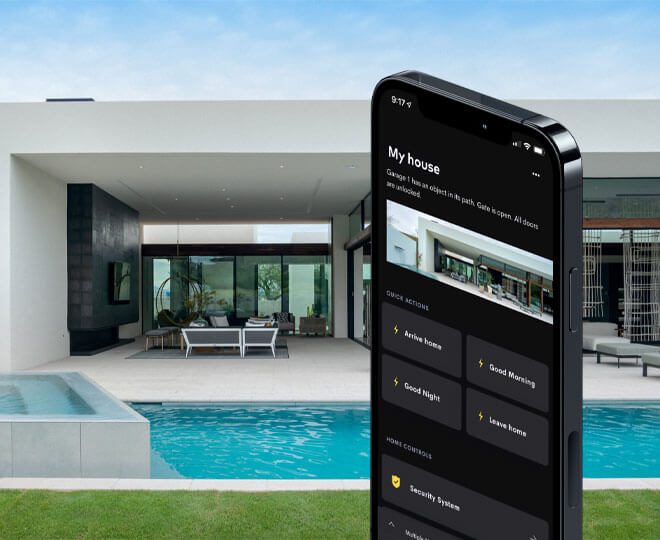
A smart home should not feel like a technical demonstration.
It should feel like a home that quietly makes more sense.
That sounds simple, but it is one of the most important differences between a good automation system and a frustrating one. Many systems are designed around equipment first. The discussion starts with processors, touch panels, lighting modules, speakers, keypads, cameras and app screens.
Those things matter.
But they are not the starting point.
The starting point should be the people who live in the home.
At DG Technologies, we believe home automation works best when it is designed around daily use. Who wakes up first? Which doors are used most often? Which rooms are used together? Who entertains? Who works from home? Who wants technology visible, and who wants it to disappear? Which features will genuinely be used, and which ones will become expensive clutter?
Those questions often reveal more than a product list ever could.
The best automation often feels invisible
People sometimes imagine a smart home as something dramatic.
Screens everywhere. Buttons everywhere. Scenes for everything. A house that feels like a control room.
That may look impressive in a demo, but it is not always pleasant to live with.
A good system should reduce the number of decisions a person needs to make. It should not add a new layer of complexity to ordinary life.
If someone walks into the kitchen in the evening, the lighting should make sense. If the family wants to watch television, the correct source, sound and lighting should be easy to start. If guests are outside, the patio audio should be simple to adjust. If the owner leaves the house, the security and lighting states should be predictable.
The system should not constantly remind the client that there is a system.
That is why we like Crestron Home for many residential projects. It gives the homeowner a polished control environment without forcing every home to become a fully custom software project. It can still be professionally designed, programmed and supported, but the everyday experience remains clean and familiar.
The technology should be powerful behind the scenes.
The user experience should be calm.
Automating everything is not the goal
One of the easiest ways to make a smart home expensive and irritating is to automate things that do not need to be automated.
There is a difference between useful automation and unnecessary automation.
Useful automation removes friction. It saves time. It improves comfort. It makes the home easier to control. It prevents repeated small frustrations.
Unnecessary automation adds cost, adds programming, adds failure points and gives the client very little in return.
This is where judgement matters.
Not every light needs a complicated scene. Not every room needs a touch panel. Not every audio zone needs to be separate if the spaces naturally flow together. Not every existing amplifier needs to be thrown away if it is still reliable and suitable. Not every feature a system can do is something the client should pay for.
We have written before about how DG Technologies decides what to keep and what to replace. That thinking is central to how we design smart homes.
The question is not, “How much can this system do?”
The better question is, “What should this home do?”
Those are very different conversations.
The client should understand the system
Handover is where many systems reveal whether they were designed properly.
If the installer needs a long explanation for every basic function, something may be wrong. If the homeowner is nervous to touch the app, the system is not simple enough. If the client needs to phone for help every time they want to change a source or adjust a room, the system has not been handed over properly.
We like systems that can be explained clearly.
The client should understand the main scenes, the app layout, the keypads, the room logic and the normal recovery steps. They do not need to understand every technical detail, but they should feel confident using their own home.
That is why we believe smart-home handover should prove the system is simple.
One of the best tests is to hand the client the phone and let them use it.
Can they turn rooms on and off?
Can they choose the correct audio zone?
Can they start the cinema?
Can they understand what a keypad scene does?
Can they recover from a normal daily mistake without panic?
If the answer is yes, the system is far more likely to be used properly.
A family home is not a showroom
Showrooms are useful, but homes are different.
A showroom is controlled. The wiring is known. The lighting is designed for presentation. The demo sequence is rehearsed. The person operating it knows exactly what will happen next.
A real home is messier.
Children press buttons. Guests use the Wi-Fi. Staff need access to certain areas. Power goes off. Fibre providers change routers. Someone adds a new TV. A room gets renovated. A client wants to move furniture. A storm takes out equipment. A family member forgets how to use a feature.
A proper smart home must be designed for real life, not only for the first demonstration.
This is especially true in larger KZN homes and estate properties, where the system may include lighting control, multiroom audio, CCTV, access control, Wi-Fi, networking, cinema rooms and remote support.
The more integrated the home becomes, the more important it is to keep the experience understandable.
Complexity may exist behind the rack door.
It should not be dumped onto the client.
Different people use the same house differently
One household can have several very different users.
The owner may want full control from the app. A spouse may prefer simple keypad scenes. Children may only need access to certain rooms. Staff may need practical lighting and gate control without access to private functions. Guests may only need Wi-Fi and entertainment areas.
Good design respects that.
It does not assume everyone wants to interact with technology the same way.
For some clients, a touch panel in a central space makes sense. For others, the phone app is enough. In some homes, keypads are the most elegant interface because they are always in the right place and do not require someone to find a device. In other spaces, automatic scenes may be better because the room has a predictable use.
There is no single correct answer for every home.
The correct answer depends on the people.
The network is part of the user experience
Many smart-home frustrations are blamed on automation when the real problem is the network.
App control is slow. Music drops out. Cameras do not load. Streaming buffers. Touch panels feel unreliable. Remote access works one day and fails the next.
Often, the control system is not the root issue.
The network is.
That is why a professional smart home should include proper network infrastructure, not just a router tucked into a cupboard. Access points, switching, rack layout, power protection, VLANs, Wi-Fi coverage, cabling and documentation all affect the final experience.
If the network is weak, the smart home will feel weak.
If the network is designed properly, the automation has a solid foundation.
This matters even more in large homes, coastal homes, thick-wall homes and properties with outbuildings, garages, entertainment areas and external cameras.
Documentation protects the homeowner
Documentation is not paperwork for the sake of paperwork.
It is part of the system.
When a home has lighting modules, processors, audio amplifiers, switches, access points, CCTV, touch panels, keypads and racks, someone needs to know how everything connects.
Good documentation helps with future servicing. It helps when the client renovates. It helps when another contractor needs to understand what was installed. It helps when equipment is replaced years later. It prevents the homeowner from being trapped by guesswork.
We have written more about why smart home documentation matters years later, because it is one of the most overlooked parts of professional work.
The client may not read every drawing on handover day.
But years later, those drawings can save time, money and frustration.
The right system should still make sense ten years later
Technology changes quickly.
Apps change. Processors change. Lighting products change. Streaming services change. Network standards change. The way a family uses a home also changes.
Good engineering does not mean trying to predict every product that will exist in ten years.
It means making decisions that do not trap the client.
Use sensible cable routes. Leave space in the rack. Avoid unnecessary complexity. Choose reliable platforms. Document the system. Keep the user interface understandable. Design scenes around real habits. Separate what should be separate. Combine what naturally belongs together. Spend money where it improves the home. Avoid spending where it only makes the quotation look more impressive.
That is the kind of thinking that makes a smart home age better.
The home should belong to the client, not the system
The best compliment for a smart home is not always, “That is impressive.”
Sometimes it is, “This is easy.”
Easy to live with. Easy to understand. Easy to support. Easy to explain to someone else in the home.
That does not happen by accident.
It comes from designing around people first, then engineering the technology properly behind the scenes.
At DG Technologies, we do not believe more automation automatically makes a better home.
Better decisions make a better home.
The equipment matters, but the judgement behind the equipment matters more. A smart home should fit the people who live in it, support the way they actually use the property, and still make sense long after the first demonstration is finished.
That is the difference between a house full of technology and a home that has been properly designed.