Usually, yes: cameras can often be added to an existing CCTV system. But an empty socket on a recorder does not prove the whole system is ready. The new camera must work with the recorder, the cabling or network must reach it, the power system must support it, and the recorder must have enough storage and processing capacity for the additional video.
Sometimes the sensible upgrade is two new cameras. Sometimes it is a larger recorder that keeps the existing cameras. Sometimes old cabling can stay while the cameras and DVR change. On a larger site, adding cameras may require new PoE switches, fibre links, cabinets and storage.
I have made each of those recommendations in DG Technologies’ records. The right answer comes from inspecting what is already there, not from counting spare channels alone.
The six checks that decide whether cameras can be added
Before I quote an expansion, I want answers to six questions:
- Does the recorder have usable channel capacity?
- Will the new camera communicate with the existing DVR or NVR?
- Can the existing cable route carry the required signal and power reliably?
- Does the power supply or PoE switch have spare capacity?
- Will storage still meet the client’s retention requirement after more cameras are added?
- Will the complete system remain usable through one sensible app or viewing station?
If any one of those answers is no, expansion may still be possible, but the scope changes.
A spare recorder channel is only the beginning
A DVR or NVR may be sold as an 8-, 16-, 32- or 64-channel recorder. That number tells you the maximum camera count only under the recorder’s supported conditions. It does not tell you whether the installed hard drive, incoming bandwidth, decoding capacity, power supply or network can handle the cameras you want to add.
In a 2024 DG quotation record, a 16-channel replacement DVR could retain the client’s existing cameras and allow two additional cameras. That was a straightforward capacity-led proposal.
Another 2020 proposal could add up to six points, but those six points would take the existing system to full capacity. The work was not merely six cameras: it also allowed for the power supply, DVR rewiring and moving the equipment into a properly cooled cabinet.
That distinction matters. A quotation that says “six more cameras” without checking what feeds, records and cools them is not yet a system design.
Will old cameras work with a new recorder?
They may, but compatibility must be checked rather than assumed.
Older coaxial systems can use different analogue and HD-over-coax formats. IP systems add questions about manufacturer support, protocols, firmware, resolution, encoding and passwords. A recorder may accept the video but not every feature. Motion events, audio, smart analytics and camera configuration can behave differently across mixed equipment.
One of my 2019 CCTV upgrade recommendations used a backward-compatible DVR so the client could keep existing cameras and add newer HD cameras over time. This created a staged upgrade path instead of forcing every camera to be replaced immediately.
In a separate 2022 commercial discussion involving two related sites, the deciding question was whether the existing cameras would stay. If they stayed, matching their current platform made sense. If the cameras were being replaced, standardising the second site to the platform already used at the first site would let the client reach both through one app.
The lesson is not that one brand always wins. It is that the equipment already installed and the way the client operates the sites should shape the upgrade.
A new DVR does not automatically improve the picture
This is one of the easiest CCTV upgrades to misunderstand.
In that 2019 recommendation, I explained that replacing the DVR on its own would modernise app support but would not improve the image coming from the existing cameras. Better picture quality required better cameras as well.
These are separate outcomes:
- A recorder change may restore reliable recording, provide a current mobile app or create room for expansion.
- A camera change may improve resolution, night performance, lens choice or identification detail.
- A cabling or power repair may stop cameras dropping out without changing their image quality.
- A storage upgrade may retain footage longer without changing the live view.
A good upgrade quote should say which problem each item solves. Otherwise, a client can spend money on a new recorder and reasonably wonder why the old camera picture still looks old.
Can existing CCTV cabling be reused?
Often it can. It should still be inspected and tested.
DG records include a 2020 option that reused some existing analogue cabling and power supplies while replacing the DVR and cameras with HD equipment. An earlier completed job retained usable mounting brackets and charged for the cable length actually used. Another service record documents repairing one existing camera feed so that only two cameras needed replacement.
Those are small examples, but they show the principle: reuse what remains fit for purpose; do not replace it merely because it is old.
Existing infrastructure should not be kept when it creates an unreliable result. Warning signs include:
- damaged, joined or water-affected cable,
- poor terminations,
- voltage drop over long power runs,
- cable types that cannot support the proposed signal,
- unknown routes that cannot be serviced,
- exposed cable without suitable containment,
- no spare path to the new camera position,
- or previous faults that have never been properly traced.
The cheapest-looking reuse decision becomes expensive if technicians must repeatedly return to repair the same hidden weakness.
IP cameras also need network and PoE capacity
With an IP CCTV system, the recorder is not the only bottleneck.
Each new camera needs a network path and usually PoE power. The relevant questions include:
- Is there a switch port available?
- Does the switch have enough remaining PoE power budget?
- Is the uplink fast and reliable enough?
- Is the camera network documented?
- Will the new route exceed normal copper-distance limits?
- Does another building need fibre rather than a long or improvised copper link?
- Is the switch and recorder protected by backup power?
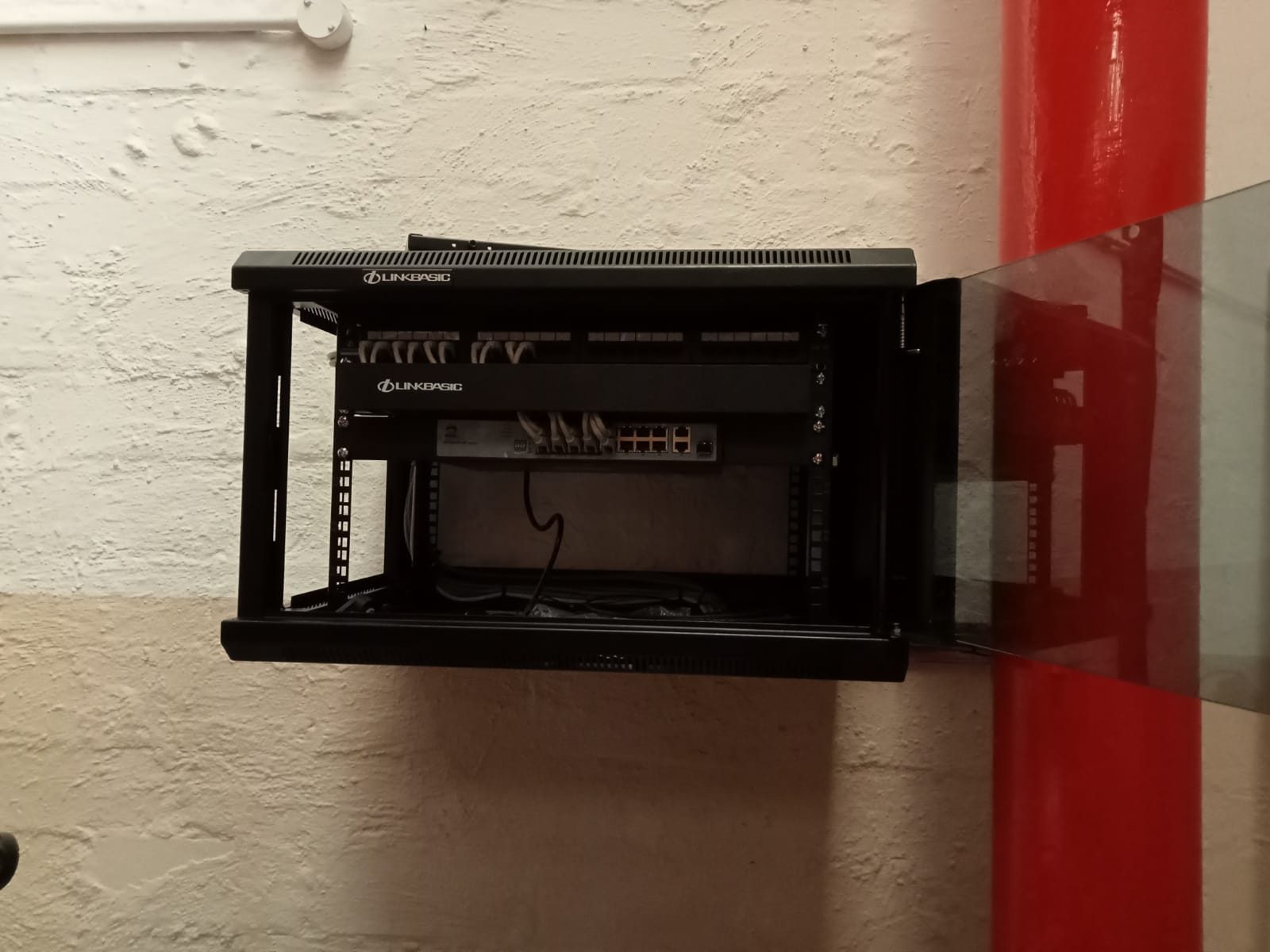
DG’s commercial CCTV records show how quickly an “add cameras” brief can become an infrastructure project. One expansion design included a new fibre link between cabinets, two PoE switches increasing camera capacity to 48, additional storage and a 64-channel NVR. The public commercial CCTV case study explains why those less-visible components mattered.
For a small home, the answer may genuinely be one available PoE port and one good cable route. For a warehouse, factory or multi-building property, the network topology may decide whether the next camera is dependable.
More cameras reduce retention unless storage grows too
Adding cameras means recording more video.
If the recorder keeps the same hard drive and recording settings, additional cameras will normally reduce the number of days available before older footage is overwritten. Higher resolution, frame rate and bit rate can reduce retention further.
Before expanding a system, decide how far back the client needs to search. A homeowner reviewing an alert may have a different requirement from a business investigating a stock discrepancy discovered weeks later.
Storage should be recalculated using:
- total camera count after expansion,
- resolution and encoding,
- frame rate and bit rate,
- continuous or event recording,
- hours recorded per day,
- and the required retention period.
Do not discover after an incident that the additional cameras quietly reduced retention below the period the business expected.
Mixed brands can create an operational problem
It is sometimes technically possible to connect cameras from one manufacturer to a recorder or software package from another. Technical connection is not the same as a clean user experience.
In a 2021 commercial expansion record, DG had to account for viewing software from one manufacturer while the installed camera hardware came from another. That mismatch affected how the new cameras could be presented on the existing PC.
This is why I ask who actually watches the system and how. A security desk that must jump between applications, remember several passwords or lose features on some cameras has not received a seamless expansion.
For separate sites under one owner, standardising the platform can be more valuable than saving a small amount on an isolated recorder. For an inherited home system, accepting limited integration may be reasonable if it preserves useful equipment and the client understands the compromise.
Repair, staged upgrade or full replacement?
Most existing CCTV systems fall into one of four paths:
| Existing condition | Sensible direction |
|---|---|
| Recorder, storage and network have spare capacity | Add compatible cameras and document the new points |
| Cameras still give useful images, but recorder or app is obsolete | Replace the recorder with a verified compatible model |
| Cabling is serviceable, but picture quality is no longer adequate | Retain tested infrastructure and replace cameras/recorder as required |
| Capacity, cabling, power and platform are all limiting the result | Design a controlled migration or replacement rather than forcing another patch |
There is also a fifth answer: repair what is already there. If a failed feed, connector, PoE port or power supply is the real problem, expansion may not be the first priority.
Our guide to what CCTV maintenance really finds onsite covers that diagnostic chain in more detail.
What DG Technologies checks during an expansion assessment
For a Durban or KZN CCTV upgrade, I would normally record:
- current camera makes, models and signal types,
- DVR or NVR model and supported capacity,
- occupied and genuinely available channels,
- camera passwords and account ownership where available,
- hard-drive health and present retention,
- cable types, routes and condition,
- power supplies or PoE switch capacity,
- cabinet space, cooling and UPS protection,
- network addressing and uplinks,
- current app, PC software and authorised users,
- new views the client needs,
- and the route to each proposed camera position.
Only then can “Can we add two cameras?” receive a useful answer.
The aim is not to preserve every old component or replace everything by default. It is to leave the client with one supportable CCTV system whose limitations are understood.
If you need to expand, repair or assess an inherited camera system, DG Technologies provides CCTV installation and support for commercial sites, estate homes and larger properties across Durban and KwaZulu-Natal. Send the recorder model, clear photographs of the equipment and the number of cameras currently connected through the quote page to make the first assessment more useful.