DG Technologies assessing an existing home router and network before recommending a Wi-Fi repair

Mount Edgecombe Wi-Fi and home networking

Wi-Fi problems in Mount Edgecombe Estate

Wi-Fi dropping or dead zones in Mount Edgecombe? DG tests the fibre handoff, router, cabling, PoE, switches and access points before designing the fix.

A Wi-Fi booster may not be the repair you need.

If Wi-Fi drops upstairs, in an office, on a veranda or near the entrance, adding another repeater can look like the obvious answer. It may help in a small, simple area. It can also repeat an already weak signal or leave the real cable, switch, PoE or access-point fault untouched.

DG Technologies has documented networking work in Mount Edgecombe spanning more than a decade. We start by separating the incoming internet service from the network distributing it through the home. Then we test the router, switching, cabling, access points and affected devices before deciding what should be repaired, reused or replaced.

Fast fibre and good Wi-Fi are not the same thing

The fibre service gets an internet connection into the property. The home network carries that connection from the ONT or router to the rooms and devices that need it. A fast speed test beside the router can therefore coexist with poor Wi-Fi elsewhere.

A recorded provider outage can affect the first part of the chain. Weak coverage, a failed switch port, damaged cable, inadequate PoE or poor access-point placement affect different parts. Testing the chain in order prevents an indoor distribution fault from being blamed on the fibre package, or an upstream outage from being treated as an access-point problem.

  1. Fibre service
  2. ONT and router
  3. Switching and cabling
  4. Wi-Fi access points
  5. Phones, TVs and connected systems

Good speed at the router

This proves what is reaching that test point. It does not prove the condition of every cable, switch, access point or wireless area beyond it.
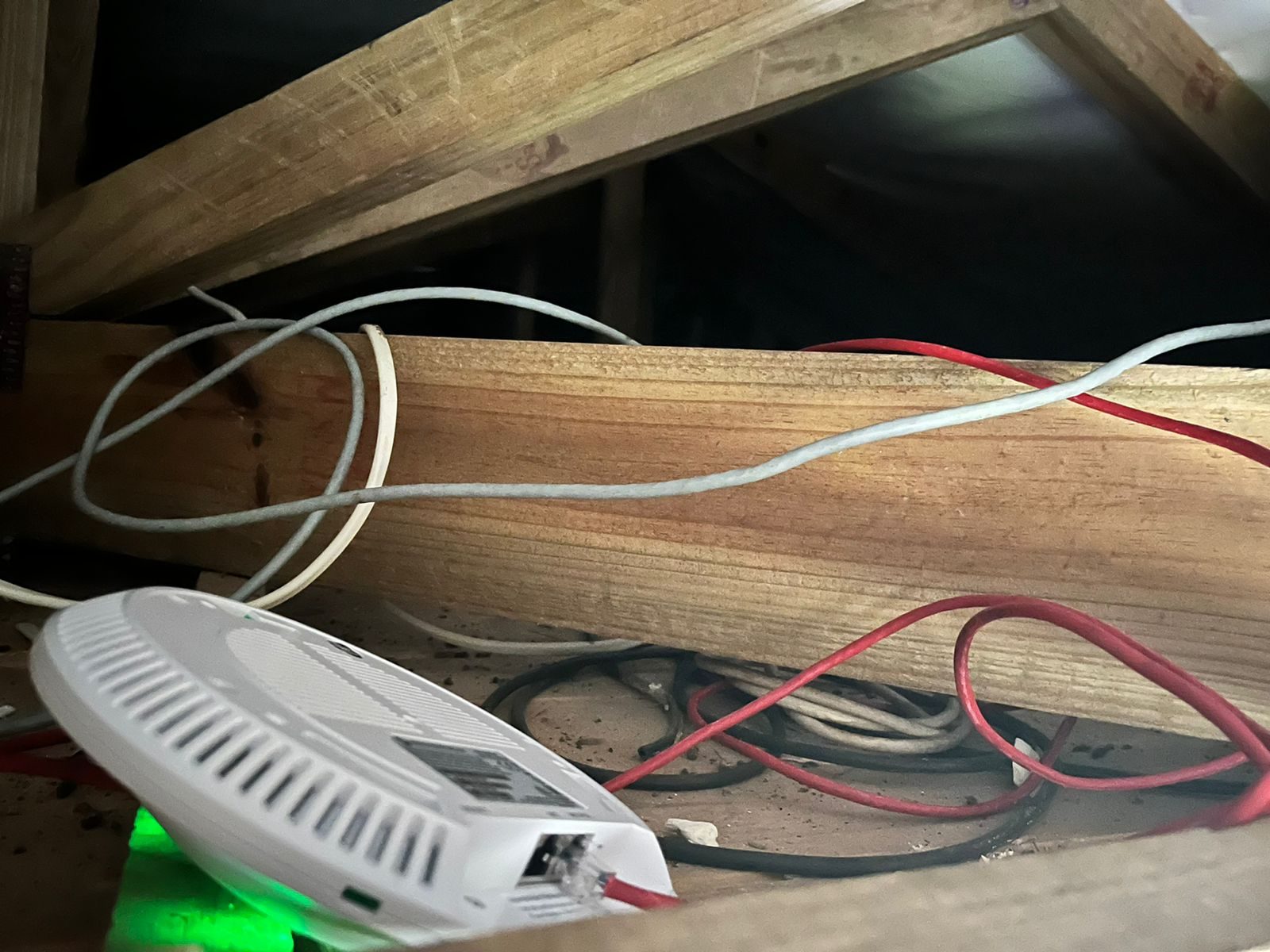
Poor speed in one part of the home

The next step is to compare wired and wireless performance, map the affected route and identify whether the limitation is coverage, backhaul, interference or equipment.

Provider evidence varies by address and date. DG does not assume that every Mount Edgecombe property has the same fibre operator or service arrangement.

Choose the architecture before adding another box

A homeowner searching for a Wi-Fi booster is usually describing a real coverage problem, not prescribing the only valid repair. The correct option depends on the size of the affected area, available cabling, the signal feeding that position and the systems relying on the network.

Plug-in extender or repeater

Can be acceptable for a small, low-demand area. Its result depends on the quality of the wireless signal it receives, so poor positioning can simply rebroadcast a weak connection.

Consumer mesh system

Can be useful where structured cabling genuinely cannot be installed. Placement and backhaul still decide how much performance reaches each node.

Wired access points

Each access point has an Ethernet path back to the network and can receive power over the same structured cable. This is normally DG's preferred basis for substantial homes.

Why planning comes before extenders

Managed home network

Routing, switching, PoE, access points, guest access, monitoring and documentation are treated as one supportable system rather than unrelated products.

See DG wireless installation services

What DG checks in a Mount Edgecombe home

The pattern of the failure decides where testing begins. We map what is installed before changing settings, because replacing the nearest access point is not useful when its cable, power source or upstream switch is the real fault.

Incoming service and router

Check internet availability, wired baseline performance, router operation, addressing and whether a recent provider or router change coincides with the fault.

Switching, PoE and cabling

Inspect links, switch ports, PoE supplies, patch leads, cable condition and terminations. An access point can power up while its data path remains unreliable.

How terminations affect Wi-Fi

Access points and radio behaviour

Review model support, firmware, controller adoption, positions, channel use, coverage, throughput and roaming with the devices that show the problem.

Connected systems

Where installed, test the effect on streaming, smart TVs, audio, Crestron control, intercoms and other IP-connected equipment instead of treating every symptom as a separate system fault.

Understand what the house already has

Estate Two is described in later academic research as having been established in the 1990s. That does not mean every Mount Edgecombe home is the same age or was built the same way. It does mean that parts of the estate predate current expectations for streaming, Wi-Fi calling, cloud-connected equipment and many devices per person.

In an established home, the first job is often to identify the infrastructure already present. Suitable cable routes, cabinets, switches and access points may still have value. Unsupported hardware, poor terminations or undocumented changes may be the parts that need attention.

Retain what remains sound

Existing Ethernet, cabinets and network equipment should be identified and tested before a replacement scope is written. Reuse is sensible when the component is reliable and supportable.

Read the sourced estate history

Do not assume one estate-wide setup

Fibre provider, router, cabling, access-point generation and previous workmanship can differ by property. The design must follow the actual home, not a generic estate package.

This is why the Mount Edgecombe assessment begins with the installed infrastructure rather than a predetermined access-point count.

Two faults that looked like “the Wi-Fi”

Our private records contain both full network installations and later support work in Mount Edgecombe. The examples below are anonymised and limited to what the underlying project and invoice records establish.

A full home network, not a booster

One documented Mount Edgecombe installation combined multiple wired UniFi access points with managed switching, Cat6 distribution, data links, patching and an organised network cabinet. The useful lesson is architectural: whole-home Wi-Fi depended on the wired system behind the access points.

Why the network backbone matters

Several small faults, one Wi-Fi complaint

A later Mount Edgecombe fault-finding visit recorded failures involving a network switch, PoE components, an access-point mainboard and two patch leads. Replacing only the access point closest to the symptom would not have addressed the complete fault chain.

How DG proves a network fault

Client identities, addresses and current network layouts are deliberately excluded. The records support the work described, but no unrecorded speed or permanent-outcome claim is being made.

Plan the network before the finishes close

A renovation is the practical time to route Cat6, confirm access-point positions, provide service access to the network equipment and allow for outdoor coverage where it is genuinely needed. Doing this before ceilings and joinery close reduces later disruption.

Mount Edgecombe has documented design and approval controls. Where network work affects visible external equipment, housings, routes or building alterations, the homeowner and project team should confirm the current estate requirements before installation begins.

Decide access-point positions early

Position for the area that needs service, then coordinate cable routes and access with the electrical, ceiling and interior teams.

Where UniFi fits the solution

DG frequently uses Ubiquiti UniFi because it supports multiple wired access points, managed switching, PoE, central visibility, guest networks, segmentation where needed and future expansion. The platform is selected after the network architecture and existing infrastructure have been assessed.

Why it is practical to support

A managed view can help identify which access points and devices are online, how the network is arranged and where investigation should begin when a fault is reported.

Why DG uses UniFi in estate homes

What the brand cannot repair

UniFi cannot compensate for bad placement, damaged cable, inadequate PoE, poor termination, confused controller ownership or a network that was never documented.

The equipment matters, but the design, installation and testing decide whether it works properly in the home.

How DG solves the network problem

The sequence keeps the diagnosis separate from the sale. Existing infrastructure is retained where it remains reliable and supportable.

01

Record and test

Confirm the affected areas and devices, then test the incoming service and establish a wired baseline.

02

Map and prove

Identify the router, switches, PoE, access points and controller ownership, then test cabling and terminations.

03

Design and correct

Reuse sound infrastructure, correct faults and design wired access-point positions where practical.

04

Configure and verify

Update, name and document the network, then retest coverage, throughput and roaming with real client devices.

Mount Edgecombe Wi-Fi questions

Will another Wi-Fi booster fix a dead area in my Mount Edgecombe home?

It may help in a small, simple area, but it should not be assumed. DG first checks whether the problem is coverage, cabling, PoE, switching, access-point placement, interference or the device itself. A wired access point is often more predictable where Cat6 can be installed or reused.

Why is my fibre fast near the router but slow elsewhere?

The fibre service and the home's Wi-Fi distribution are different parts of the connection. Good speed at the router can still be followed by weak coverage, poor backhaul, bad roaming or a fault in the switching and cabling feeding an access point.

Can DG repair my existing UniFi network instead of replacing it?

Yes, where the existing equipment remains suitable and supportable. DG maps the network, checks controller access, firmware, switches, PoE, cabling and access-point positions before deciding what can be retained.

Do you install wired UniFi access points in Mount Edgecombe Estate?

Yes. Where the property allows it, DG designs managed multi-access-point Wi-Fi with Ethernet backhaul and PoE. The final access-point count and position follow the building, existing cable routes and measured requirements rather than a standard package.

Before you buy another Wi-Fi extender, find the actual fault.

Tell us where the Wi-Fi drops, what fibre router and access points are installed, and which devices are affected. DG Technologies can assess the Mount Edgecombe network and recommend the repair, reuse or properly designed upgrade path.

Chat on WhatsApp
Get a quoteWhatsApp