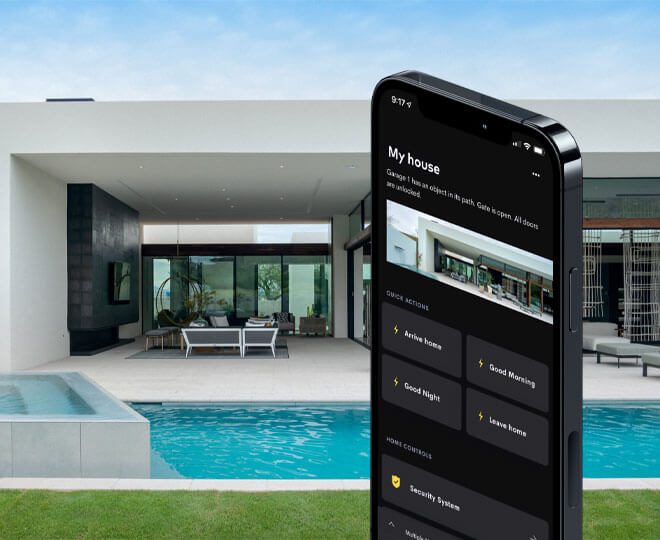
The best home automation app is not the one with the prettiest screenshots. It is the app connected to the best-designed system behind it. For DG Technologies, when we are talking about proper residential automation, that means Crestron Home.
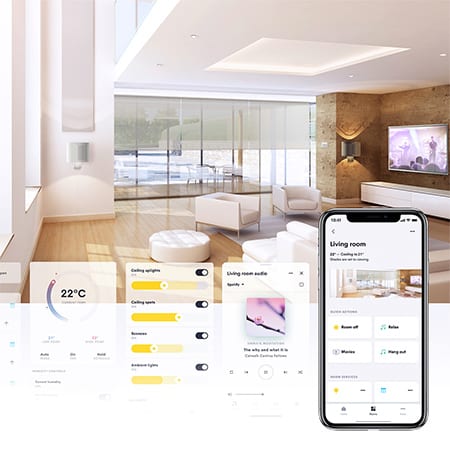
The Crestron Home app is important because it is not just a remote control for a few devices. It is the client-facing part of a professional Crestron Home system. Crestron’s own documentation says the app can control audio, video, lighting, shading, climate, security, door locks, cameras and more throughout the home. It also notes that the experience is consistent across Crestron touch screens, iOS devices and Android devices.
That consistency matters in a real home. A homeowner should not have to relearn the system every time they move from a wall touch screen to a phone or from one room to another.
The app is only as good as the system
A common mistake is choosing a home automation app before designing the home automation system. The app should come after the brief, not before it.
First, the installer needs to understand how the home will be used:
- Which rooms need lighting scenes?
- Is there a cinema or media room?
- Will audio play across indoor and outdoor zones?
- Are there gates, CCTV, access control or staff areas?
- Does the client want wall keypads, touch panels, handheld remotes and mobile control?
- How will the system behave during power interruptions?
Once those answers are clear, the app becomes the clean control layer on top of a planned system.
Why the Crestron Home app is strong
The Crestron Home app is strong because it sits inside the Crestron Home ecosystem. The same project can include app control, touch screens, remotes, keypads and programmed scenes. That means the phone is useful, but the home does not become helpless without it.
For daily use, this is critical. A homeowner should be able to press a keypad button for an evening lighting scene, use a touch screen to select music, use a remote in the cinema, and still use the Crestron Home app from a phone when away from the room.
Crestron’s Google Play listing for the Crestron Home app describes control of lighting, climate, audio, video, shades, security and more from an Android device. The App Store listing describes the same kind of control from iPhone and iPad. That cross-device availability is useful in South African homes where families often use a mix of Android and Apple devices.
Official app links:
What a good Crestron Home app setup should include
A good app setup should be easy for the client to understand. Rooms should be named clearly. Scenes should match real life. Controls should be grouped logically. The client should see the home, not the wiring diagram.
Useful scenes might include:
- Entertain: selected lighting, patio audio and entertainment zones ready.
- Movie: cinema display, source, audio and low-level lighting set together.
- Goodnight: non-essential areas off and the home moved into night mode.
- Away: selected systems off and the property prepared for low activity.
These scenes are powerful because they turn technical systems into normal routines. That is where lighting control, audio, cinema, climate and security start to feel like one home rather than separate installations.
Tutorial videos help with handover
Crestron also provides official Crestron Home tutorial videos, including videos for navigating rooms and controlling music. For clients, that matters. A professional installation should include a proper handover, but having official learning material available afterwards makes the system easier to live with.
Useful video links:
- Crestron Home tutorial playlist
- How to navigate and control rooms in the Crestron Home app
- How to control music in the Crestron Home app
The best app is the one installed properly
For a serious home in South Africa, DG Technologies would not choose an automation app in isolation. We would design the control system, lighting, network, rack, AV, Wi-Fi and user interfaces together, then commission the Crestron Home app as part of that system.
That is the difference between app control and professional automation. The app should feel simple because the engineering behind it is solid.